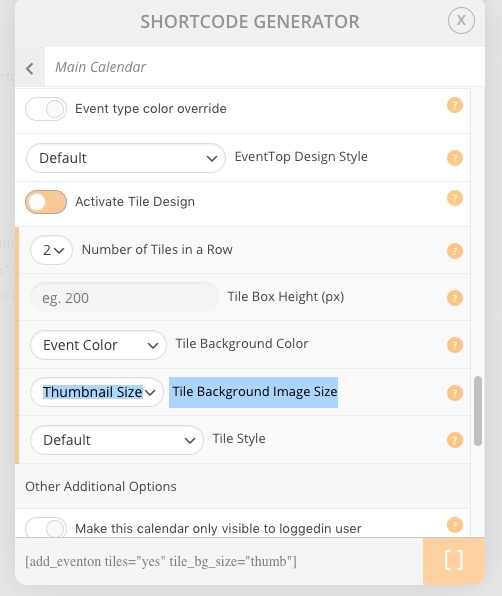
Featured Image loads it´s ORIGINAL SIZE on Tile Design and Eventcard
Hello,
Tile Design loads the original size of the Featured Image, either with Featured Image on top or background.
The same happens at Event card.
I tried the different Featured Image display styles, and they load the original image size.
How can I make them to load the Featured Image Size that best fit to the container?
Thanks
- Jun 29,2020 AT 11:11AM - 6 years ago-
-
Jun 29,2020 AT 2:23PM -
Posted 6 years ago
- #183563
Hello,
Thank you for your messages, I am going to assign this ticket to Ashan and he will be able to take it from here and find you a solution. Please allow some time for him to get back to you, we greatly appreciate your patience and thank you for being a eventon customer! Also please disable any IP blocking on your site if there are any.
-
Jun 29,2020 AT 2:41PM -
Posted 6 years ago
- #183577
Hi Artem!, all right. thanks!
-
Jun 30,2020 AT 4:37AM -
Posted 6 years ago
- #183708
Hey Alvaro,
We appreciate the patience, Ashan did not had the time to review yesterday but he has that in his schedule.
Allow some more time and we will get it shorted out for you.
-
Jun 30,2020 AT 7:15AM -
Posted 6 years ago
- #183720
Hello Basilis, thanks for the update, I´m not in a hurry, I´m building the site so I have others things to advance on the meantime.
Thanks. -
Jun 30,2020 AT 7:27PM -
Posted 6 years ago
- #183832
I’d like to add that the original size featured image also loads when the ux_val is set to “4” or “4a”. For me, I’m using the “add_eventon_list” shortcode with show_et_ft_img=”yes”. Inspecting the HTML code, all event details, including the original size featured image, are loaded, but hidden. This is greatly increasing the page size and load times.
If possible, I wouldn’t mind the same thumbnail image to load in the hidden details, since it is hidden. I don’t think I want to get rid of all the details, since I think they are needed for SEO.
Let me know if this would better be its own thread.
-
Jun 30,2020 AT 7:36PM -
Posted 6 years ago
- #183833
Sorry, I just double checked, and my problem is only happening when the ux_val is set to “4a”. When I change it to “4”, there are no “hidden details”. My problem is I want the ux_val to be “4a” (open in new window/tab).
-
Jul 6,2020 AT 11:15AM -
Posted 6 years ago
- #184636
Hey guys, so we originally had the tiles to load thumbnail/medium size view of the image and we had ppl saying it was too blurry and they wanted full size image loaded so thats why we switched.
We will add option to pick the size in future updates to make everyone happy 🙂
-
Jul 7,2020 AT 7:32AM -
Posted 6 years ago
- #184842
Hello Ashan, thanks for your answer.
Great solution for this issue! -
Jul 8,2020 AT 11:56AM -
Posted 6 years ago
- #185047
Hello,
Could you update EventON to 2.9 and then use Tile Background Image Size option:
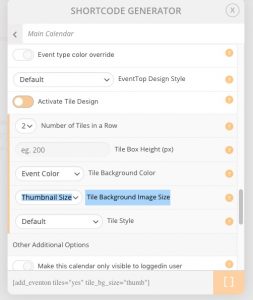
-
Jul 8,2020 AT 12:45PM -
Posted 6 years ago
- #185062
Hello Artem, I already did and works great!, I tried the three size options!
Thanks! -
Jul 9,2020 AT 1:14AM -
Posted 6 years ago
- #185104
We are glad your issue is resolved, if you have any further questions or concerns please create a new ticket.
If you have a moment, we would greatly appreciate if you could kindly leave us a review at codecanyon! from your account > downloads. Cheers!
-
Jun 29,2020 AT 2:23PM -
Posted 6 years ago
- #183563