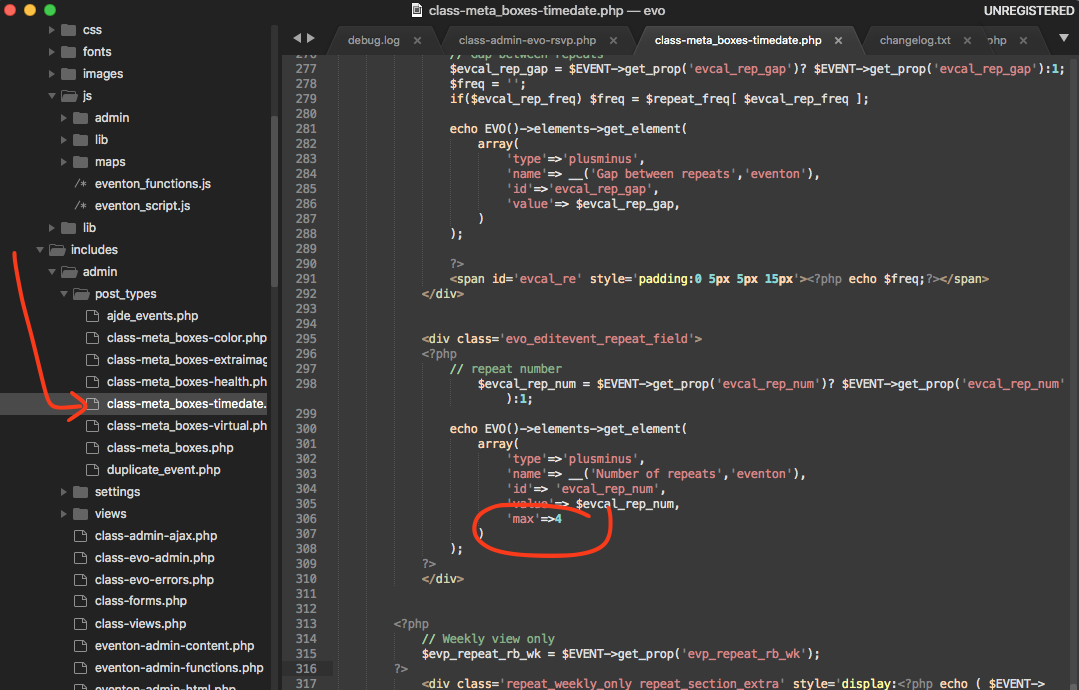
4.03 : Number of repeats is limited to only 4, and control does not allow manual entry
I am trying to set an happy hour being weekly on wednesday for the next 104 weeks, but the control only allows up to 4.
Also, if it would allow, i would be clicking 104 times to reach my desired input since it does not allow for manual input of the digits '104'
- Nov 19,2020 AT 5:24PM - 5 years ago-
-
Nov 19,2020 AT 5:24PM -
Posted 5 years ago
- #207158
correction: version number is 3.04
-
Nov 19,2020 AT 7:20PM -
Posted 5 years ago
- #207164
Please send us wp-admin access to your site as a private message for us to further assist your situation.
-
Nov 20,2020 AT 2:23AM -
Posted 5 years ago
- #207187
Hello,
i have the same problem here.
Thanks for helping
-
Nov 20,2020 AT 2:47AM -
Posted 5 years ago
- #207188
Hello,
Thank you for your messages, I am going to assign this ticket to Ashan and he will be able to take it from here and find you a solution. Please allow some time for him to get back to you, we greatly appreciate your patience and thank you for being a eventon customer! Also please disable any IP blocking on your site if there are any.
-
Nov 20,2020 AT 12:02PM -
Posted 5 years ago
- #207334
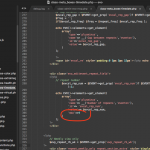
Hello pasabon thank you for reporting this to us. Please apply this patch fix. basically remove the circle part of the code.
-
Nov 20,2020 AT 2:04PM -
Posted 5 years ago
- #207361
thanks for the quick fix, that worked for the max4 issue. Any solution on entering 2yrs of weekly events (104 weeks, 104 clicks instead of manual)
-
Nov 21,2020 AT 1:47PM -
Posted 5 years ago
- #207504
Hi,
Yes, have you tried WP Import All?
-
Nov 22,2020 AT 1:28PM -
Posted 5 years ago
- #207587
Fix worked for me, too. But the removal of the ability to simply enter the digits for the number of repeats is not an improvement and real pain if, like me, you have events that repeat weekly for a year or more.
-
Nov 22,2020 AT 2:00PM -
Posted 5 years ago
- #207591
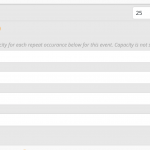
Also… Noticed that the number of repeats is not reflected accurately when the ‘manage capacity separate for each repeating event’ option is enabled.
In the attached screenshoot, the event starts on 26th Nov and repeats twice, but the ‘manage capacity’ list shows 3 additional instances.
-
Nov 22,2020 AT 4:25PM -
Posted 5 years ago
- #207614
Hi Basilis
i do use wpallimport, but mostly wpsitesync to transfer events from a local install to the live site. But for setting events and repeats i go event by event, and thus create a database of all thingstodo on our island. Tried going from an excel or google sheet with wpallimport ended up to cumbersome
-
Nov 22,2020 AT 4:25PM -
Posted 5 years ago
- #207615
Hi Basilis
i do use wpallimport, but mostly wpsitesync to transfer events from a local install to the live site. But for setting events and repeats i go event by event, and thus create a database of all thingstodo on our island. Tried going from an excel or google sheet with wpallimport ended up to cumbersome
-
Nov 22,2020 AT 4:27PM -
Posted 5 years ago
- #207616
Iain Graydon, i have exactly the same pain, updating the database after covid, means clicking 400 events x ~2 years for weekly events = (quick calculation) = 40k clicks (exagerated, probly 20k in reality)
-
Nov 23,2020 AT 6:54PM -
Posted 5 years ago
- #207947
hi Support, should i file a separate ticket for the dataentry part, or is this just a “too bad, cant help” ?
NB been clicking my ass off today and yesterday, not fun.
-
Nov 24,2020 AT 4:03AM -
Posted 5 years ago
- #208017
Hello,
We are sorry for the delay. Unfortunately, we need to wait for Ashan to respond on this issue.
However, here’s a temporary solution you can use.
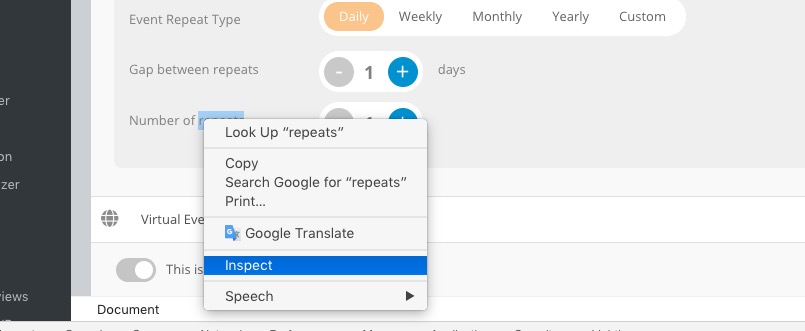
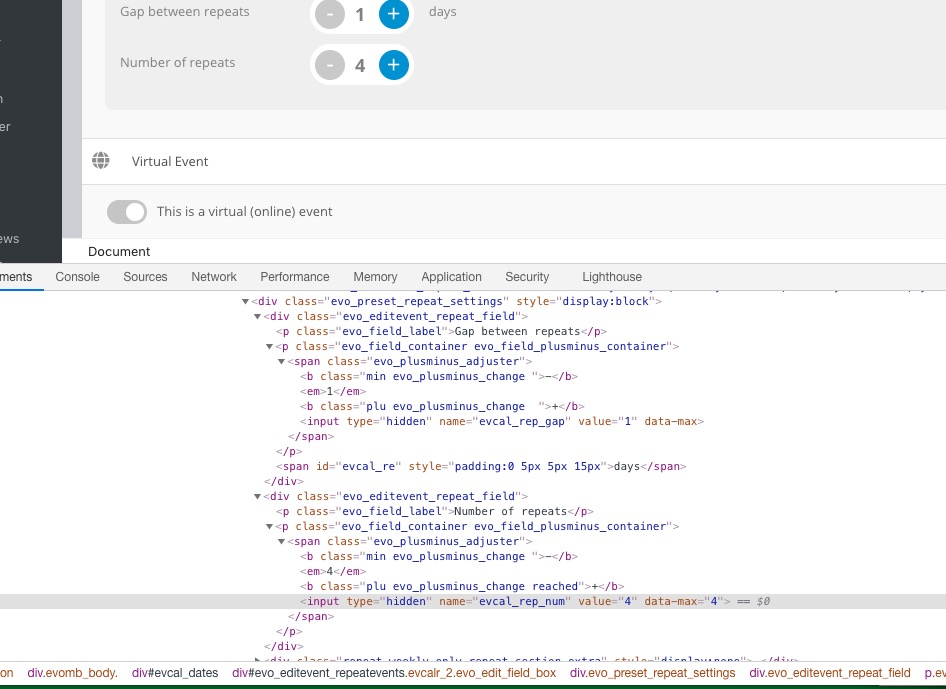
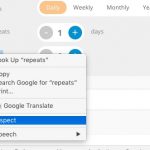
Please go to Edit Event > Mouse Right Click and “Inspect “:
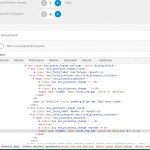
Find <input type=”hidden” name=”evcal_rep_num” value=”4″ data-max=”4″>. Now change value=”4″ with any number you want and press Update:
-
Nov 24,2020 AT 1:31PM -
Posted 5 years ago
- #208250
Hey pasabon the latest version 3.0.5 have addressed this issue. 🙂
-
Nov 25,2020 AT 11:02AM -
Posted 5 years ago
- #208417
Guess we have some confusion on what’s outstanding, the max 4 value is fixed, the manual dataentry part is not solved, still need to click 104 times to get 2 years worth of weekly events. Am gonna file a separate ticket for this. @Iain Graydon can you support me in this also ?
-
Nov 25,2020 AT 11:05AM -
Posted 5 years ago
- #208418
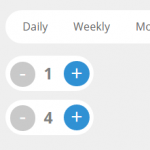
Ashan, not sure, but my 3.05 still does not allow me go beyond 4 weeks
https://i.imgur.com/8VmDoQg.png
-
Nov 25,2020 AT 3:34PM -
Posted 5 years ago
- #208535
Hi,
Sorry for the delay, We are working around the Black Friday and Cyber Monday, but Ashan will be with you to assist really soon!
-
Dec 1,2020 AT 1:41PM -
Posted 5 years ago
- #209628
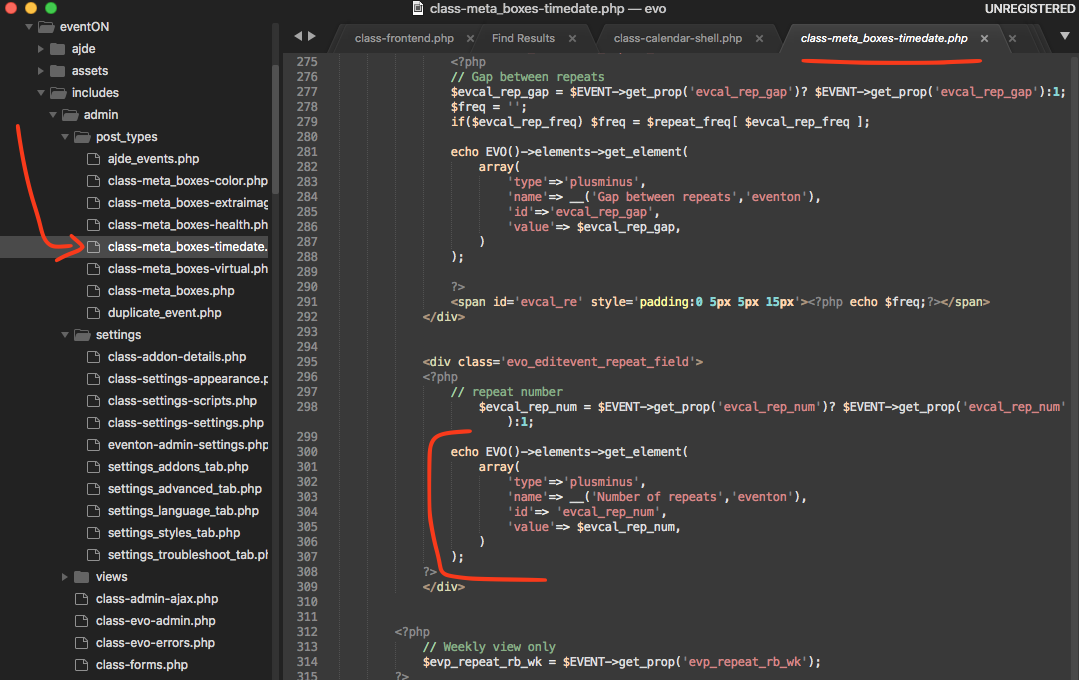
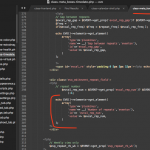
my apologies, the 3.0.5 update went out without the fix for this issue. Here is the patch fix which will be in version 3.0.6
Make sure your code look same as in the patch fix.
-
Dec 1,2020 AT 1:59PM -
Posted 5 years ago
- #209632
Does this solve the clickety click 104 times, or also allows for manual input ?
-
Dec 1,2020 AT 2:20PM -
Posted 5 years ago
- #209635
answering my own: did the patch, fixing the max 4, not the mandatory clicking. Would be happy with another patch to solve that (still have 200 events to do)
-
Dec 4,2020 AT 11:16AM -
Posted 5 years ago
- #210132
i am hopign to add the input field in there. before i release 3.0.6 today 🙂
-
Nov 19,2020 AT 5:24PM -
Posted 5 years ago
- #207158