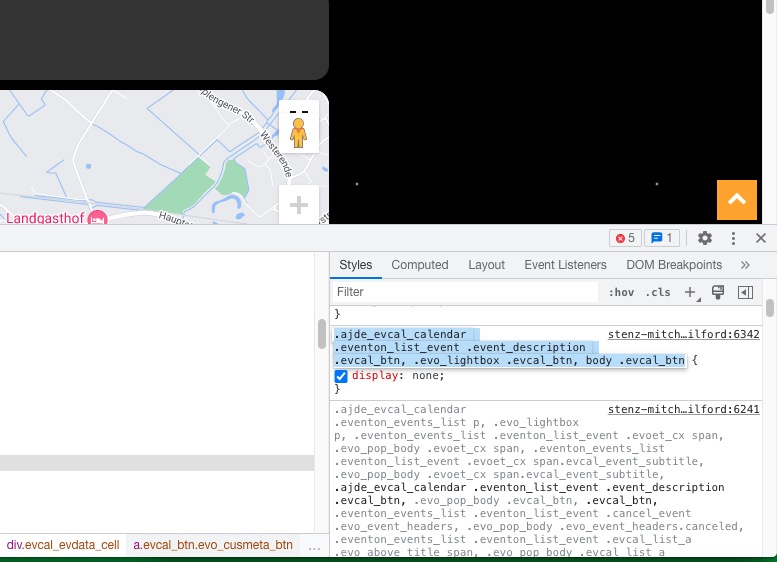
title on single event page
Since last update the single-event-page shows the title from the event. How can i remove it?
- Oct 25,2022 AT 8:54AM - 3 years ago-
-
Oct 25,2022 AT 8:55AM -
Posted 3 years ago
- #293280

-
Oct 25,2022 AT 12:18PM -
Posted 3 years ago
- #293305
Hello,
Please add this CSS code to EventON > Styles (If you don’t see any change, EventON > Scripts & Styling > turn off Write dynamic styles to header > save settings > turn on Write dynamic styles to header):
.evo_page_body .evo_sin_page .evosin_event_title { display: none !important; }
-
Oct 25,2022 AT 1:18PM -
Posted 3 years ago
- #293333
Hi Artem,
solution works.
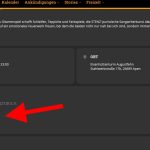
But where does this button come from? I can’t find a translation option. And I also don’t know how I can change the color (if I can’t remove it) according to the page. Actually, I don’t need such a button (and the Events by function) as a popup. Certainly a great function for others, not really relevant for me (especially since the colors would not fit again). How can I turn off the button?
-
Oct 25,2022 AT 1:25PM -
Posted 3 years ago
- #293339
Even in the normal calendar view, there was always time, place and event. It’s all gone..
-
Oct 25,2022 AT 1:26PM -
Posted 3 years ago
- #293341
Not Event, Organizer, Time and Town/Location
-
Oct 25,2022 AT 11:35PM -
Posted 3 years ago
- #293418
Hi Thomas,
You can add/remove whatever you don’t want to display in the EventTop by going to Eventon > Settings > EventTop designer
To remove the button, add the code below to Appearance > Customize > Additional CSS
.ajde_evcal_calendar .eventon_list_event .event_description .evcal_btn, .evo_lightbox .evcal_btn, body .evcal_btn{
display:none;
}
-
Oct 26,2022 AT 1:39AM -
Posted 3 years ago
- #293442
Great, thanks for the quick help. Apart from the problem with accessing the locations and organizers that everyone has at the moment, the calendar is pretty much back to the way it was now.
But I still have one question, how do I get rid of the comma there?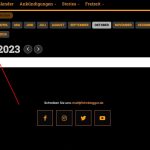
-
Oct 26,2022 AT 3:34AM -
Posted 3 years ago
- #293468
Hi Thomas,
To remove the comma, please go to EventON > Time Settings > Calendar Header month/year format. > add m Y
As for the locations and organizers issue, please use the patch fix below to fix the issue
https://docs.myeventon.com/patch-fixes/unable-to-select-locations/
-
Oct 26,2022 AT 5:07AM -
Posted 3 years ago
- #293507
perfect ! thx!
-
Oct 26,2022 AT 5:25AM -
Posted 3 years ago
- #293509
We are glad your issue is resolved, if you have any further questions or concerns please create a new ticket.
If you have a moment, we would greatly appreciate if you could kindly leave us a review at codecanyon! from your account > downloads. Cheers!
-
Oct 26,2022 AT 5:26AM -
Posted 3 years ago
- #293513
Unfortunately it still goes on. I managed to install the patch. But the button to sell tickets online and the view of Google Maps are gone.
-
Oct 26,2022 AT 5:40AM -
Posted 3 years ago
- #293533
This code hides the button:
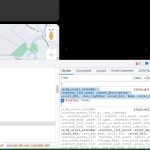
Could you remove it?
The map seems to be working. Could you send us a screenshot?
-
Oct 26,2022 AT 5:54AM -
Posted 3 years ago
- #293556
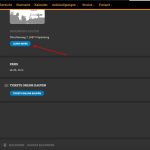
Yes, I removed that in a tip above. Actually, I just wanted to either rename the “Learn More” button to German or remove it. The pop-up also says “Learn more” – that should also be in German.
I removed the CSS line given to me above, the button is back. Unfortunately the other one too.
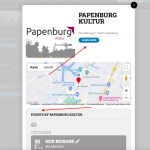
Apparently not Google Maps.The translations in the lightbox are not correct either. Learn More should be called “Link” and “Events by” then in German “Veranstaltungen von”
-
Oct 26,2022 AT 5:55AM -
Posted 3 years ago
- #293558
here the Lightbox
-
Oct 26,2022 AT 1:02PM -
Posted 3 years ago
- #293677
It seems that these translations aren’t available at the moment.
Thank you for your messages, I am going to assign this ticket to Ashan and he will be able to take it from here and find you a solution. Please allow some time for him to get back to you, we greatly appreciate your patience and thank you for being a eventon customer! Also please disable any IP blocking on your site if there are any.
-
Oct 26,2022 AT 2:06PM -
Posted 3 years ago
- #293703
I’m afraid that if I buy “Action User” I won’t have any translation options there either. I’d also like to translate the backend into German, but I’m not really familiar with the whole “LocoTranslate” thing. I’m afraid of making any mistakes.
Just like the other things here are translated or can be translated (Language), it should be that easy for all areas and functions. That would be real added value and certainly a selling point for many. -
Oct 26,2022 AT 2:29PM -
Posted 3 years ago
- #293709
Sorry the translation is indeed missing i am adding it to the update we are going to release tonight or tomorrow morning.
-
Oct 25,2022 AT 8:55AM -
Posted 3 years ago
- #293280