Repeating events not showing at all
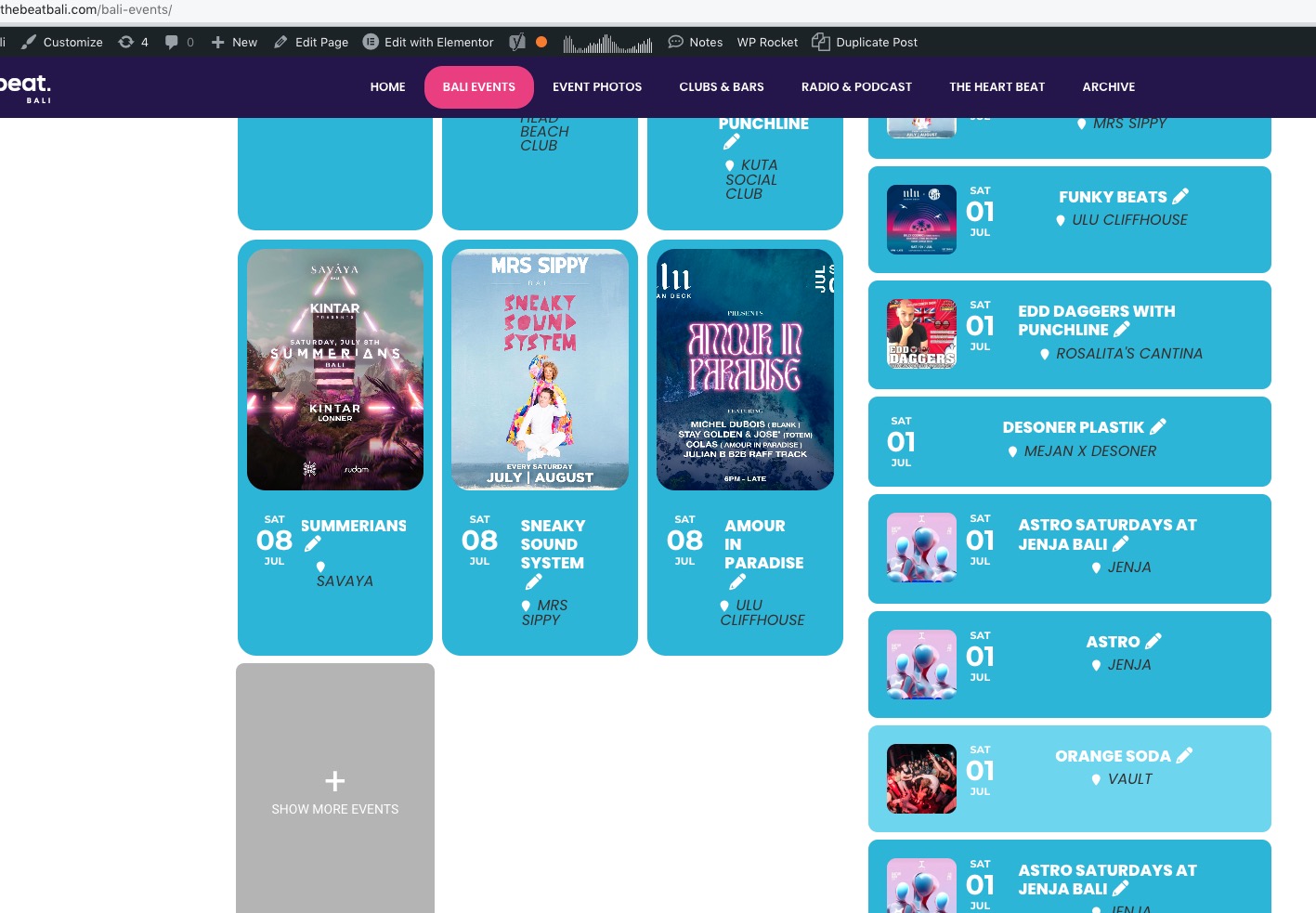
Hello again. You may recall we had a problem with the repeating events not long ago. Now the repeating events are not showing at all. The first instance shows but none after. They are all weekly repeat events
- Jun 30,2023 AT 12:24AM - 3 years ago-
-
Jun 30,2023 AT 12:48AM -
Posted 3 years ago
- #319410
It seems like all the repeating events finish at the end of June. In July there are no repeating events showing, but they are selected to repeat on the edit page.
Also last time (check the previous ticket) we had an issue with the latest update and had to roll back to get the calendar working. So I still haven’t updated to 4.4
-
Jun 30,2023 AT 1:22AM -
Posted 3 years ago
- #319411
I have made a new single event page for one that is supposed to be repeated, made it three times. They are not showing on the date in the calendar.
https://thebeatbali.com/events/astro-saturdays-at-jenja-bali-2/
https://thebeatbali.com/events/astro-saturdays-at-jenja-bali-3/
https://thebeatbali.com/events/astro-saturdays-at-jenja-bali-4/
Something weird happening
-
Jun 30,2023 AT 4:02AM -
Posted 3 years ago
- #319423
Hello,
Are you referring to this calendar:
https://thebeatbali.com/bali-events/
Please note that the calendar has only_ft=”yes”, so it shows only featured events.
This event https://thebeatbali.com/wp-admin/post.php?post=182050&action=edit, for example, isn’t featured.
-
Jun 30,2023 AT 4:11PM -
Posted 3 years ago
- #319464
Bali Nightlife Calendar on https://thebeatbali.com/bali-events/
I can’t see this only_ft=”yes”
[add_eventon_fc show_et_ft_img=”yes” ft_event_priority=”yes” jumper=”no” mo1st=”yes” heat=”yes” ]
where is this ?
Please note that the calendar has only_ft=”yes”, so it shows only featured events.
-
Jun 30,2023 AT 4:19PM -
Posted 3 years ago
- #319465
This is what I am looking at. I can’t see the only_ft=”yes”
-
Jun 30,2023 AT 4:41PM -
Posted 3 years ago
- #319471
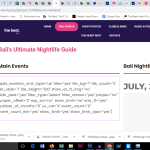
You are looking at the slider not the calendar. (attached screen shot)
So that isn’t the issue.
-
Jun 30,2023 AT 5:15PM -
Posted 3 years ago
- #319473
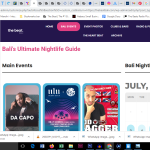
I tried adding this to css
[add_eventon hide_mult_occur=‘yes’ show_repeats=‘yes’]
Still the same. the calendar does not show repeat regular events. It shows some repeat featured events but not all.
-
Jun 30,2023 AT 5:18PM -
Posted 3 years ago
- #319475
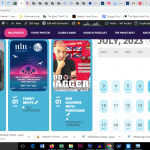
But check this out. Attached.
the calendar button shows there are many events on the day, but click it and they don’t appear below
Try that and see for yourself
-
Jul 1,2023 AT 2:45AM -
Posted 3 years ago
- #319481
The latest.
I tried updating eventon to 4.4 and the same error occurred as my previous ticket – namely, both the slider and calendar did not open at all. So, I downgraded the plugin back to 4.3.5 again.
I think that must be where the problem lies. There must be a reason why I can’t update the plugin.
Why is that? Why can’t I update to 4.4?
The events on the calendar are totally messed up. We need a solution fast, my friend
-
Jul 3,2023 AT 4:01AM -
Posted 3 years ago
- #319514
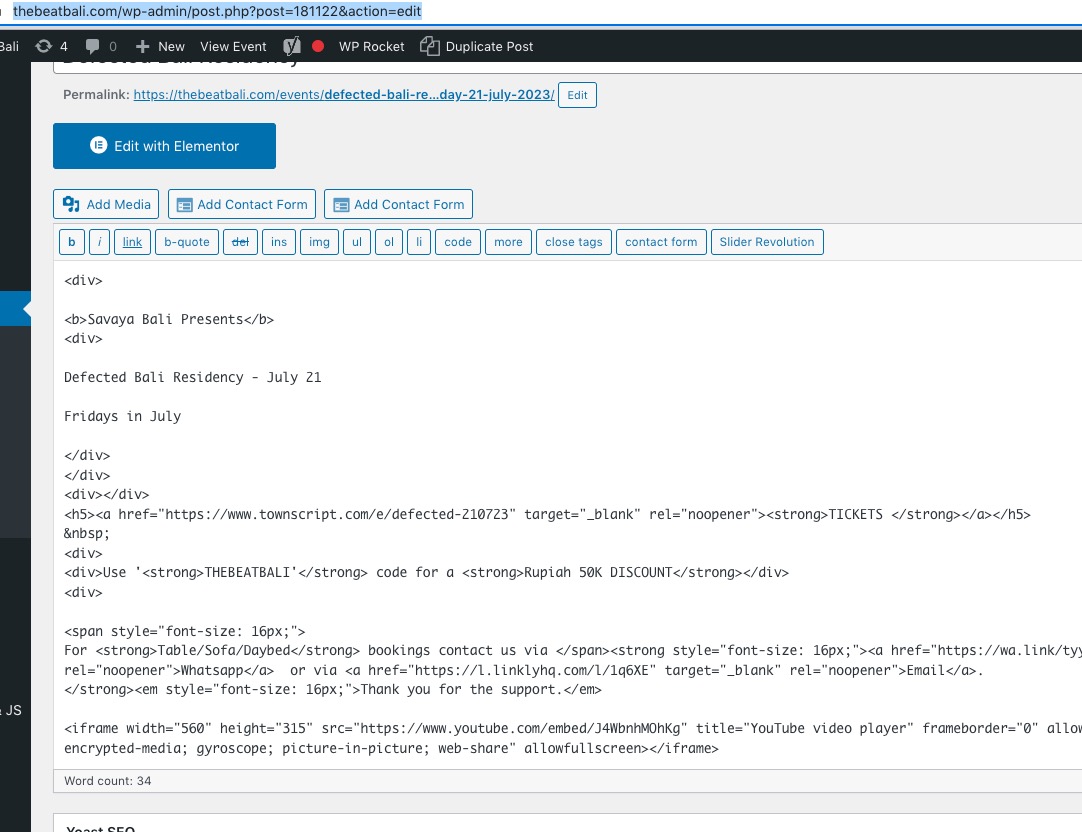
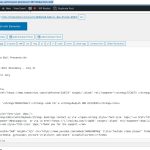
When I disable Event Details, it starts working:

One of your events (or maybe multiple) contains raw HTML code that breaks everything.
For example,
https://thebeatbali.com/wp-admin/post.php?post=181122&action=edit
-
Jul 3,2023 AT 4:02AM -
Posted 3 years ago
- #319517
Try going to EventON > selecting Select calendar event content filter type: Default WordPress Filter.
-
Jul 3,2023 AT 6:49PM -
Posted 3 years ago
- #319549
Try going to EventON > selecting Select calendar event content filter type: Default WordPress Filter.
Tried this. Nothing changed
One of your events (or maybe multiple) contains raw HTML code that breaks everything.
There is always code on the text part. What’s the problem and if it’s not supposed to be there, how do I get rid of it?
And why can’t I update to 4.4?
This is a major problem and I need a fix asap. Is Kenneth there?
-
Jul 3,2023 AT 6:54PM -
Posted 3 years ago
- #319550
BTW
One of your events (or maybe multiple) contains raw HTML code that breaks everything.
How do you know it breaks everything?
-
Jul 3,2023 AT 9:35PM -
Posted 3 years ago
- #319551
There’s still no regular events on the calendar,,, Help
-
Jul 4,2023 AT 4:03AM -
Posted 3 years ago
- #319579
Please take a look at “When I disable Event Details, it starts working:…” of the message:
Go to EventON > EventCard Design > hide/remove Event Details.
-
Jul 4,2023 AT 8:11AM -
Posted 3 years ago
- #319593
I presume that’s in settings.
Why can’t I update eventon to 4.4?
-
Jul 4,2023 AT 8:38AM -
Posted 3 years ago
- #319597
Ok, I knocked off the event details box on the design page and the regular events now show. But obviously I need the event details on the page.
What next, how do I get the details back?
-
Jul 4,2023 AT 5:10PM -
Posted 3 years ago
- #319622
Hello, can I get some help here to sort out
1. The 4.4 update
2. the details on the event cards
Thank you so much (this is already 5 days of problems ++)
-
Jul 4,2023 AT 5:19PM -
Posted 3 years ago
- #319623
Actually this is now costing me a lot of money.
If people can’t see the details of the events they can’t click the ticket link and we lose money.
I’m trying to find the way to get the event details back on the page. How is that done????
-
Jul 4,2023 AT 5:21PM -
Posted 3 years ago
- #319624
But for some reason the featured event details are showing on the mobile version, but the regular event details are not.
On the desktop version no event details are showing.
WTH?
-
Jul 5,2023 AT 3:31AM -
Posted 3 years ago
- #319642
I removed raw HTML code from some events and now July 1st shows all events with enabled Event Details:
https://thebeatbali.com/bali-events/
Please check and let me know.
About 4.4. Please wait for 4.4.1. It will be available soon.
-
Jul 5,2023 AT 7:44AM -
Posted 3 years ago
- #319677
I also removed some code text from featured events. Any idea where that code comes from? Could it be from duplicating events?
-
Jul 5,2023 AT 8:23AM -
Posted 3 years ago
- #319686
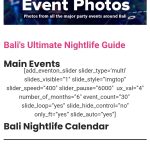
Thanks for your help BTW. I really think there’s something weird going on. Check what happened after I updated an event by deleting a feature image (and the post image option disappeared) Attached
-
Jul 5,2023 AT 4:43PM -
Posted 3 years ago
- #319789
We seem to be on two threads here.
I reinstalled 4.3.5 and that doesn’t work at all now either. Help
-
Jul 5,2023 AT 8:44PM -
Posted 3 years ago
- #319795
And now everything is working perfectly again. Go figure. Still need to update to 4.4 though
-
Jul 6,2023 AT 5:02AM -
Posted 3 years ago
- #319872
Is it possible to wait for 4.4.1 and see if it’ll solve the issue?
I also removed some code text from featured events. Any idea where that code comes from? Could it be from duplicating events?
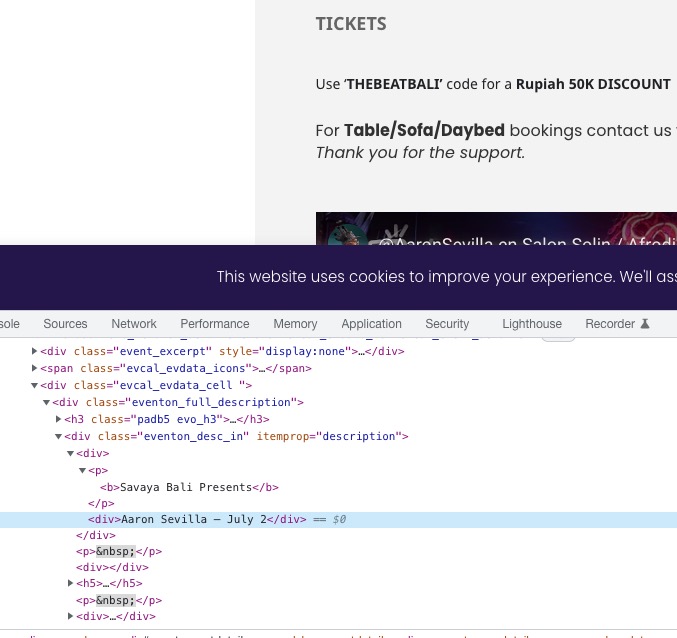
Did you add Event Details manually or by copying it from a website?
For example, this event:
https://thebeatbali.com/events/aaron-sevilla-at-savaya-sunday-2-july-2023/
-
Jul 6,2023 AT 2:11PM -
Posted 3 years ago
- #319925
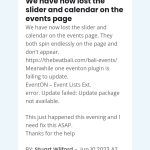
First. I can’t log onto the other thread in this help desk, it keeps asking me to log on. See attached.
Please keep on this thread (hope it works)
-
Jul 6,2023 AT 2:16PM -
Posted 3 years ago
- #319927
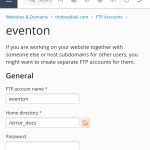
Re FTP. I’m no IT expert. Can you walk me thru the FTP set up you require on plesk? Attached is what I see on plesk.
-
Jul 6,2023 AT 4:45PM -
Posted 3 years ago
- #319932
Did you add Event Details manually or by copying it from a website?
For example, this event:
https://thebeatbali.com/events/aaron-sevilla-at-savaya-sunday-2-july-2023/
Some details are copied via duplicating another event page on our site and other bits like the name are copied from another website. I also copied the embed url from youtube
-
Jul 7,2023 AT 3:50AM -
Posted 3 years ago
- #319969
https://helpdeskx.s3.amazonaws.com/wp-content/uploads/2023/07/06141605/Screenshot_20230707_051454_Chrome.jpg
Home directory is wrong. Please change it to the root folder of the WordPress installation. Should have wp-content, wp-admin folders.
When you copy text from websites, you also copy all HTML tags as well:
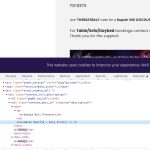
See <div> tags? They shouldn’t be there, since WP usually puts <p> or <span> tags around the text.
More explanation here:
https://divimundo.com/en/blog/paste-text-without-formatting-in-wordpress/
-
Jul 7,2023 AT 6:44PM -
Posted 3 years ago
- #320030
Ok I will try to go thru all the pages and get rid of those nasty bits of code.
Next FTP. I changed it to the root folder. It should be ok now
-
Jul 10,2023 AT 1:10PM -
Posted 3 years ago
- #320203
Ashan have replied in your other ticket. Could you follow his advice?
-
Jun 30,2023 AT 12:48AM -
Posted 3 years ago
- #319410