Calendar not loading from any widgets after most recent update to 4.6.3
The calendar widgets on our homepage and the main calendar landing page are no longer loading - they just keep trying to load the content but never resolve.
Homepage: ttps://southfloridafamilylife.com
Shortcode used:
[add_eventon_fc cal_id="fullcaltest" hide_past="yes" show_et_ft_img="yes" ft_event_priority="yes" grid_ux="2" hover="numname" jumper="yes" heat="yes" hide_arrows="yes"]
Main Events landing page: https://southfloridafamilylife.com/south-florida-family-events/
Shortcode used:
[add_eventon cal_id="001" exp_so=”yes” show_et_ft_img=”yes” hide_past=”yes” hide_past_by=”ss” hide_mult_occur=”yes” show_repeats=”yes” hide_empty_months=”yes” event_count="20" ft_event_priority=”no” hide_end_time=”yes” show_limit=”yes” show_limit_ajax=”no” ux_val=”1″ jumper=”yes” jumper_offset=”2″ jumper_count=”2″ filter_type=”default” ]
Actual event listings still load fine: https://southfloridafamilylife.com/events/miami-dade-countryfest/
Help, please!
- Apr 17,2024 AT 9:04AM - 2 years ago-
-
Apr 17,2024 AT 12:16PM -
Posted 2 years ago
- #351051
Hello,
Please remove cal_id=”fullcaltest” as well as cal_id=”001″ from both shortcodes to make them work.
-
Apr 17,2024 AT 9:56PM -
Posted 2 years ago
- #351093
That didn’t work.
New code for homepage widget: https://southfloridafamilylife.com/
[add_eventon_fc hide_past=”yes” show_et_ft_img=”yes” ft_event_priority=”yes” grid_ux=”2″ hover=”numname” jumper=”yes” heat=”yes” hide_arrows=”yes”]
For main events landing page: https://southfloridafamilylife.com/south-florida-family-events/
[add_eventon exp_so=”yes” show_et_ft_img=”yes” hide_past=”yes” hide_past_by=”ss” hide_mult_occur=”yes” show_repeats=”yes” hide_empty_months=”yes” event_count=”20″ ft_event_priority=”no” hide_end_time=”yes” show_limit=”yes” show_limit_ajax=”no” ux_val=”1″ jumper=”yes” jumper_offset=”2″ jumper_count=”2″ filter_type=”default”]
-
Apr 18,2024 AT 3:22AM -
Posted 2 years ago
- #351129
Please follow the instructions in this
to activate debug in your site to see any PHP errors recorded that can provide insight on to whats going on. Please reply with a link to debug.log file. If you are not able to do this please send us FTP access to your site so we can do this for you.
The second most common problem is memory limit:
https://docs.myeventon.com/documentations/increasing-wordpress-memory-limit/
-
Apr 18,2024 AT 10:56AM -
Posted 2 years ago
- #351196
I already increased my memory in my wp-config file, and I have debugging already turned on, but I don’t know how to share it with you.
One thing I have noticed is that the following error appears in my browser inspector when the widgets won’t work:
POST https://southfloridafamilylife.com/?evo-ajax=eventon_init_load 500 (Internal Server Error)
send @ jquery.min.js?ver=3.7.1:2
ajax @ jquery.min.js?ver=3.7.1:2
(anonymous) @ jquery-migrate.min.js?ver=3.4.1:2
e.<computed> @ jquery-migrate.min.js?ver=3.4.1:2
init_load_cal_data @ eventon_script.js?ver=4.6.3:416
init @ eventon_script.js?ver=4.6.3:365
(anonymous) @ eventon_script.js?ver=4.6.3:362
e @ jquery.min.js?ver=3.7.1:2
t @ jquery.min.js?ver=3.7.1:2
setTimeout (async)
(anonymous) @ jquery.min.js?ver=3.7.1:2
c @ jquery.min.js?ver=3.7.1:2
fireWith @ jquery.min.js?ver=3.7.1:2
fire @ jquery.min.js?ver=3.7.1:2
c @ jquery.min.js?ver=3.7.1:2
fireWith @ jquery.min.js?ver=3.7.1:2
ready @ jquery.min.js?ver=3.7.1:2
P @ jquery.min.js?ver=3.7.1:2The file that is not loading is definitely on the server:
https://southfloridafamilylife.com/?evo-ajax=eventon_init_load
Do you know what this indicates and why it only throws that error on pages with the EventOn widgets?
-
Apr 18,2024 AT 1:24PM -
Posted 2 years ago
- #351209
Seems to be working in Troubleshooting Mode:
https://southfloridafamilylife.com/wp-admin/site-health.php?tab=troubleshoot
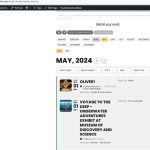 Could you please try the instructions mentioned in this
to make sure your issue is indeed coming from eventon.
-
Apr 18,2024 AT 6:32PM -
Posted 2 years ago
- #351231
When I was checking the total memory and the debug logs, I noticed that I was still running PHP 8.0 so I upgraded to 8.3 and it works fine again. But thanks for your help… I learned a few things!
Thanks!
-
Apr 18,2024 AT 7:53PM -
Posted 2 years ago
- #351232
Hello,
You are welcome, if you have any further questions or concerns please feel free to create a new ticket.
-
Apr 17,2024 AT 12:16PM -
Posted 2 years ago
- #351051