Auto set evcal_lmlink_target to yes (instead of no)
How would I set the evcal_lmlink_target to yes, instead of no, automatically
I import events and so to go into all 400 events and toggle "yes" Open in New window under the "Learn more about event link" - Learn More Link would be a total pain in the ....
Thanks!
- Jun 7,2024 AT 8:59AM - 2 years ago-
-
Jun 7,2024 AT 1:44PM -
Posted 2 years ago
- #356359
Hello,
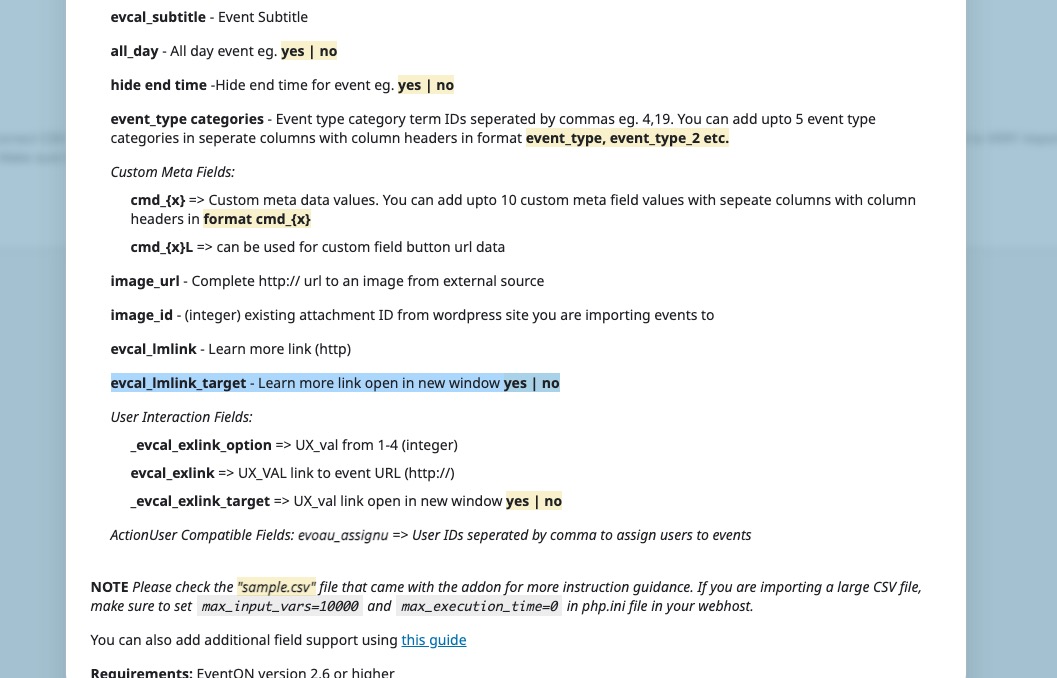
How do you import events? With CSV Import add-on you can use “Acceptable CSV file fields” to set the parameter on each event:
https://www.myeventon.com/addons/csv-event-importer/
evcal_lmlink_target – Learn more link open in new window yes | no
Try on
https://dev.myeventon.com/wp-admin/
-
Jun 7,2024 AT 6:37PM -
Posted 2 years ago
- #356369
I import using Xylus Facebook import and also iCal import (I should have clarified as I know how I could resolved with CSV). But don’t know how to resolve since it’s a third party integration into EventOn. But ultimately I want them all to be Yes (instead of default no) so I felt like this should be something achievable in the code but haven’t been able to figure it out. Thanks for taking the time
-
Jun 9,2024 AT 2:41PM -
Posted 2 years ago
- #356411
Not possible, unfortunately. Only with CSV Import add-on.
-
Jun 10,2024 AT 9:10AM -
Posted 2 years ago
- #356487
Couldn’t I hook after evcal_lmlink_target and set an action to yes for the switcher? I’m just not 100% sure how to write that code.
-
Jun 10,2024 AT 12:57PM -
Posted 2 years ago
- #356521
Unfortunately, we unable to help with any PHP customizations since it’s against CodeCanyon’s Support Policy.
-
Jun 7,2024 AT 1:44PM -
Posted 2 years ago
- #356359