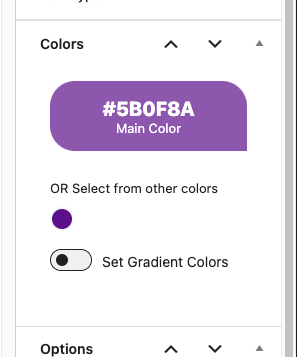
I can't for the life of me figure out how to add colors for my client to choose from for cards when adding a new event.
I can't for the life of me figure out how to add preset colors for my client to choose from in that Colors panel when creating new events. I searched documentation and couldn't find anything.
- Jun 27,2025 AT 12:39PM - 8 months ago-
-
Jun 27,2025 AT 3:07PM -
Posted 9 months ago
- #391121
Hello,
Preset Colors is the default WordPress functionality (Gutenberg’s). So please take a look at this guide on how to change them:
https://www.youtube.com/watch?v=H3lxYRcMeL0
-
Jul 30,2025 AT 6:41AM -
Posted 8 months ago
- #393393
Hi Artem, EventOn used to have the ability to add custom colors so you can choose one for the background of an event tile. I have attached a screen cap of the panel where you used to be able to add colors. You used to be able to do this through the EventOn plugin. Are you saying this ability was removed and now you have to add them via the functions php file? This doesn’t make any sense to me. Am I misunderstanding something?
-
Jul 30,2025 AT 9:31AM -
Posted 8 months ago
- #393405
It is still available:

But in order to add a preset set colors, you need to add them through the code.
-
Aug 4,2025 AT 1:52PM -
Posted 8 months ago
- #393743
Ok, thank you. You used to be able to add those without code. You could save EventOn preset colors inside wordpress. I have a few sites running EventOn and have never had to add them via code or adding snippets to functions.php.
-
Aug 4,2025 AT 2:57PM -
Posted 8 months ago
- #393745
You could save EventOn preset colors inside wordpress.
How it was possible before? Could you tell us more?
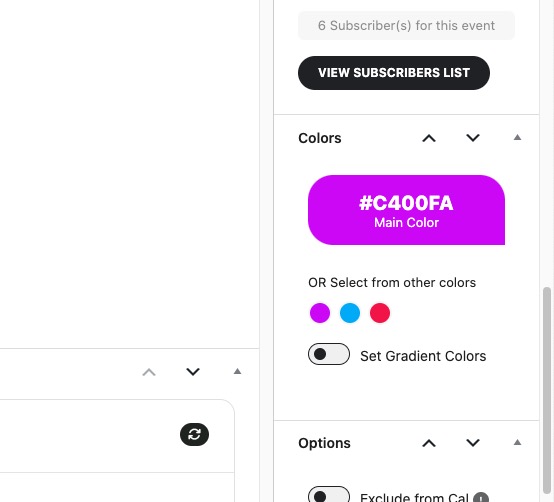
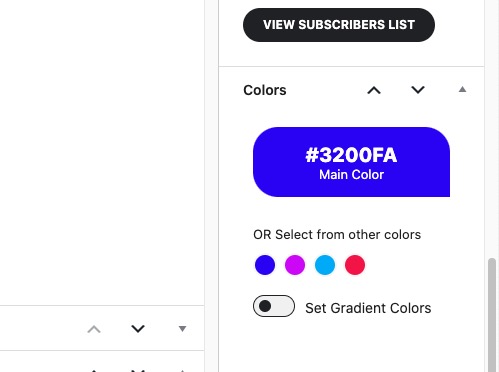
I just tried to set a new color and it got saved to “OR Select from other colors“:

It’s not possible on your website?
-
Aug 5,2025 AT 12:36PM -
Posted 8 months ago
- #393829
Ah, I see. After you choose the color in the main picker and save the event, it shows up in the color choices. I had to reload the page to see it show up, which is why I wasn’t seeing anything happening. User error on my end. Thank you for your assistance.
-
Aug 5,2025 AT 2:33PM -
Posted 8 months ago
- #393844
We are glad your issue is resolved, if you have any further questions or concerns please create a new ticket.
-
Jun 27,2025 AT 3:07PM -
Posted 9 months ago
- #391121