EventTop background color issues
I have just installed the full EventOn plugin and am having issues with the EventTop background color.
I created two events before I changed any color settings which are showing the default light blue background color.
After I changed the color in the General Frontend Calendar Appearance settings, I created a new event which is showing that new background color, but the old events are staying with the default light blue color.
I would expect that changing the General Frontend Calendar Appearance settings would change the EventTop bgd color for all events.
I've tried resetting to default colors and saving, I've tried opening in new browsers and clearing cache, but the EventTop bgc colors are different across events which is very weird. I have not set up any other custom colors for event types or otherwise.
Thanks for your help troubleshooting this.
- Aug 24,2025 AT 8:18PM - 6 months ago-
-
Aug 25,2025 AT 5:01AM -
Posted 6 months ago
- #394853
Hello,
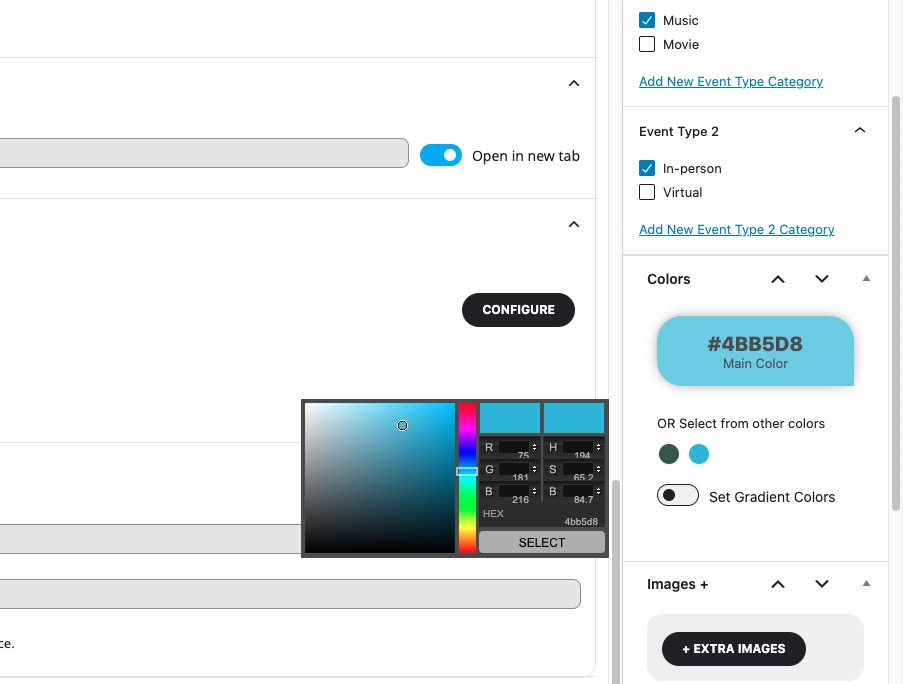
Since EventON > EventTop > Select Default Calendar EventTop Style is set to Colorful with gap between events, each event takes it’s background color from Edit Event > Event Color:
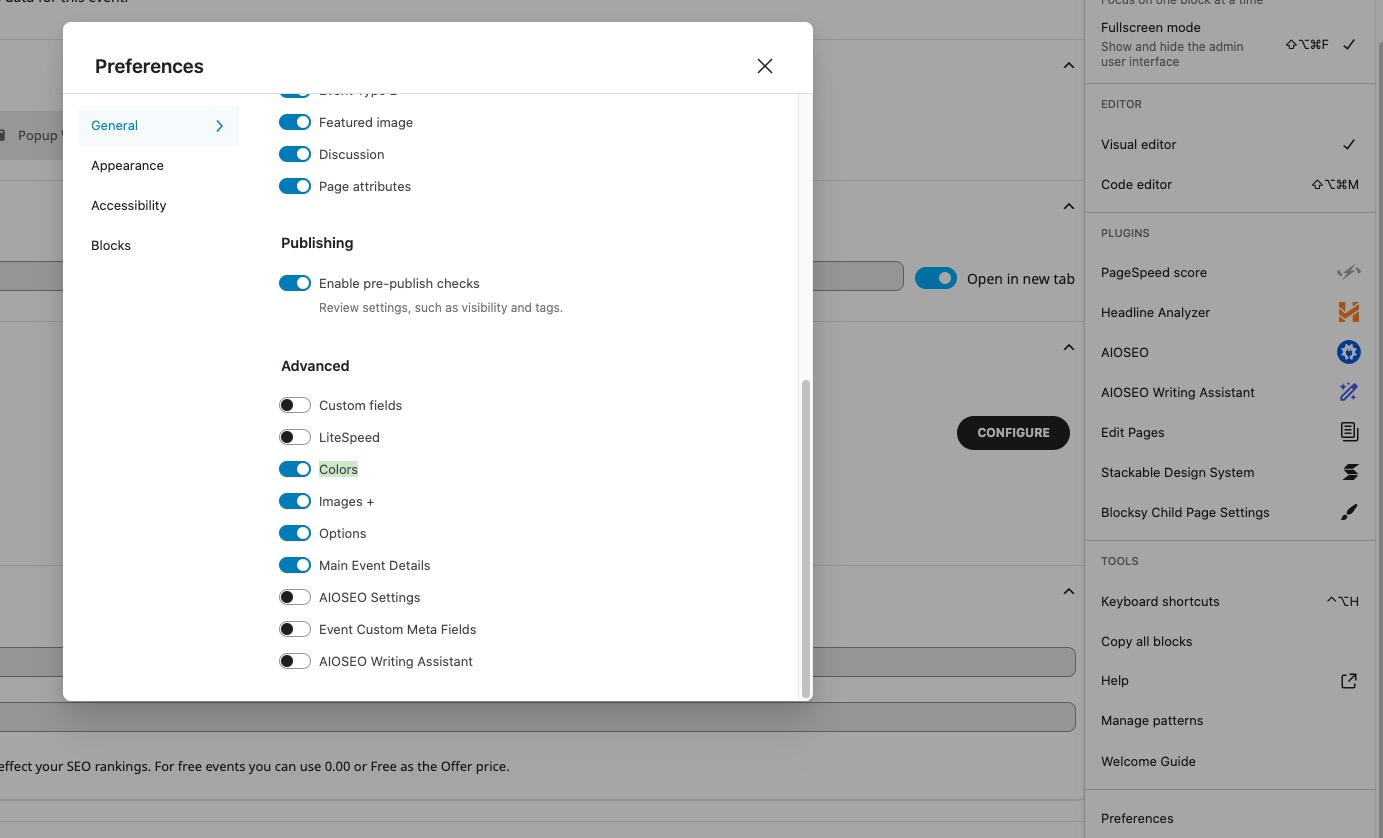
Please make sure to enable it from Preferences:
If you want to set the background color from EventON Settings, please go to EventON > EventTop > Select Default Calendar EventTop Style: Clear with left border colors and gaps.
Now you can change the color from EventON > Appearance > EventTop. If you don’t see any change, EventON > Scripts & Styling > turn off Write dynamic styles to header > save settings > turn on Write dynamic styles to header.
-
Aug 25,2025 AT 5:01AM -
Posted 6 months ago
- #394853