Load More Events with list view
Hi,
I have the below shortcode on my page, however the load more isn't working. I'd like to show 20 events and then have the load more button load 20 more and so on to the end of the year. I'm keen for customers to be able to still use the search filters.
[add_eventon_list event_count='30' show_limit='yes' exp_so="yes" wishlist="yes" filter_type="select" filter_clear="yes" style="names" ux_val="3" hide_past="yes" hide_so="yes" tiles="yes" tile_bg="1" tile_count="3" tile_style="2" tile_height="240" ]
This is the page it's on
https://www.foodsorcery.co.uk/november-cookery-classes-experiences/
Thanks in advance
Helen
-
-
Nov 25,2025 AT 2:31PM -
Posted 1 week ago
- #399803
Apologies, this is the code I’m using
[add_eventon_list number_of_months=”3” event_count=’20’ show_limit=’yes’ exp_so=”yes” wishlist=”yes” filter_type=”select” filter_clear=”yes” style=”names” ux_val=”3” hide_past=”yes” hide_so=”yes” tiles=”yes” tile_bg=”1” tile_count=”3” tile_style=”2” tile_height=”240” ]
I want the load more to be at the end of 20 events and then load the next 20 events and so on to the end of the year.
Thanks
Helen
-
Nov 26,2025 AT 3:25AM -
Posted 1 week ago
- #399824
Hello,
You need to use ”Event Lists: Ext add-on”:
https://www.myeventon.com/addons/event-lists-extended/
Simply add these to the shortcode:
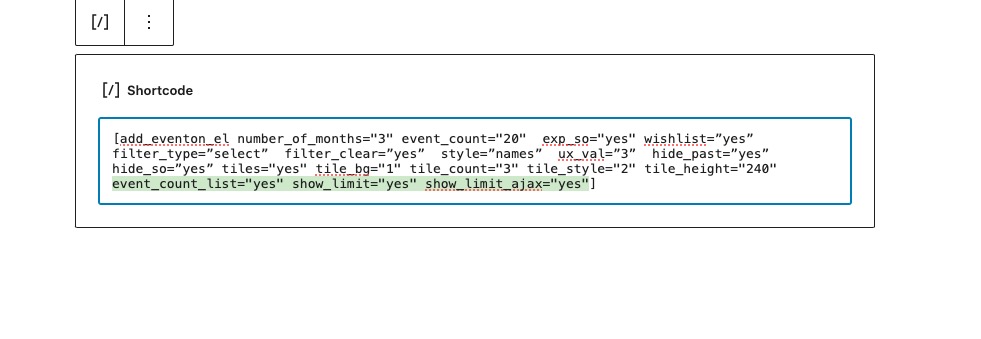
event_count_list=”yes” show_limit=”yes” show_limit_ajax=”yes”
Will look like this:
https://dev2.myeventon.com/test-98/
The shortcode:
[add_eventon_el number_of_months=”3” event_count=”20” exp_so=”yes” wishlist=”yes” filter_type=”select” filter_clear=”yes” style=”names” ux_val=”3” hide_past=”yes” hide_so=”yes” tiles=”yes” tile_bg=”1” tile_count=”3” tile_style=”2” tile_height=”240” event_count_list=”yes” show_limit=”yes” show_limit_ajax=”yes”]
Try on
https://dev.myeventon.com/wp-admin/
-
Nov 26,2025 AT 2:33PM -
Posted 1 week ago
- #399873
Thanks for your help, I have bought the plugin and loaded it.
Is it possible to filter by month?
I’d also like to show month headers, I have tried using the code hide_month_headers=”no” but it’s still not showing, can you let me know what code I need so it shows month headers.
Is it also possible to add a timer so it’s obvious to guests that more is loading, the three dots don’t make it clear that something is loading.
Thanks for your help
Helen
-
Nov 26,2025 AT 3:00PM -
Posted 1 week ago
- #399877
Hi, I have found how to add month headers, however it’s showing a load more events at the end of the month even if there are no more events to load – is there a way to stop that?
As you can see on the image below, there is a show more dates at the end of Jan but there are no more months to load.

Here is my code
[add_eventon_el number_of_months=”10” event_count=”30” event_count_list=”yes” show_limit=”yes” sep_month=”yes” show_limit_ajax=”yes” show_year=”yes” event_past_future=”future” exp_so=”yes” exp_so=”yes” wishlist=”yes” filter_type=”select” filter_clear=”yes” style=”names” ux_val=”3” hide_past=”yes” hide_so=”yes” tiles=”yes” tile_bg=”1” tile_count=”3” tile_style=”2” tile_height=”240” ]
Still keen to know if it’s possible to filter by month and also to find out if there is a timer for customers to see that more events are loading
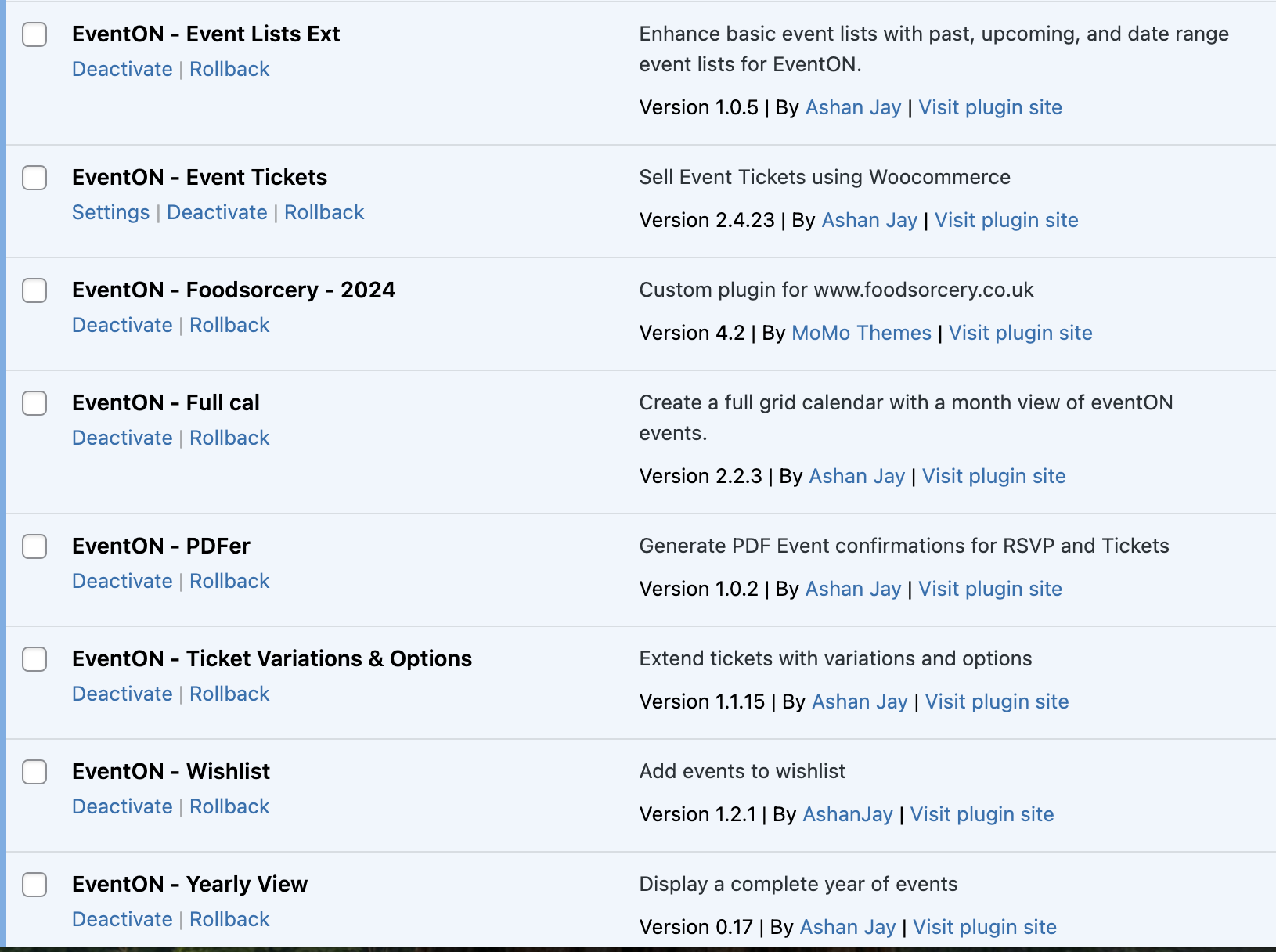
All my plugins are up to date
-
Nov 27,2025 AT 5:02AM -
Posted 1 week ago
- #399925
Event Lists: Ext doesn’t have an option to filter by month, I am afraid.
As you can see on the image below, there is a show more dates at the end of Jan but there are no more months to load.
Because there is a separation by month, there is an issue with the loading process. We are going to fix it. Thank you for letting us know!
…find out if there is a timer for customers to see that more events are loading
We are going to add this as well.
-
Nov 27,2025 AT 5:26AM -
Posted 1 week ago
- #399939
Great, thanks for your help
-
Nov 28,2025 AT 4:15PM -
Posted 5 days ago
- #399991
Hello there, Helen, do you have the load more button disabled in your website right now? would you be able to grant us access to see wp-admin of your website? We have been able to recognized few issues that we will address in the next eventON version.
-
Nov 25,2025 AT 2:31PM -
Posted 1 week ago
- #399803