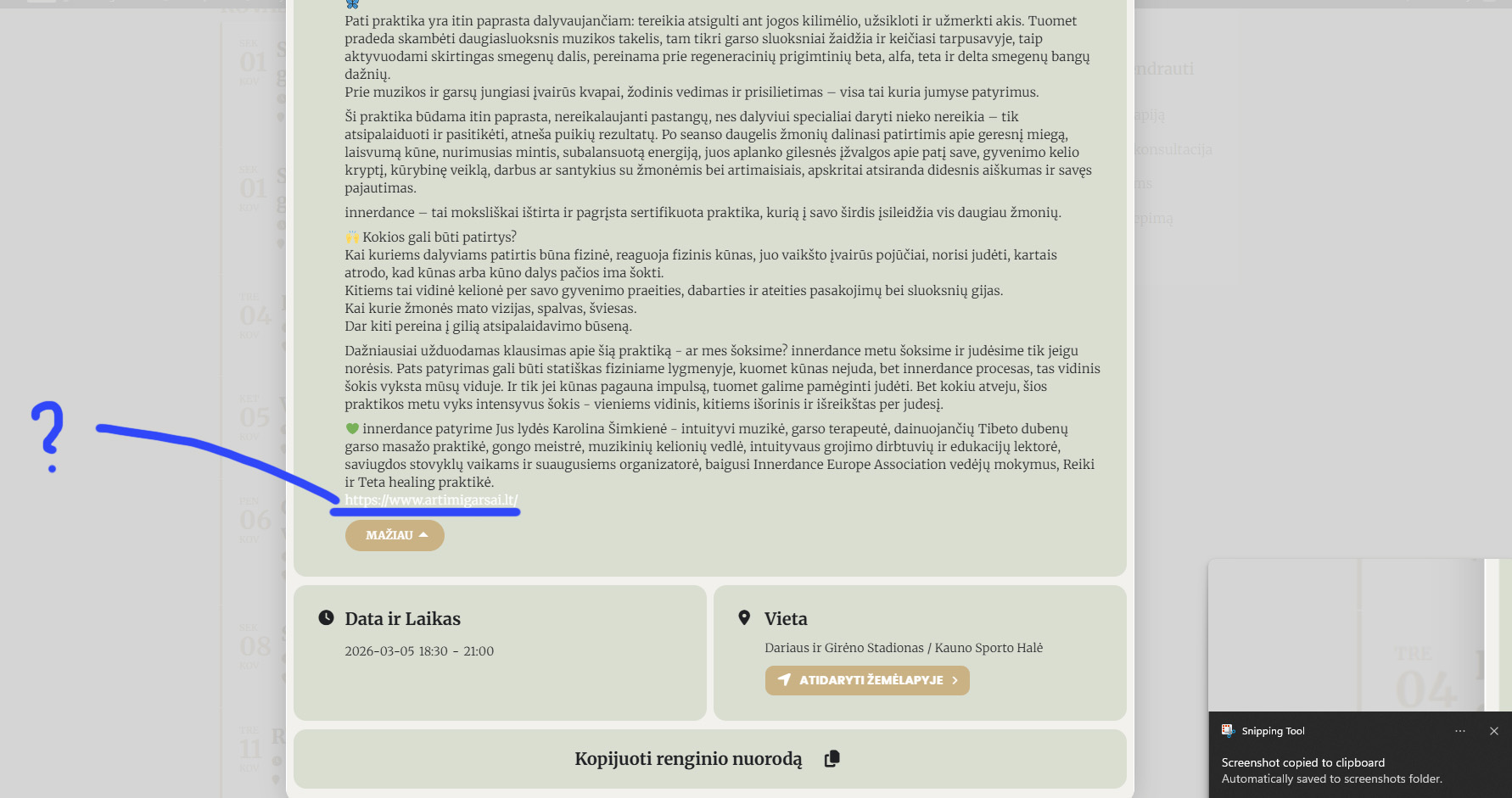
How to change URL link color in Event card?
Hello, please help, I noticed that all the links in my events are white! The background is also white, so he links are actually invisible. In all of the website, the links are in good color, only in EventON the links are white. I want to change them to this color #b39765 , and when hovered it goes darker to this #9b8151.
For now, temporary I changed the background color for the links to be visible. Please help to change the link color.
- Feb 24,2026 AT 9:16AM - 2 hours ago-
-
Feb 24,2026 AT 9:50AM -
Posted 5 hours ago
- #404285
For now, temporary, I changed the background color for the links to be visible. Please help to change the link color and the link hover color.
-
Feb 24,2026 AT 12:42PM -
Posted 2 hours ago
- #404297
Hello.
Please add this CSS code to EventON > Styles (If you don’t see any change, EventON > Scripts & Styling > turn off Write dynamic styles to header > save settings > turn on Write dynamic styles to header).
You can also add this code to wp-admin > Appearance > Customize > Additional CSS.
.eventon_desc_in a { color: red !important; } .eventon_desc_in a:hover { color: green !important; }
-
Feb 24,2026 AT 1:09PM -
Posted 2 hours ago
- #404303
Thank you! It works now.
-
Feb 24,2026 AT 9:50AM -
Posted 5 hours ago
- #404285