Please also make sure that I re-activated plugin correctly.
Archives: Replies
Replies for tickets on suppota
Reply to: tickets(192364)
I disabled every plugin, except EventON (and add-ons), WooCommerce, WPML: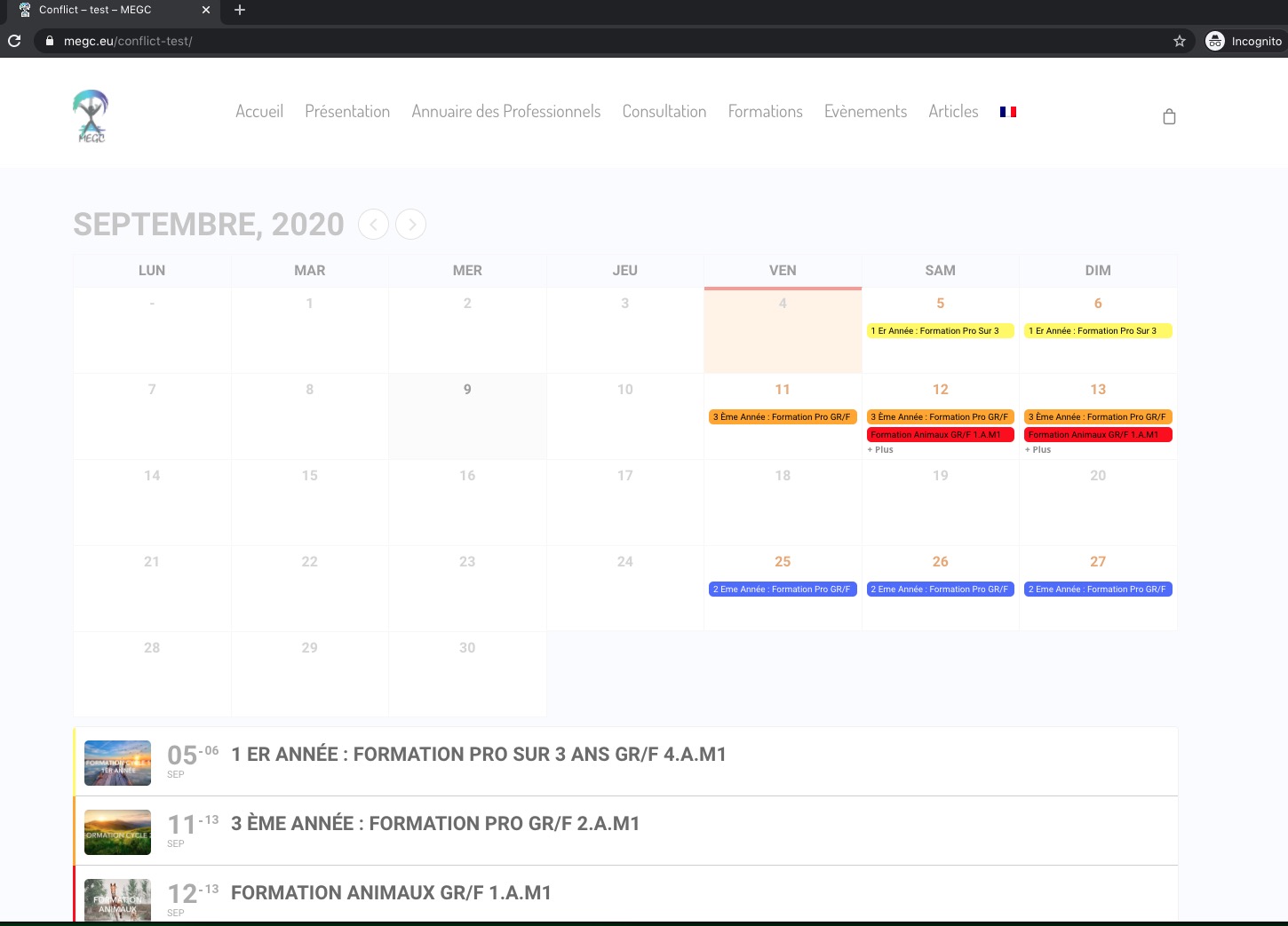
So please disable plugin one by one to identify the one that causes the issue.
Reply to: tickets(193095)
Hello,
I am sorry but did you purchase RSVP Events Waitlist add-on https://www.myeventon.com/addons/rsvp-events-waitlist/? I cannot find it among your purchases.
Please purchase, install and activate it.
Reply to: tickets(192960)
No issues on our test server: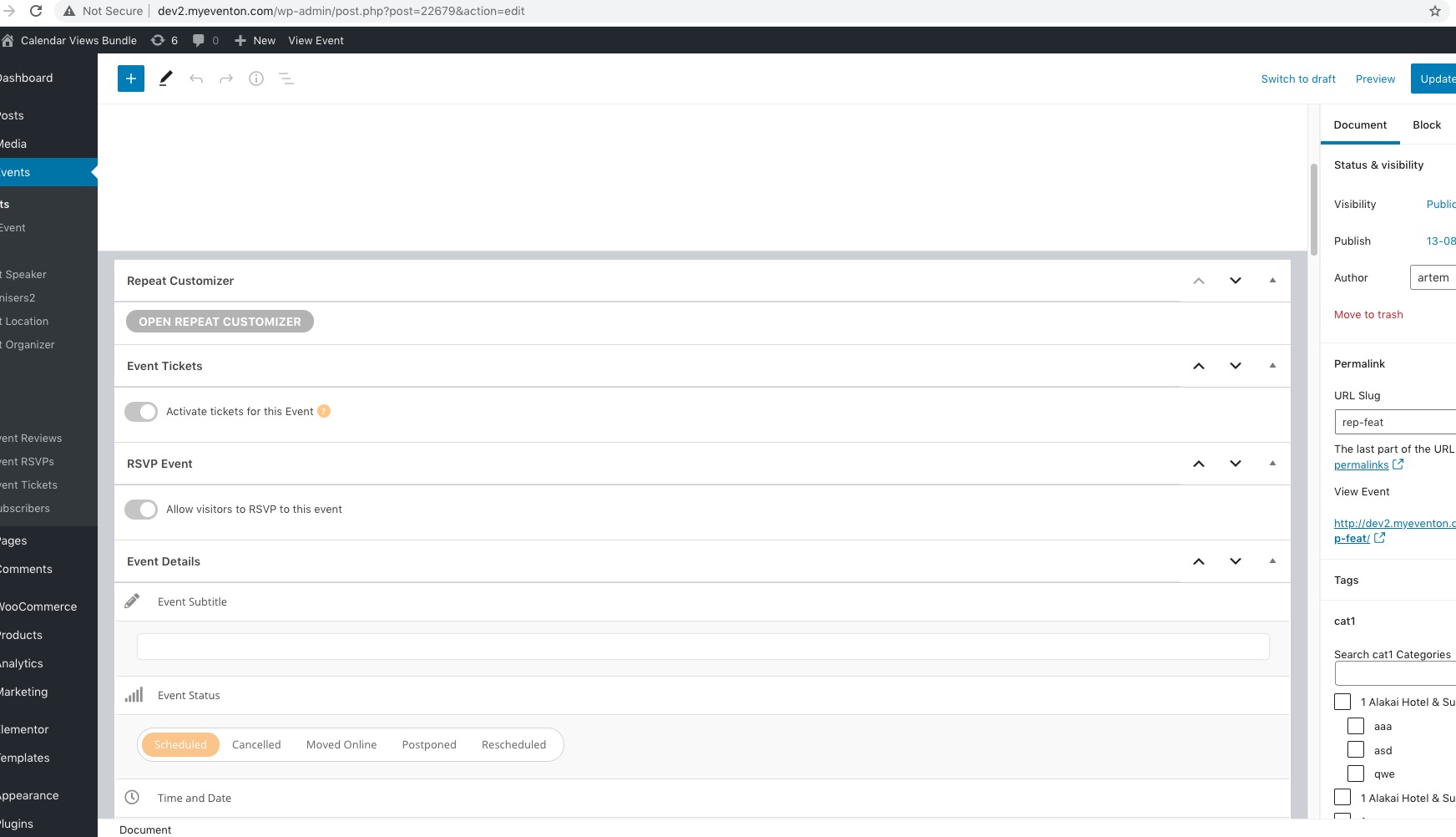
Could you please try the instructions mentioned in this documentation to make sure your issue is indeed coming from eventon. Maybe this issue is related to Divi? Could you try disabling it?
Reply to: tickets(193114)
Hello,
Action User https://www.myeventon.com/addons/action-user/ allows users to submit events from the front-end. Unfortunately, it doesn’t have Clone Event feature.
However please create a new ticket and select Feature Request as category so others can vote on your idea and get it moved into development faster. OR You can send us a customization job request by creating a new ticket in here and selecting Customization Request as the category.
Reply to: tickets(189891)
We don’t understand your answer… Because when we deactive your code it works and when we activate your code, it doesn’t work.
And You developed these functions (codes) for us……
We tested everything….
Reply to: tickets(192930)
Please go to EventON > Language > ADDON: EVENT TICKETS and find the line you want to change.
Reply to: tickets(192814)
You should be able to access with
https://yeshinnorbu.se/wp-admin
user: eventonadmin
pass: sX^@FJo4MM6@1ziIzxD9zJf!
We are using WPML.
I don’t understand the thing with the shortcodes. Does that mean that we have to add the wpml_l1=’en’ wpml_l2=’sv’ parameters to every single Eventon shortcode on the entire site? That seems extremely convoluted. Or am I misunderstanding something?
The normal way translations work is that plugins automatically detect the chosen language and serves up the correct language strings.
I’ve also added the English translation to L1. How do I remove all these translations for L1?
Reply to: tickets(192903)
Hello,
I added event_count_list=”yes” to the shortcode so now it should only show 3 events overall.
and if I click on the “leggi di più” item I don’t see the flyer.
There are multiple js errors on the page:
eventon_script.js?ver=2.9.1:160 Uncaught ReferenceError: Handlebars is not defined
at handlebar_additional_arguments (eventon_script.js?ver=2.9.1:160)
at init (eventon_script.js?ver=2.9.1:79)
at HTMLDocument.<anonymous> (eventon_script.js?ver=2.9.1:13)
at i (jquery.js?ver=1.12.4-wp:2)
at Object.fireWith [as resolveWith] (jquery.js?ver=1.12.4-wp:2)
at Function.ready (jquery.js?ver=1.12.4-wp:2)
at HTMLDocument.J (jquery.js?ver=1.12.4-wp:2)
handlebar_additional_arguments @ eventon_script.js?ver=2.9.1:160
init @ eventon_script.js?ver=2.9.1:79
(anonymous) @ eventon_script.js?ver=2.9.1:13
i @ jquery.js?ver=1.12.4-wp:2
fireWith @ jquery.js?ver=1.12.4-wp:2
ready @ jquery.js?ver=1.12.4-wp:2
J @ jquery.js?ver=1.12.4-wp:2
eventon_script.js?ver=2.9.1:151 Uncaught TypeError: $(…).evo_calendar is not a function
at HTMLDivElement.<anonymous> (eventon_script.js?ver=2.9.1:151)
at Function.each (jquery.js?ver=1.12.4-wp:2)
at n.fn.init.each (jquery.js?ver=1.12.4-wp:2)
at Object.complete (eventon_script.js?ver=2.9.1:149)
at i (jquery.js?ver=1.12.4-wp:2)
at Object.fireWith (jquery.js?ver=1.12.4-wp:2)
at x (jquery.js?ver=1.12.4-wp:4)
at XMLHttpRequest.c (jquery.js?ver=1.12.4-wp:4)
(anonymous) @ eventon_script.js?ver=2.9.1:151
each @ jquery.js?ver=1.12.4-wp:2
each @ jquery.js?ver=1.12.4-wp:2
complete @ eventon_script.js?ver=2.9.1:149
i @ jquery.js?ver=1.12.4-wp:2
fireWith @ jquery.js?ver=1.12.4-wp:2
x @ jquery.js?ver=1.12.4-wp:4
c @ jquery.js?ver=1.12.4-wp:4
XMLHttpRequest.send (async)
send @ jquery.js?ver=1.12.4-wp:4
ajax @ jquery.js?ver=1.12.4-wp:4
init_load_cal_data @ eventon_script.js?ver=2.9.1:106
init @ eventon_script.js?ver=2.9.1:78
(anonymous) @ eventon_script.js?ver=2.9.1:13
i @ jquery.js?ver=1.12.4-wp:2
fireWith @ jquery.js?ver=1.12.4-wp:2
ready @ jquery.js?ver=1.12.4-wp:2
J @ jquery.js?ver=1.12.4-wp:2
eventon_script.js?ver=2.9.1:133 Uncaught TypeError: CAL.evo_calendar is not a function
at eventon_script.js?ver=2.9.1:133
Could you please try the instructions mentioned in this documentation to make sure your issue is indeed coming from eventon.
Reply to: tickets(186042)
hi,
yes, we are finishing it. I will let you know as soon as it is done. Thanks