Hello tehre, there was some text missing in the translations and we have fixed those and will be releasing a new update to eventON with those changes
Archives: Replies
Replies for tickets on suppota
Reply to: tickets(189496)
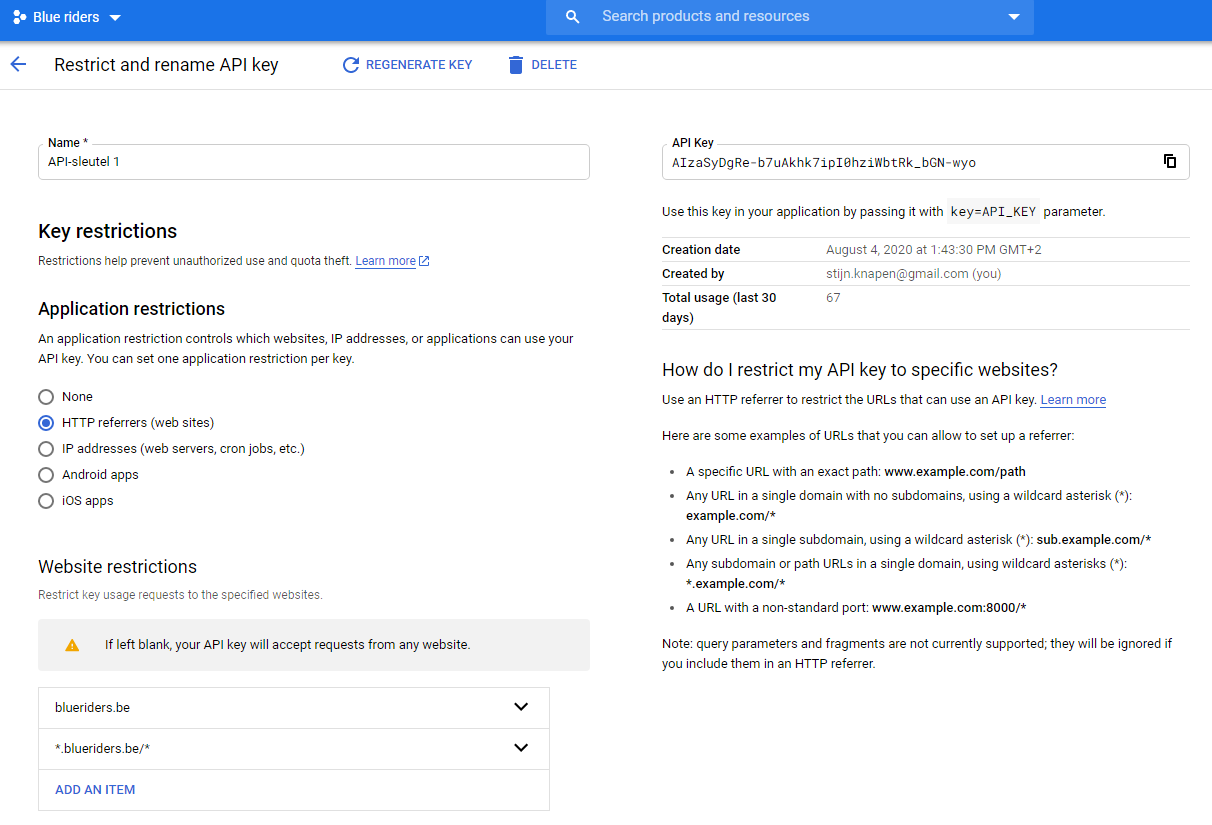
The same issue. Could you send a screenshot of this part again: https://helpdesk.ashanjay.com/wp-content/uploads/2020/08/2020-08-07-12_21_21-Restrict-and-rename-API-key-%E2%80%93-APIs-Services-%E2%80%93-Blue-riders-%E2%80%93-Google-Cloud-Platf.png?
Reply to: tickets(189577)
Hello,
We don’t have any additional documentation since everything is quite straightforward.
Please create a new event and then go to Edit Event > Event Speakers and Event Schedule > press Add New Event Speaker > now press SELECT FROM LIST EVENT SPEAKER.
After Speakers please press ADD NEW SCHEDULE BLOCK > filled in Schedule Block Title *, Block Start Time *, Block End Time * and Description *.
Reply to: tickets(189614)
Please add this to the shortcode:
hide_month_headers=”yes”
Reply to: tickets(188012)
Hi Marko,
I can quote that $170, how that sounds?
Reply to: tickets(189614)
Hello! WOW you are sooo fast!!
Everything work’s prefectly thank you! Only one more questions, can I remove the months titles?
Thank you very much!
Laura
Reply to: tickets(189585)
Hello,
Everything seems to be correct. WPBakery Page Builder adds it’s elements as shortcodes: [vc_row][vc_column], and so on. So when you send it out as an email, they get send out as well.
Reply to: tickets(181322)
Hello Kevin,
Sorry for the delay. The slider plugin is ready:
You can now go here:
https://ctbeer.com/wp-admin/admin.php?page=event-slider-addon
Select the slider option you want to add what you want and how you want it to be visible for your web site.
All the options are added for you, please review if something is missing, styling options etc all are there.
Reply to: tickets(189614)
Hello,
1. Please add this CSS code to EventON > Styles (If you don’t see any change, EventON > turn off Write styles to header > save settings > turn on Write styles to header):
.ajde_evcal_calendar .evo_month_title { display: none !important; }
2. Please use Event Lists:
[add_eventon_list number_of_months=”12″ hide_empty_months=”yes”]
3. Please use this code:
.eventon_events_list .eventon_list_event .evcal_list_a { padding: 5px 0 !important; }
Reply to: tickets(189590)
Hello,
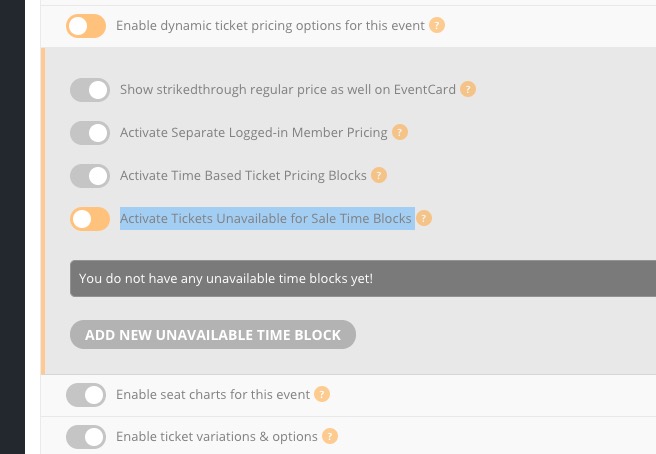
Please use Dynamic Pricing add-on: https://www.myeventon.com/addons/dynamic-pricing/. You can enable Activate Tickets Unavailable for Sale Time Blocks: