Hi,
You have an error on your Google Maps API
https://developers.google.com/maps/documentation/javascript/error-messages#referer-not-allowed-map-error
Please check this, maybe domain missing from your API key?
Replies for tickets on suppota
Hi,
You have an error on your Google Maps API
https://developers.google.com/maps/documentation/javascript/error-messages#referer-not-allowed-map-error
Please check this, maybe domain missing from your API key?
Hi,
You have an error on your Google Maps API
https://developers.google.com/maps/documentation/javascript/error-messages#referer-not-allowed-map-error
Please check this, maybe domain missing from your API key?
Please remove show_et_ft_img=”yes” from the shortcode.
Also having a problem finding my existing tickets. I land on a page that says a dragon ate them.
Thank you for your message. We are working on this issue.
Hi David,
Can we do some tests on the live web site?
Hi,
I see that the settings are not saved, can I disable Gutenburg please?
Hello,
Please add this CSS code to EventON > Styles (If you don’t see any change, EventON > turn off Write styles to header > save settings > turn on Write styles to header):
.evosliderbox.ajde_evcal_calendar .eventon_events_list .eventon_list_event .desc_trig_outter + p { display: none !important }
Hello,
Unfortunately, we didn’t get the included screenshot.
Do you want images to look like this:
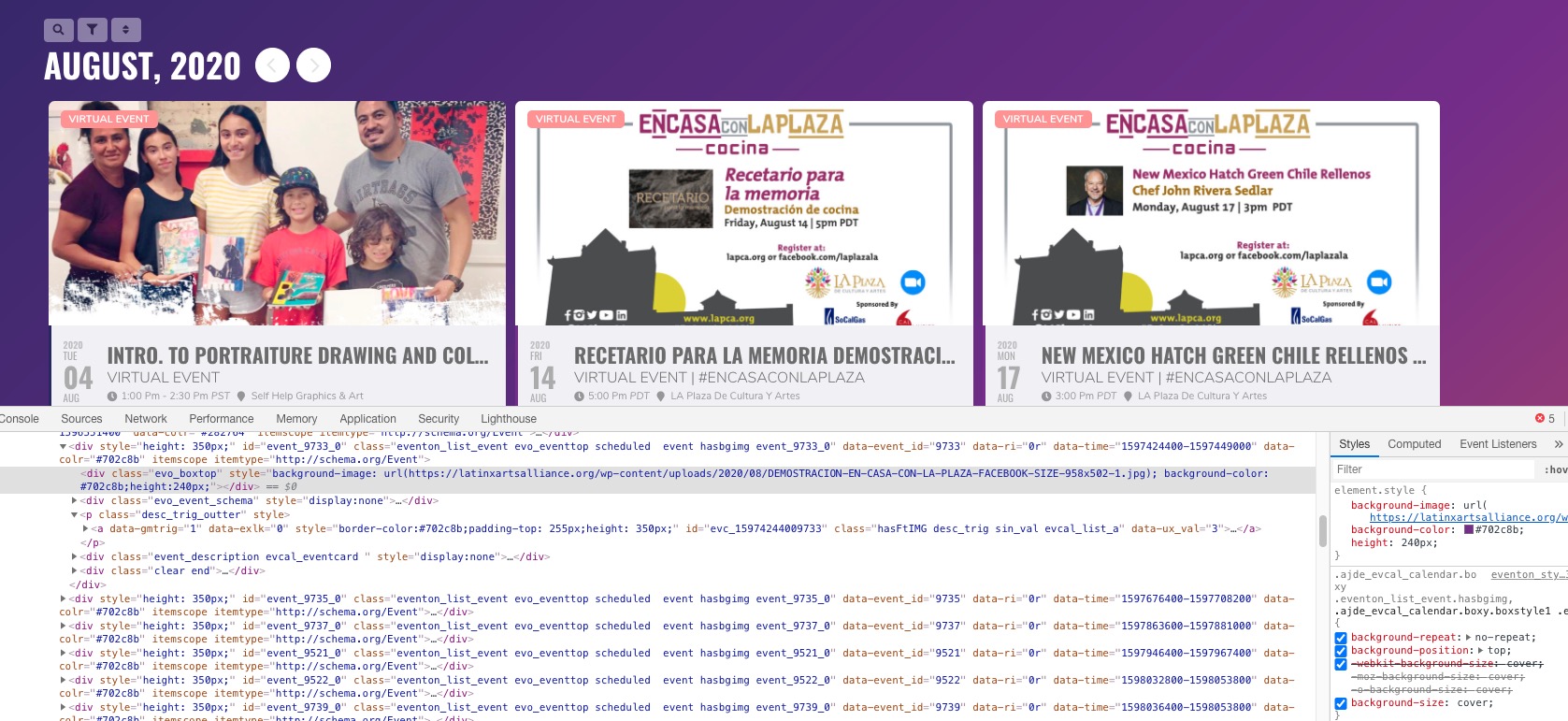
If so please add this CSS code to EventON > Styles (If you don’t see any change, EventON > turn off Write styles to header > save settings > turn on Write styles to header):
.ajde_evcal_calendar.boxy .eventon_list_event.hasbgimg, .ajde_evcal_calendar.boxy.boxstyle1 .evo_boxtop { background-position: top !important; }
If you have a moment, we would greatly appreciate if you could kindly leave us a review at codecanyon! from your account > downloads. Cheers!
Hello,
Please fix these errors:
js?key=AIzaSyApCSAQLAnBiwz_mHgLC6vDnvNMk6W7B8Q&ver=1.0:71 Google Maps JavaScript API error: RefererNotAllowedMapError
https://developers.google.com/maps/documentation/javascript/error-messages#referer-not-allowed-map-error
Your site URL to be authorized: https://latinxartsalliance.org/
You have included the Google Maps JavaScript API multiple times on this page. This may cause unexpected errors.
More info: https://elfsight.com/blog/2018/06/how-to-get-google-maps-api-key-guide/
For the second one please go to EventON > Google Map > enable Disable Google Maps API > Google maps javascript file only (If the API js file is already loaded with another gmaps program).
Hey marc,
you can do that with the shortcode to select for example a specific category and then filters do all the rest of the changes
Would that work for yu?