Hello,
this is the link in the backend set in the post. The link on the site is different. When you click on the button then you go to the “event page” and there is the same button. And this button is working.
If you cant see a event on:
https://www.knick-international.com/en/training-for-distributors
then you need to go to the english page.
I hope you can understand what i mean.
Please send both ftp and wp-admin access info. Word is complete
Hello,
You can change the text in myeventon > language.
Please check
Hi – I was able to get the PHP added as I said, but the code did not work to connect the ticket during upload.
Is there anything else I can try?
That’s good to know.
If you have a moment, we would greatly appreciate if you could kindly leave us a review at codecanyon! from your account > downloads. Cheers!
I am going to assign this ticket to Ashan and he will be able to take it from here
Please allow some time for him to get back to you, we greatly appreciate your patience and thank you for being a eventon customer!
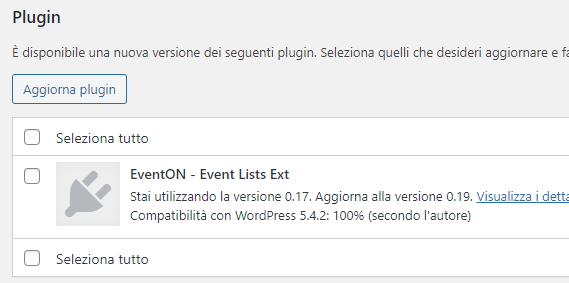
HI,
- I’ve bought a new license of Event-On
- I’ve deactivated the old license and activated the new one
- I’ve enabled “EventON > Do not delete eventon settings & data”
- I’ve deleted the old plugin and oladed the new one
Everything seems to work perfectly, but the voice “EventON – Event Lists Ext” remain to be updated (see screenshot).
How should update it too?
Actually, when I turned that feature “Load eventOn scripts and styles only on eventOn pages” OFF, it fixed the problem (as it was already turned on). Not sure why, but that’s fine. I am also using Asset Cleanup Pro to manage where things load and I had it blocking all eventOn scripts (js and css) from all pages except where the calendar was being displayed. That may have been causing a conflict.
Regardless, it works now and you can close this ticket.
I got the update, thank you!
A couple of issues, events are importing as drafts and not auto-publishing even though that toggle is on.
Also, many events are imported as duplicates?