Just to be clear: The code above is inserted into the template using a Code Block in Oxygen. When I originally put this template in place, it worked just fine. After updating EventOn, it’s no longer displaying the single event content. As you can see in the inspector screenshot (above), the structure is there and the relevant post ID and classes have been applied per the PHP.
The part that is not working now is the do_action(‘eventon_single_content’)
Uuups, that was my mistake. I simply copied version 2.9 above the last version and thus some unneeded files were still there, amog them the two menitoned above. Now these obsolete files are gone and the error will no longer appear.
Pls close the ticket and thanks for your effort
thank you! I know he is busy, but could you please remind him?
Another bug which appeared:
The Ticket for a repeating event (e.g. a handstand class, repeated every week, booked for, say, tomorrow) which is appended to an order shows the date and time of the first instance of that repeating event, i.e. the initial handstand class, say, February 12th, 17 to 19. Needs explaning almost every time: “No, everything is fine, you are booked into the class tomorrow.”
If you, however, buy more than one ticket, all the other tickets, starting with ticket numer two, show tomorrow’s date and time. So: a single person thinks he or she is assigned to a class of the past, a couple thinks that one of them is assigned to a class of the past, the other to the one tomorrow.
Creates confusion and repeatedly the same questions.
Could you please handle that, too? This will be a simple list counting thing, missing out zero index or sth.
Would give a more professional impression of my Center in the view of my customers if I could get rid of the confusion / extra explaining.
Dude… I paid $160 for plug-in’s and you ask me to PATCH THE CODE to FIX IT. That literally means they are not working right. I’ve been a loyal customer to EventOn with multiple licenses from themeforest. I needed a working plugin solution several days ago and yours requires me to fix your broken code. Please honor your 30 day refund policy. Thanks.
I’ve deactivated all other plugins on the website, changed the theme to 2020 and nothing changes, I still get only headers. Is there a specific php and or mysql versions for this to work properly?
I also turned on the debugging but found no relevant information on the file that is regarding the the CSV or the plugin.
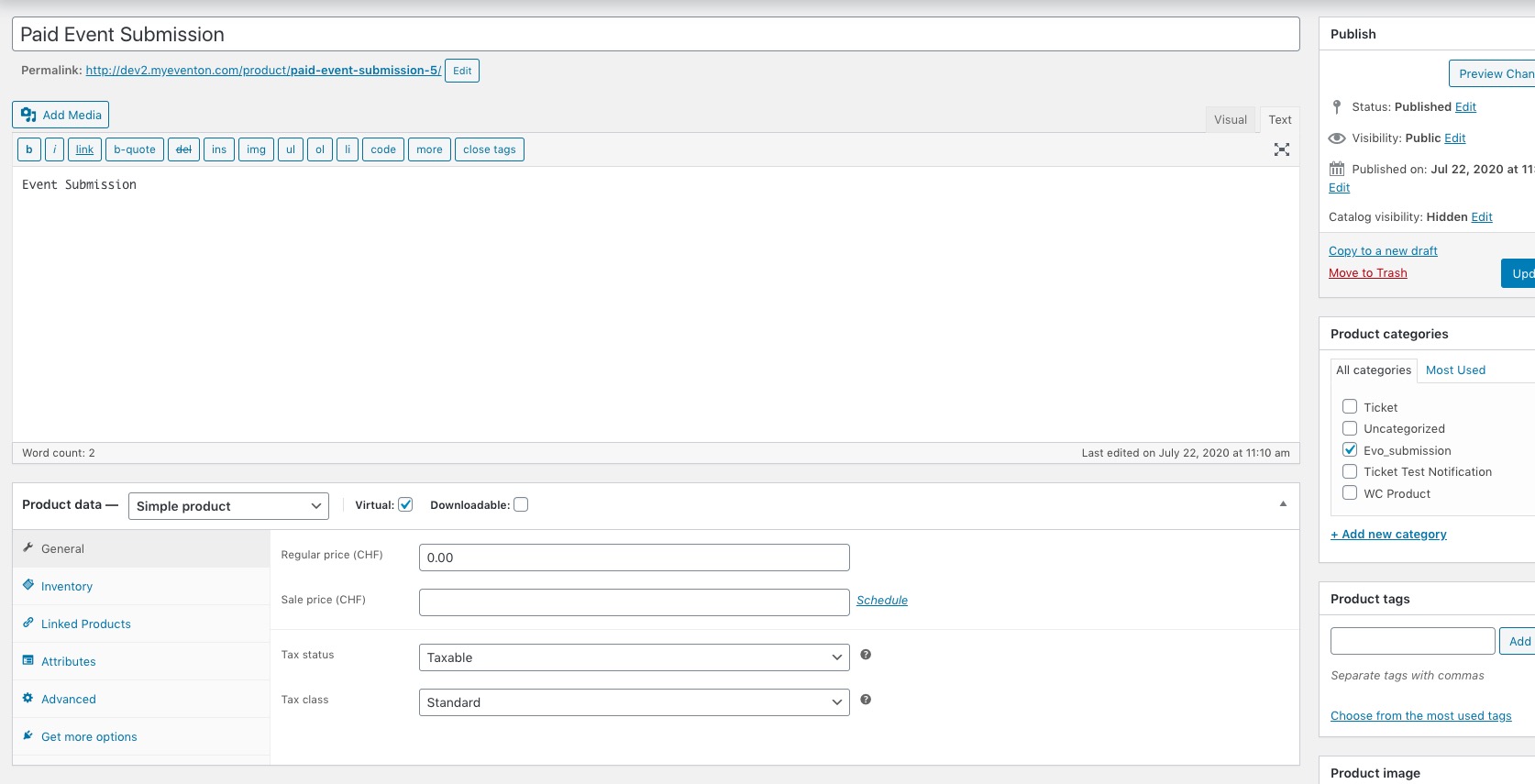
By default EventON’s Paid Event Submission looks like this:
As you can see it’s Simple Virtual Product, category assigned to Evo_submission. And yours is completely different. Could you tell us did you edit EventON’s product?
To update eventon to latest version: If you are unable to do autoupdate, you can go to codecanyon your account > download and get the latest eventon version as zip file. Then you can go to your website, deactivate old eventon, activate (Do not delete eventon settings & data when EventON is uninstalled) from eventon settings, delete old eventon, install new one and activate. This link will further explain the process it. Also you can follow us on twitter to get real-time announcements on updates!
To update eventon addons: You can download latest eventon addons from myeventon > my account. Then you can go to your website, deactivate old addon and install new one and activate then delete the old addon. This link will further explain the process. Also you can follow us on twitter to get real-time announcements on updates!
Could you update EventON to 2.9 and Action User to 2.2.1?
Because of how WordPress functions could you go to Edit Event > enable Enable booking blocks for this ticket > Update Event > now add Booking Blocks.
Please check and let us know.