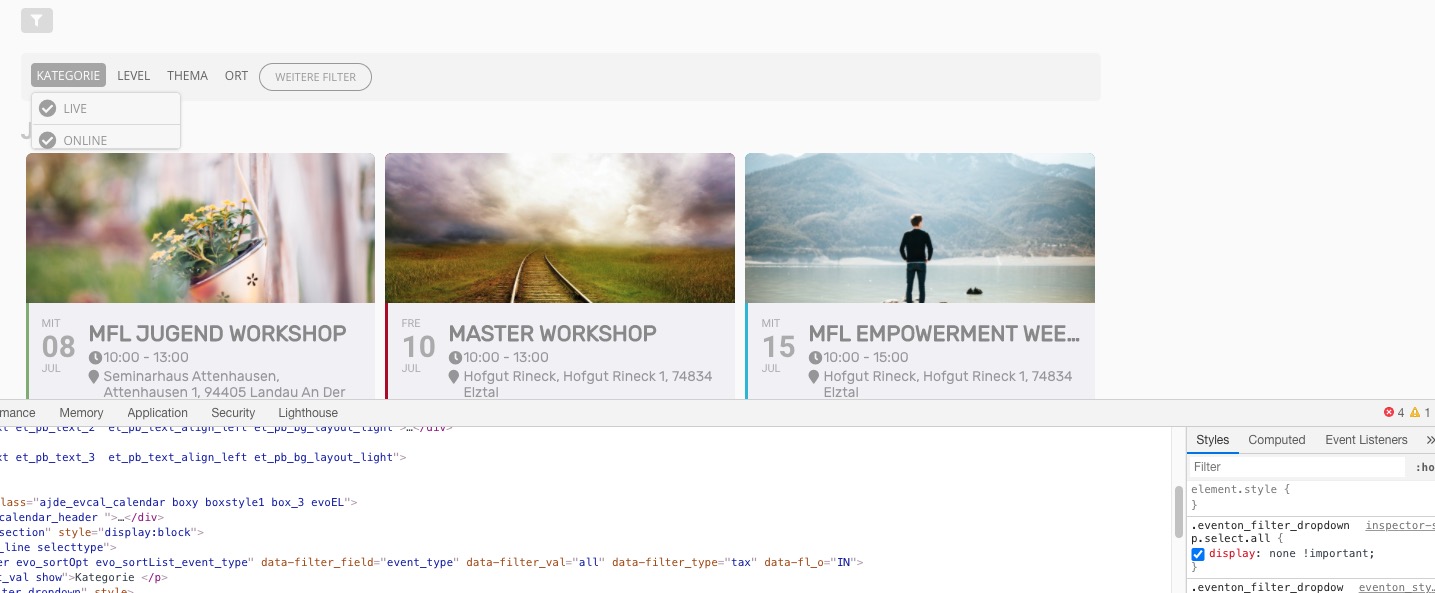
Maybe you know why it doesn`t behave responsive in the mobile view and only in the EventOn. In mobile it cuts the last lines and people cannot book.
When I “Stop using eventON single event template for single event pages” it works again.
We have so many sites with EventOn, we don´t like to change.
Maybe you can take a second look?
Thanks.
For Youtube-Videos there is a trick to make it look fine:
<div class=”video-container”><iframe width=”560″ height=”315″ src=”https://www.youtube-nocookie.com/embed/bBEJdfO7vO4″ frameborder=”0″ allow=”accelerometer; autoplay; encrypted-media; gyroscope; picture-in-picture” allowfullscreen></iframe></div>
.video-container {
position: relative;
padding-bottom: 56.25%;
padding-top: 0;
height: 0;
overflow: hidden;
}
.video-container iframe,
.video-container object,
.video-container embed {
position: absolute;
top: 0;
left: 0;
width: 100%;
height: 100%;
}
Please add this CSS code to EventON > Styles (If you don’t see any change, EventON > turn off Write styles to header > save settings > turn on Write styles to header):
.eventon_filter_dropdown p.select.all { display: none !important; }
I had deleted your access.
You can access again with the same informations :
-
Serveur / Host:
home183570950.1and1-data.host
Port:
22
Protocole:
SFTP
user :
u42779921-eventon
password :
Eventonpassword2020#!#
and you can access to the admin page :
http://new2020.lefestivaldulivre.fr/wp-admin/
ID : eventon
password : EventonPassword2020!
version 2.8.10 is installed and still have error 500
Thanks for your help
Unfortunately, this doesn’t allow you to have a full title. However, you can try using this CSS code with [add_eventon tiles=”yes” tile_bg=”1″ tile_style=”1″ tile_count=”4″ cal_init_nonajax=”yes” ]:
.ajde_evcal_calendar.boxy.boxstyle1 #evcal_list .eventon_list_event .evcal_desc span.evcal_event_title, .ajde_evcal_calendar.boxy.boxstyle1 #evcal_list .eventon_list_event .evcal_desc span.evcal_event_subtitle { word-wrap: normal; overflow: unset; white-space: normal; text-overflow: none; }
Please try publishing it with Price and SKU fields filled in and then change it to Draft. Or add a new event and copy the field values from the duplicated one.
Hi Kelly,
Please try to open icognito for us
Hi,
As that is based on an iframe, there is not a lot of what we can do to fix this issue.
Hi Rob,
Have you checked the post I have shared? It let u know where to get the shortcodes from.
Hi Tim,
I will ask our CEO to review, but I am not sure what can happen here.