can you provide wp-admin access in a private message
wordpress is not very good at sending emails- and when someone RSVP’s if your web server is busy- often is the case the email wont send- however there are plenty of plugins around that help take the load off the server. when someone RSVP’s- eventon is not sending an email- but triggering wordpress to send the email
I use https://en-au.wordpress.org/plugins/easy-wp-smtp/ on my site
you may already have a SMTP plugin on your site- but we need to get in to diagnose
Hello,
May I or could you please try the instructions mentioned in this documentation?
Hello,
Unfortunately, we unable to help with customizations. You can send us a customization job request by creating a new ticket in here and selecting Customization Request as the category.
Please go to EventON > EventCard > enable Show full event description.
Hello,
https://www.sat-nam-rasayan.de/termine/alle-termine website uses EventON 2.6.15 version so it’s different from the latest version.
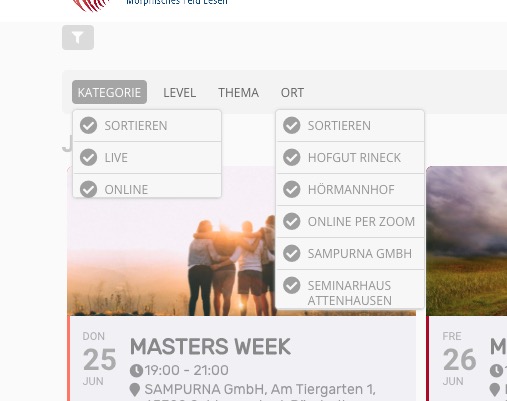
There is a slider in the drop down menu, but only in “KATEGORIE” in the other ones it is white, “ORT” looks normal.
Could you elaborate more, with screenshots if possible? From my side ORT and KATEGORIE look the same:
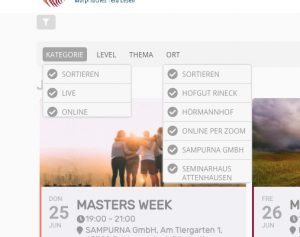
If you want to be able to click on multiple types without closing the filter please add this to the shortcode:
filter_type=”select”
the third question has been answered
#
Hi Ashish,
thanks for your quick reply.
The customization work with the child plugIn was done by one of your team, I think two years ago. We were told, that updates of the main theme woudn’t affect the customization.
So I think another charging of fixing the issue isn’t appropiate. We already paid for the child plugin, you see?
Best regards
and a third and last question 🙂 We use Hubspot and would like to integrate the booking in the calendar with Hubspot. I get a code from Hubspot. Can I use an add on for this and integrate the code?
<! – [if lte IE 8]>
<script charset = “utf-8” type = “text / javascript” src = “// js.hsforms.net/forms/v2-legacy.js”> </script>
<! [endif] ->
<script charset = “utf-8” type = “text / javascript” src = “// js.hsforms.net/forms/v2.js”> </script>
<script>
hbspt.forms.create ({
portalId: “6423204”,
formId: “99f32b49-4cca-48c1-a00e-534fc56723d8”
});
</script>
And the second question, could I place a widget on the right? or show other events. If necessary with a plugin
Hello,
Please check this guide: https://docs.myeventon.com/documentations/how-to-add-additional-fields-at-checkout/. You can send us a customization job request by creating a new ticket in here and selecting Customization Request as the category.