Hello,
We are sorry for the inconvenience. I am going to assign this ticket to Ashan and he will be able to take it from here and find you a solution. Please allow some time for him to get back to you, we greatly appreciate your patience and thank you for being a eventon customer! Also please disable any IP blocking on your site if there are any.
Unfortunately, EventON doesn’t have such functionality, only WordPress has. Please check https://www.wpbeginner.com/beginners-guide/wordpress-user-roles-and-permissions/
user eventon
email info@eventon.com
pswd tabpoK-8xabfo-xytfuh
https://wilderness.academy/wp-admin
I didn’t link to any of that but I stated that I have already tried it and was running into problems. I don’t want someone to do it for me, I want to learn how to do it so I understand it better of how the site is functioning.
Also its weird that something so simple for an event calendar isnt even a standard function.
Date | Event Name | Buy Tickets
Its the most common and simple layout on ticketing sites.
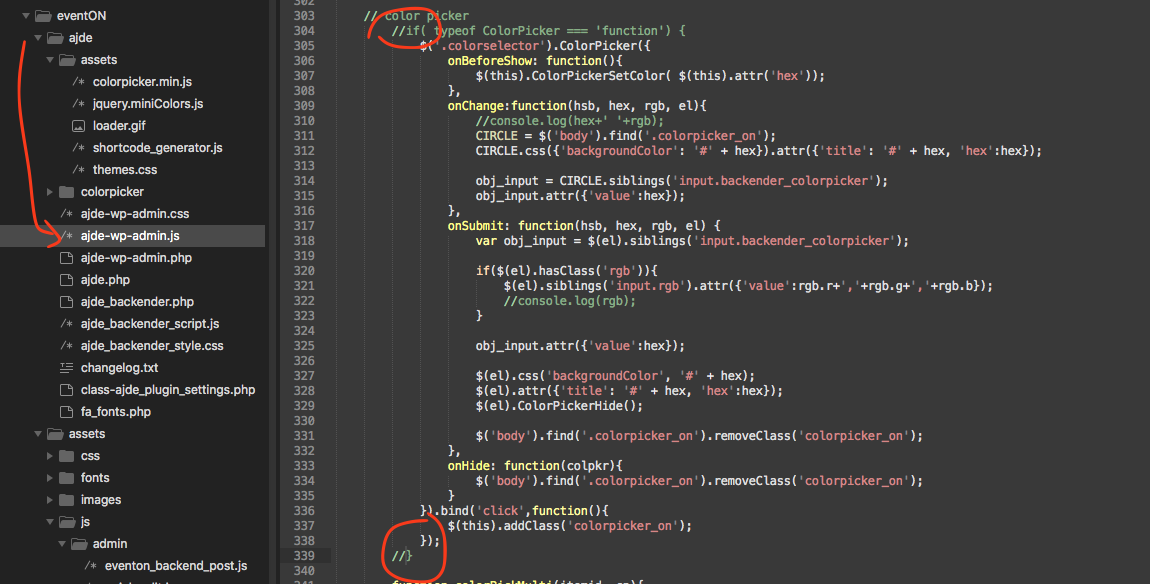
We are sorry for the inconvenience. Kindly use this patch fix to resolve this issue:
Basically comment out the circle spots in the code 🙂
Hello,
Thank you for your messages, I am going to assign this ticket to Ashan and he will be able to take it from here and find you a solution. Please allow some time for him to get back to you, we greatly appreciate your patience and thank you for being a eventon customer! Also please disable any IP blocking on your site if there are any.
Dear EventON Artem and Ashish,
I am not happy with how you are handling this refund request. Your plugin does not work for me. I expected that your design would be a state of the art simple design, but it is not. I expected to be able to make simple changes easily, but it is not easy and it is going to require that I write custom code. When the basics of the event description do not fit in the main table of the post, there is something wrong. That mistake should not happen. I am using a Genesis theme and this should work out of the box with no issues.
I don’t have the time to engage in a constant back and forth about why your product does not work for me. It simply does perform as expected. I want a refund. I have already uninstalled your plugin from the site.
Please give me my money back. I will be glad to move on and not bother you any longer.
Thanks, John
Wplms zoom is located in wp-admin > setting > VibeZoom
We are glad your issue is resolved, if you have any further questions or concerns please create a new ticket. If you have a moment, we would greatly appreciate if you could kindly leave us a review at codecanyon! from your account > downloads. Cheers!