Yes i did. When i did that, it broke my website. The cal stopped appearing, then on the backend it claimed i didnt have the evenon plugin installed so i couldnt use the full call add on, even though both were installed and registered
Replies for tickets on suppota
Yes i did. When i did that, it broke my website. The cal stopped appearing, then on the backend it claimed i didnt have the evenon plugin installed so i couldnt use the full call add on, even though both were installed and registered
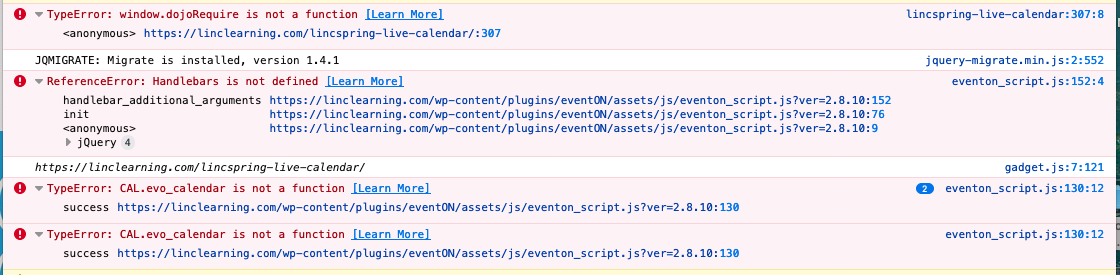
I have upgraded to EventON 2.8.10.
We are getting errors in the eventon_script.js file. See the image attached.
The shortcode appears to be correct. If you open the last item on the calendar, the EventCard opens along with the items for the rest of the month. See a second and third image attached.
Scott
That is an awful process. That is currently what im doing. We needed a Google Sheets Sync like you have for the ICS. The issue with your CSV import / export, is that when you export events to a csv it adds a bunch of random numbers and signs to the title, etc. Thi smakes it almost impossible to reupload or match with an offline csv
Hi, you can close this. I’m trying to work on it myself for the time being.
I’ll create a new ticket if I need help.
Thank you for your patience and understanding
Yvette
Hey Kevin,
Have you bought the plugin, so we can help you with the installation?
Hi,
So either you didn’t read what I posted or you chose to ignore it and link me to something I have already stated I went over and it wasn’t working.
All you did was you sent me from code canyon to here with no intent of actual support but instead just to try to up sell me on something.
Hello,
In order to show custom information in Event Top please follow https://docs.myeventon.com/documentations/hook-eventtop/.
You can also send us a customization job request by creating a new ticket in here and selecting Customization Request as the category. One of our developers can implement this for you.
Thank you very much for reporting this issue for us. Kindly apply this patch fix in your calendar and that will resolve the issue/
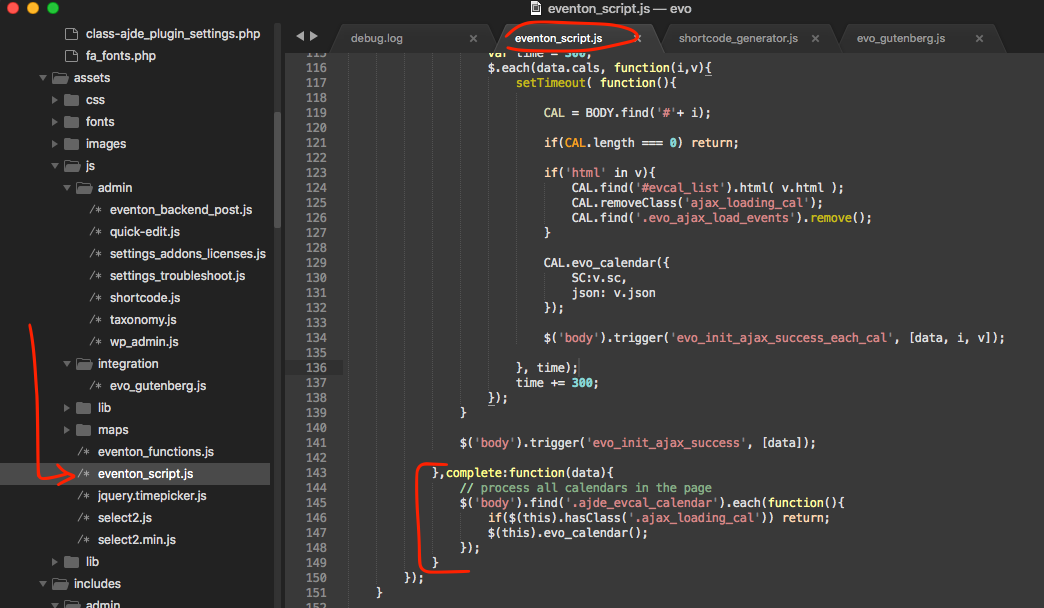
Hello,
Please use this add-on: https://www.myeventon.com/addons/action-user/.
You can go to EventON > Action User > User Capabilities > enable/disable Submit New Events From Submission Form.
Try on http://dev.myeventon.com/wp-admin/
WordPress handles the registration and roles assignment. Please check https://www.wpbeginner.com/beginners-guide/wordpress-user-roles-and-permissions/
2. Instead of Event Lists: Ext you can try this shortcode:
[add_eventon_list number_of_months=”12″ month_incre=”-12″ event_order=”ASC” show_year=”yes” hide_month_headers=”yes” hide_empty_months=”yes” event_past_future=”past”]
The problem is that you won’t be able to achieve this:
I want the dates to go from December at the top back to January at the end of each yearly list.