I am sorry, but I need to check the last thing before I can assign this ticket to the main developer. I noticed that all orders automatically set to Completed, even so by default WooCommerce cannot do this. May I turn off this functionality for a test?
Archives: Replies
Replies for tickets on suppota
Reply to: tickets(180303)
Thank you for your messages, I am going to assign this ticket to Ashan and he will be able to take it from here and find you a solution. Please allow some time for him to get back to you, we greatly appreciate your patience and thank you for being a eventon customer! Also please disable any IP blocking on your site if there are any.
Reply to: tickets(180359)
Great – That works. Thank you
Reply to: tickets(180121)
Could you also try turning off the minifying functionality and then go to EventON > enable Write dynamic styles to header?
Reply to: tickets(180359)
Please remove show_et_ft_img=”yes” from the shortcode.
Reply to: tickets(180336)
Please follow this guide: https://docs.myeventon.com/documentations/how-to-show-past-events/. Also make sure that EventON > Hide past events for default calendar(s) is disabled.
There is no another way to show a range of event without buy another add on?
Try using Event Type https://docs.myeventon.com/documentations/how-to-use-event-types-to-do-more/
Reply to: tickets(180336)
My code doesn’t show events of 2019… why?
There is no another way to show a range of event without buy another add on?
thanks best regards
Reply to: tickets(180359)
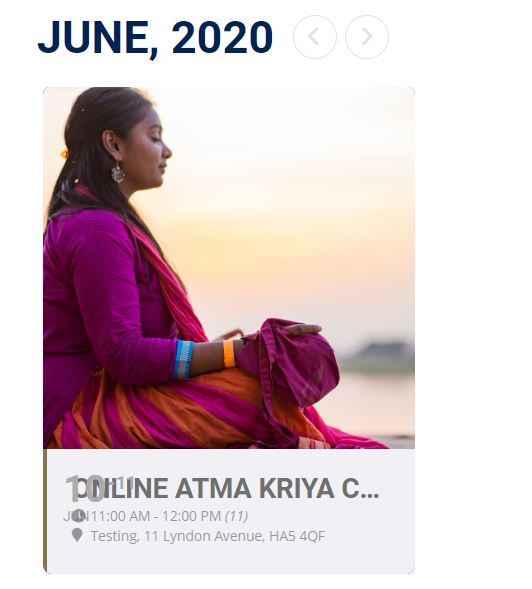
https://ukupdate.bhaktimarga.co.uk/atma-kriya-yoga/
Scroll right to the bottom, the calendar should be on there.
Reply to: tickets(180298)
ok,
thanks for looking into it.
- I am not sure, what you mean with a lot of css styling, but I think I got around it.
- Ok, lets see what you can find.
have a good one.
P.-
Reply to: tickets(180288)
ftp/ssl with pls
host: b69040f072.nxcli.net
port: 21
user: eventon@linclearning.com
pass: AgeismThereFoalWorm
This is critical for us. Future events aren’t taking registrations.