THank you for your suggestion and RTL is still a work in progress as we focus mainly on LTR as primary. ANd we are indeed making steady progress on the RTL. If you have more questions, kindly send us a new ticket and we would be more than happy to help you resolve your issues!
Archives: Replies
Replies for tickets on suppota
Reply to: tickets(166079)
New versions are released and should resolve your issues.
Reply to: tickets(179403)
Hi there I was able to get this resolved and please update to new version of FUllcal 1.1.12 http://docs.myeventon.com/documentations/changelog-fullcal/ will resolve it 🙂
Reply to: tickets(179097)
Hello,
I have removed refund status following exactly as noted in the post 11582534, recalculate, updated, and the tickets still show as refunded. You are welcome to log-in to my site to view the issue. If I am doing something wrong, I don’t know what it is, otherwise, this doesn’t appeart to be working correctly.
Reply to: tickets(179510)
Thank you for trying to help.
Unfortunately either I don’t understand your instructions or not making my request clear but I can still not do what I want.
If I click on the link in your response http://dev2.myeventon.com/events/virtual/ I successfull am direct to the page on my site that I want. However if I place this link in my Event field “Youtube Video URL*” I still get a 404 error when I click the “Join Event Now” button. I also changed broadcasting method to “Youtube Private Recorded Event”
If you go to the page on my website https://retirementcornerstones.com/webinars-live/ where I am trying to allow visitors to “Join Event Now” you will see virtual events Supersizing Social Security. Again, in these virtual events I have used the settings of “Youtube Private Recorded Event” and the URL ttp://dev2.myeventon.com/events/virtual/ but I beleive you will see that if you click “Join Event Now” you will get 404 as opposed to ending up at https://retirementcornerstones.com/webinar-live-sample/
What am I doing wrong?
Thanks
Doug
Reply to: tickets(179540)
Deleting that empty line worked! I was able to import to Google calendar.
How can we make it so the extra line doesn’t show for our customers?
Reply to: tickets(179469)

Ohh now it works! The only problem now is that I can’t seem to edit it within my elementor-editor, for example making it wider and changing position… How can I do this?
Reply to: tickets(178866)
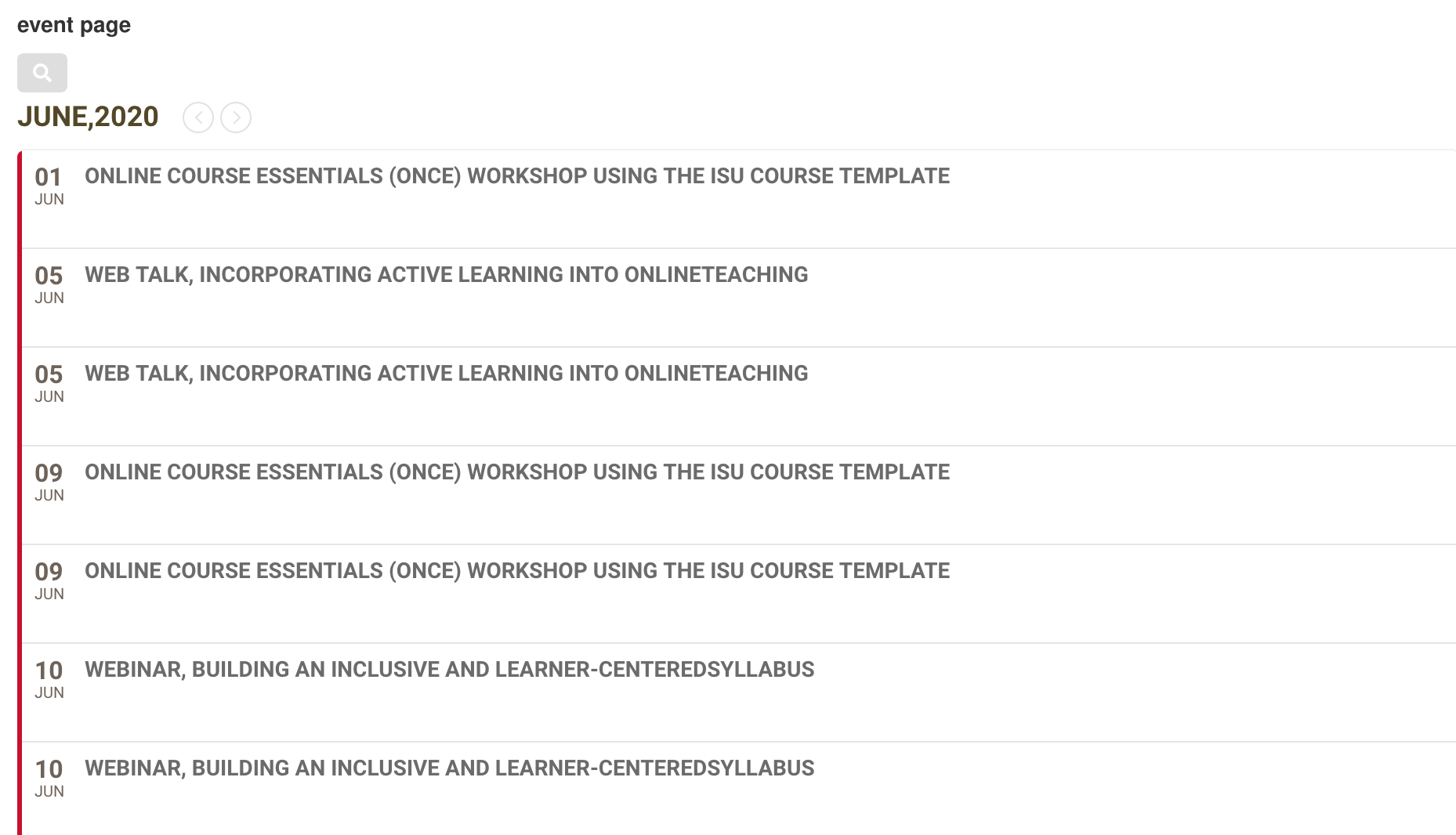
https://www.celt.iastate.edu/calendar-test-page/
Thank you for your quick response – it is VERY much appreciated!
What we are seeking is that the list would also include:
- Description of the event (the description shows up in your demo pages, and it is in our ics file)
- the link to event details which would be clickable and open the entry (right now it opens to an error page)
Things that have occurred since yesterday:
- It is now showing duplicate events (I have attached an image)
I will keep playing with it today and appreciate any and all help.
Peace,
Laura
Reply to: tickets(179658)
Reply to: tickets(179485)
Hi. This is not really good enough as you are basically asking for more money to unlock a simple feature. Are you saying this is the only way?