How can I do it?
Archives: Replies
Replies for tickets on suppota
Reply to: tickets(178988)
Hi,
thanks, I want the filter to always be open with large device screens, and for small device screens like mobiles and tablets, I want the filter to be closed, like now.
Reply to: tickets(177970)
No problem and Thank You Ashan! Thanks @Jason for the file path clarification.
@Ashan. The “event name” of action user form creates a placeholder with the same text. Is there a way to disable that?
Thank You in advance again!
Best,
Timur
Reply to: tickets(177515)
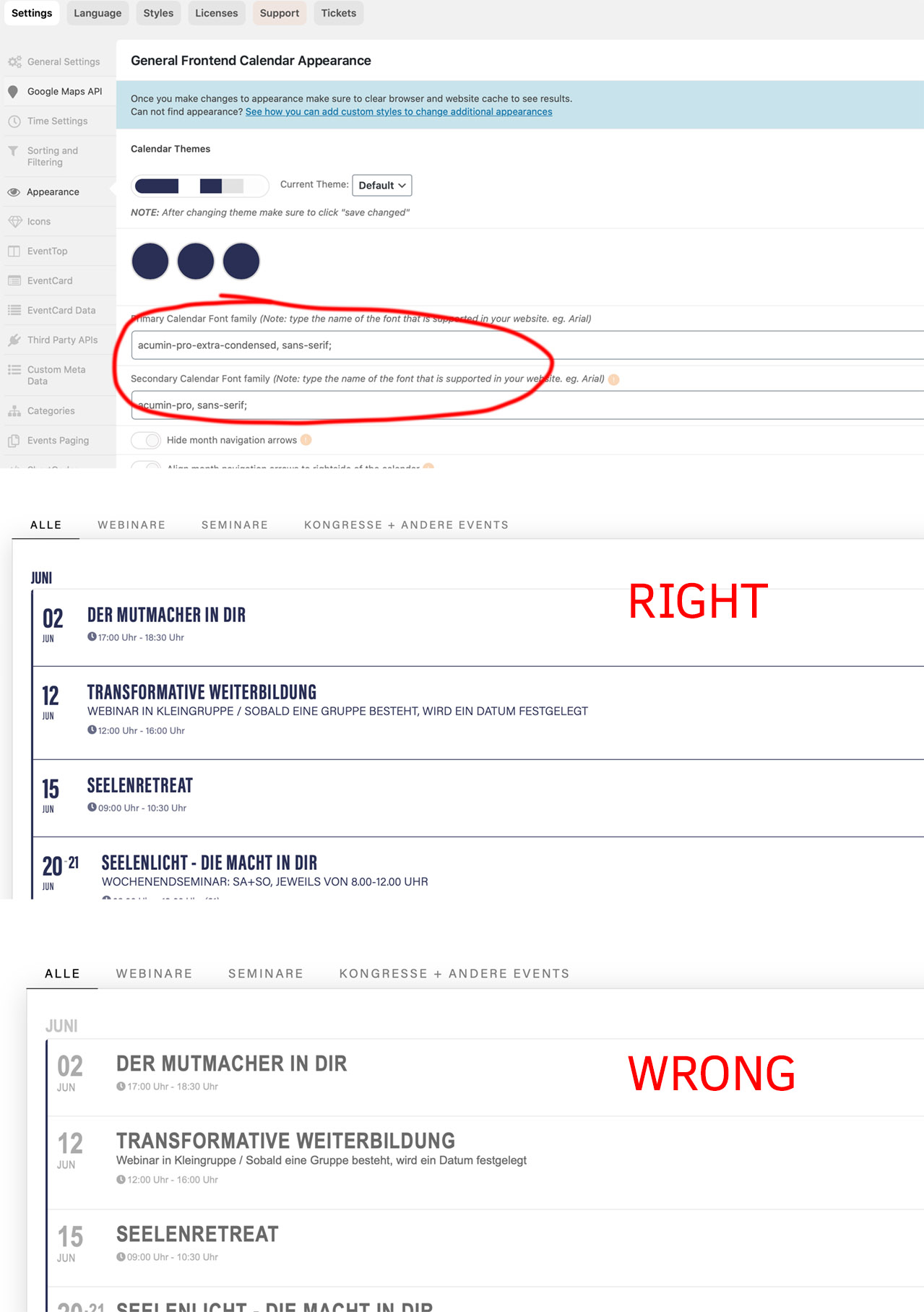
hello artem,
i am refering to the appearance styles under settings.
on the rastoa-dev.oblaum.com it now works (2.8.9), before it does not. i had not change a thing there – i do not know if you or basislis has changed something there (?)
on the live site ( https://rastoa.oblaum.com/veranstaltungen/) after updating via update 2.8.8 -> 2.8.9 the appearance styles are lost. like on the dev before. the styles (font + color) coming from your plugin under appearance do not work anymore. see screenshot.
thanks
oli
Reply to: tickets(178574)
Thank you, the addon is of no use for me then.
Reply to: tickets(178651)
HI,
We do not have an active campaign right now, but I have asked our CEO to look into that to see if he can offer something!
Reply to: tickets(176118)
Thanks for letting me know…
Reply to: tickets(156331)
Hi Artem,
I added the code & took out the ‘touchstart’ that I previously added into the js file. The on-click didn’t fire. I added the ‘touchstart’ back into the js and it fired.
The remaining issue is now the interaction in safari/ios when the search icon is tapped. On random occasions, (doesn’t happen all the time) the ios tool tip popover is called in safari on tap, you then have to tap again to fire the query.
I’ve been trying to find a way to disable the tooltip popover completely by adding this code into the js file but I can’t seem to get it to work. The logic being that if the tooltip popover is completely disabled the tap will fire the query on the first click & no popup tooltip will be called.
if( /Android|webOS|iPhone|iPad|iPod|BlackBerry|IEMobile|Opera Mini/i.test(navigator.userAgent) ) {
$(‘.className’).popover(‘disable’);
}
It’s one of those annoying things that happens randomly. If I can’t disable the popover tool tip then I’ll live with it as it is.
Reply to: tickets(178730)
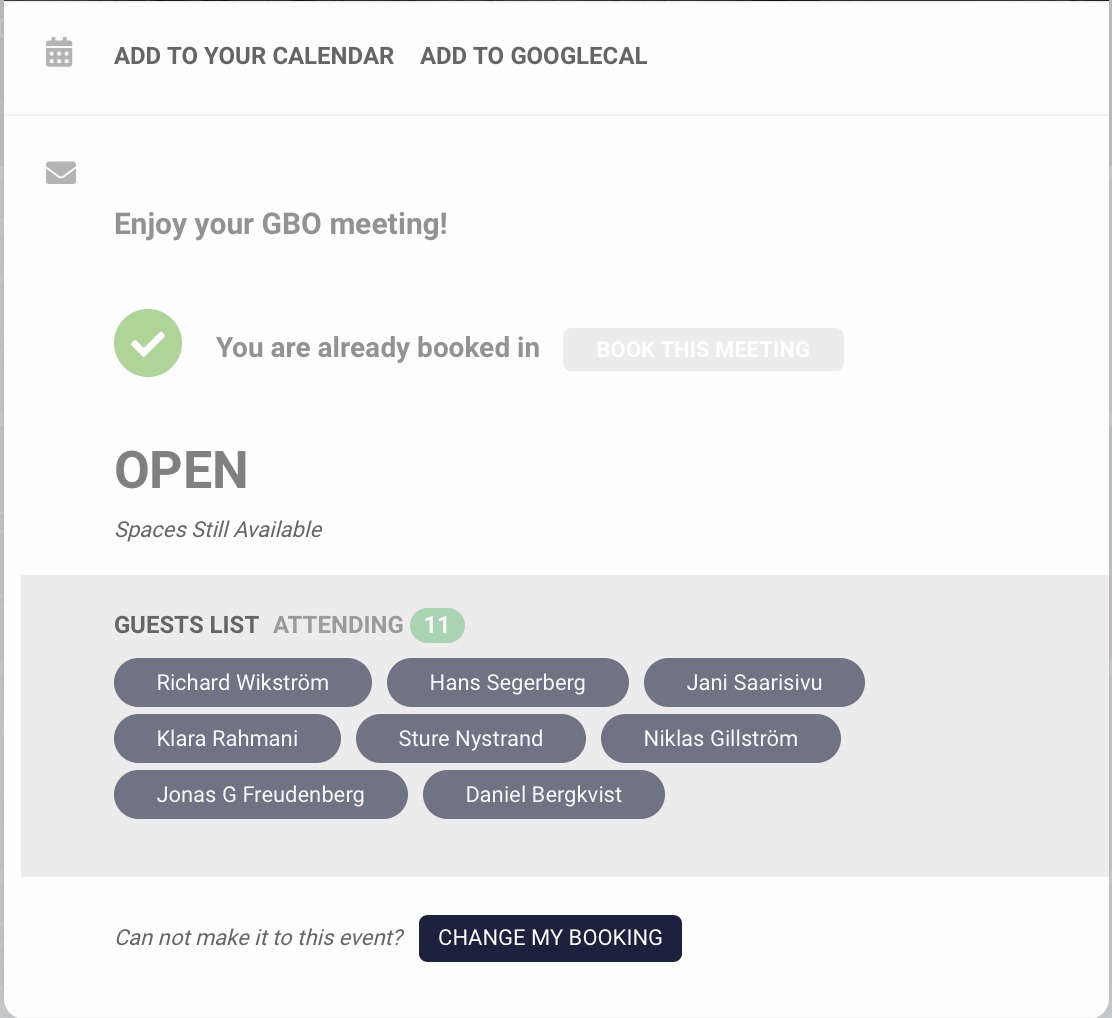
Attaching screenshots does not seem to work anymore, I had the same issue with a custom job as well. Or are you able to see it?
Reply to: tickets(178730)
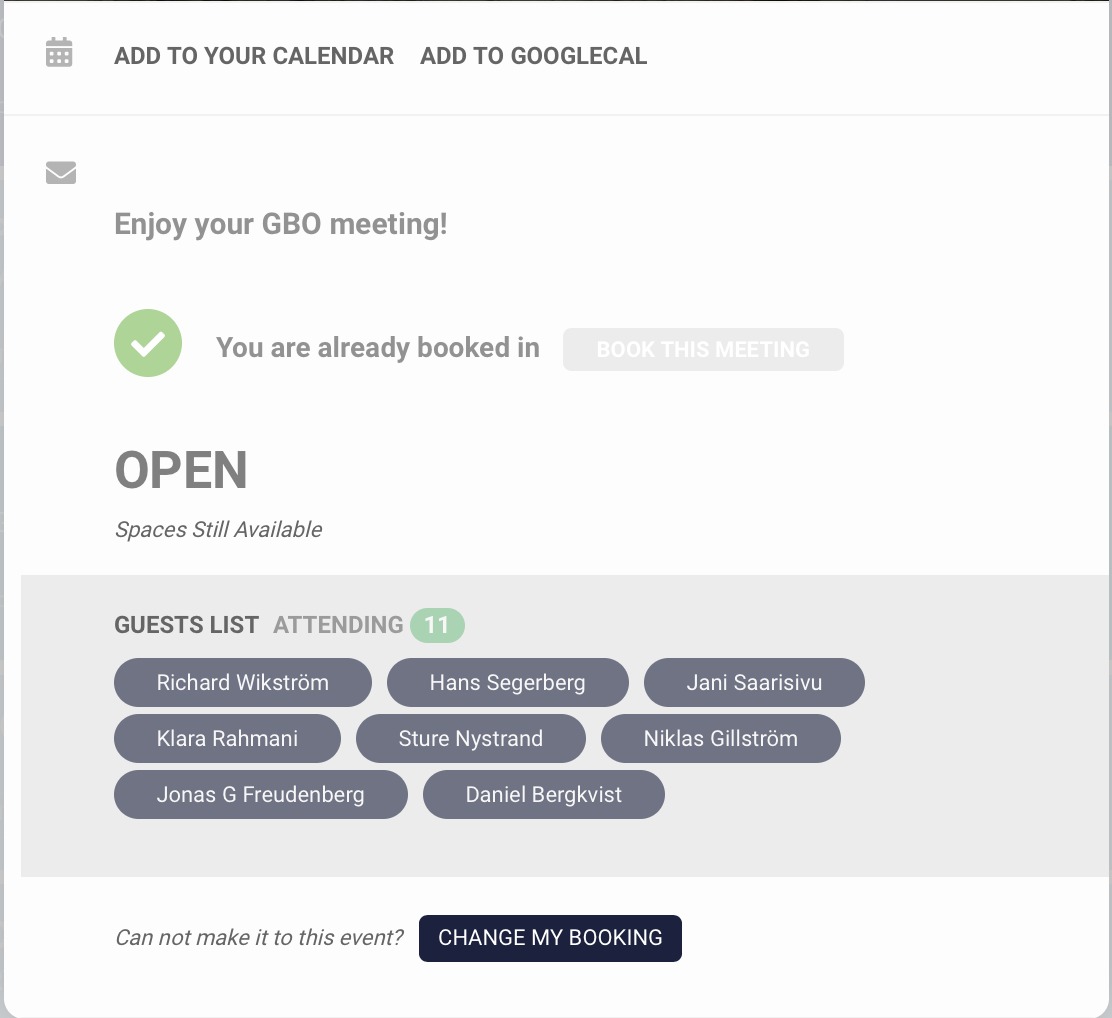
Hi Artem,
The names displayed on the guest list are correct, but the number on top shows the total number of RSVP’s for all occurences of this event. See screenshot attached.
This is confusing and serves no purpose.
I have put in a custom request for the other issue.