Hello,
Thank you for your great suggestion, at the moment it is not supported. However please create a new ticket and select Feature Request as category so others can vote on your idea and get it moved into development faster. OR You can send us a customization job request by creating a new ticket in here and selecting Customization Request as the category.
Please also check https://docs.myeventon.com/documentations/show-calendar-another-site-via-iframe/
I am very sorry, but it seems that I didn’t understand your question correctly. Unfortunately, you cannot have different images as Tile Background and Featured Image in the list.
In order to request a refund for Event Photos Plus, please create a new ticket under Billing & Accounts and be sure to include the order ID for which you need a refund for and the reason for requesting a refund.
Again sorry for the inconvenience.
You can also send us a customization job request by creating a new ticket in here and selecting Customization Request as the category. Maybe one of our developers can implement this for you.
I am sorry, I didn’t tell you, but please use Event Lists shortcode instead of Main Calendar:
[add_eventon_list month_incre=”-24″ number_of_months=”48″ hide_empty_months=”yes” show_year=”yes” tiles=”yes” tile_bg=”1″]
Please check this demo:
http://dev2.myeventon.com/21572-2/
Hello,
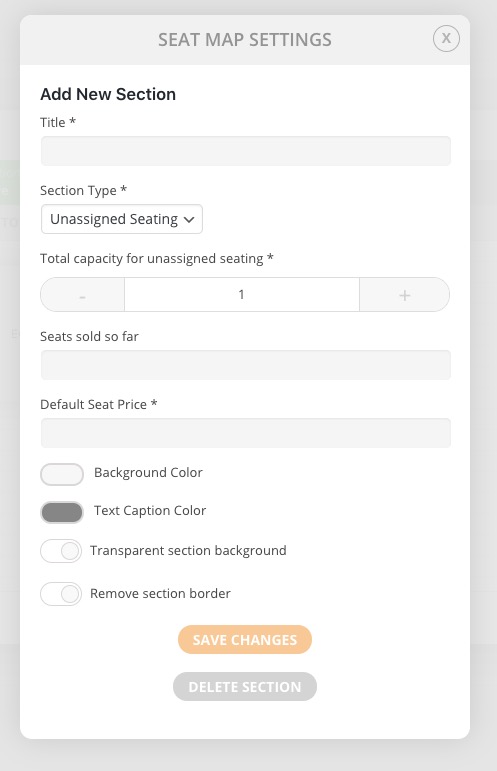
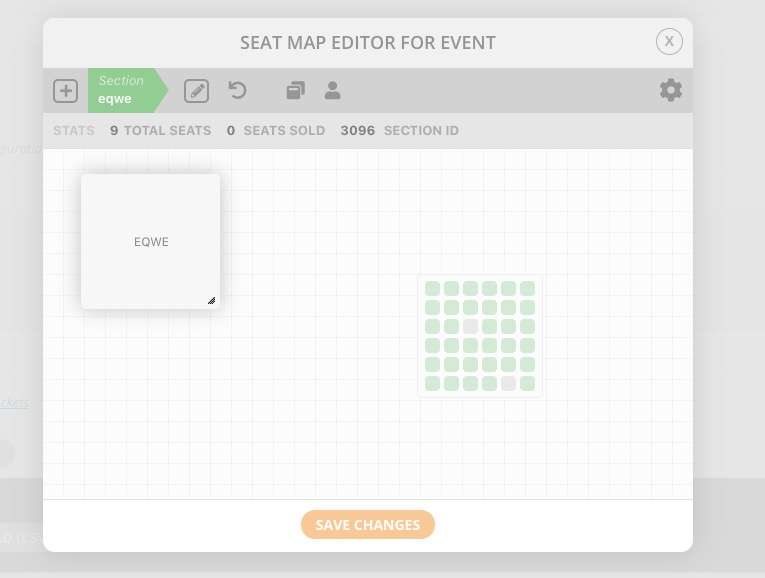
Please check Unassigned Seating:
http://dev2.myeventon.com/events/seats-copy/
Maybe it’ll work in your case.
Could you also send us Order ID of the purchase? Thank you!
Hello,
Please add this to the shortcode:
eventtop_style=”2″
I would be interested in the solution to this problem. I would also like to see a list of past events, starting with the most recent and ending with the oldest. Event_order=”DESC” does not work for me either.
Hi Harold,
Cost would be $30 for it, you can proceed by ordering from here:
https://paypal.me/Basilakis/40usd
After this I would require:
1. The page the calendar is
2. WordPress Access
3. FTP Access
I will take it from there and try have it ready as soon as possible.
Here’s the page: https://linclearning.com/lincspring-live-calendar/
Here are my shortcodes:
FIRST CALENDAR (this calendar is showing the featured image as the tile background, but I want the alternate gallery image): add_eventon_el cal_id=’Fullcal303′ el_title=”Next 4 Events” number_of_months=”2″ event_count=’4′ hide_so=’no’ exp_so=’yes’ tiles=’yes’ tile_height=’175′ tile_count=”4″ tile_bg=”1″
SECOND CALENDAR (this calendar is exactly how I want it): add_eventon_el cal_id=’Fullcal888′ el_title=”Scheduled Events” number_of_months=”2″ event_count=’100′ show_et_ft_img=’yes’ hide_so=’no’ exp_so=’yes’ tiles=’no’ accord=’yes’
My Event settings and EventON settings are as you’ve requested.
However, the tiles are still pulling the featured image as the background. How do I get it to select the other image?
The instruction listed above do not work. I have about 7 past events that I want to show on a different calendar, but they span several years. I want to be able to use the tile display with tile_style 1. However, not matter what shortcuts I put in, it only shows the current month. I really do not want to show the month and year at top, but just a set of tiles from all the events that I have categorized over the past several years.
It also shows you can do this with Event List: Ext. but the none of the demos show this capability.
Can you please post a demo for me and the short code to get this to work.
Thanks in advance for your help!