Hello,
Thank you for the update on that. It is now behaving as expected.
Replies for tickets on suppota
Hello,
Thank you for the update on that. It is now behaving as expected.
Hi Ruud,
I loaded the page, I see no pink?
What happens, u have fixed it?
Hey Bran,
So sorry for the late reply.
I do not have a lot of work left, I actually fixed it so it can also track properly, the code was not working as should 🙂
I will deploy all work by tomorrw.
Thanks this works!
Ok,
The headers didn’t seem to change color regarding above.
I used this to change it:
.ajde_evcal_calendar code { color: black !important; }
#4
Show more works.
Regarding open external link. I do mean open in new page. I mean open the external event link that is specified in eventon which is (ux_val=2) in the settings. If you click on any event at https://template.bidpath.net/ you can see that it opens an external link instead of opening the eventon page. What’s strange is that when you click on any of the events below the full cal on the left here http://bptemplate1.wpengine.com/ it seems to work correctly – so it looks like the link is going to the correct place in the full call api but not the listing api – please let me know if this makes sense?
Hi,
So I have studied this a lot!
What I can offer a solution is the following:
1. We create a new panel fields, when u add seats which will be called ” Ticket Image Name “.
2. A new Fields Panel then inside the events, where you will be uploading the specific image, for each ” Ticket Image Name “
3. When you see it on front end after, the seats will change design based on the name you have assigned.
This is possible to be done, but it is a lot of custom work and it comes with the price of $300.
let me know if you are in need of this.
If not, and you simple want to replace the seat of the icon with 1 different image, this is possible also.
Let me know what u want.
Thank you. I will take a look and revert. Login for the bptemplate1 site is
user: eventon
pass: Q7QoIIl(G#RC7$a$OKRFi9n%
Hello,
Thank you for your great suggestion, at the moment it is not supported. However please create a new ticket and select Feature Request as category so others can vote on your idea and get it moved into development faster. OR You can send us a customization job request by creating a new ticket in here and selecting Customization Request as the category.
Hello,
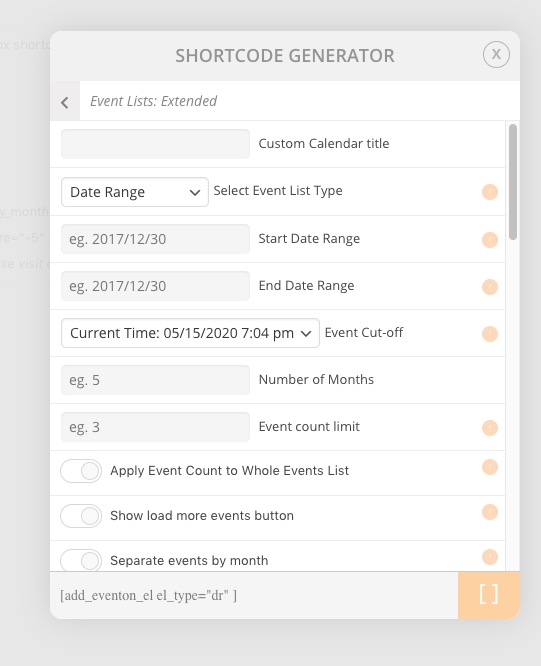
Could you elaborate more? You can show events from Date Range using Event Lists: Ext add-on: https://www.myeventon.com/addons/event-lists-extended/
Try on http://dev.myeventon.com/wp-admin/