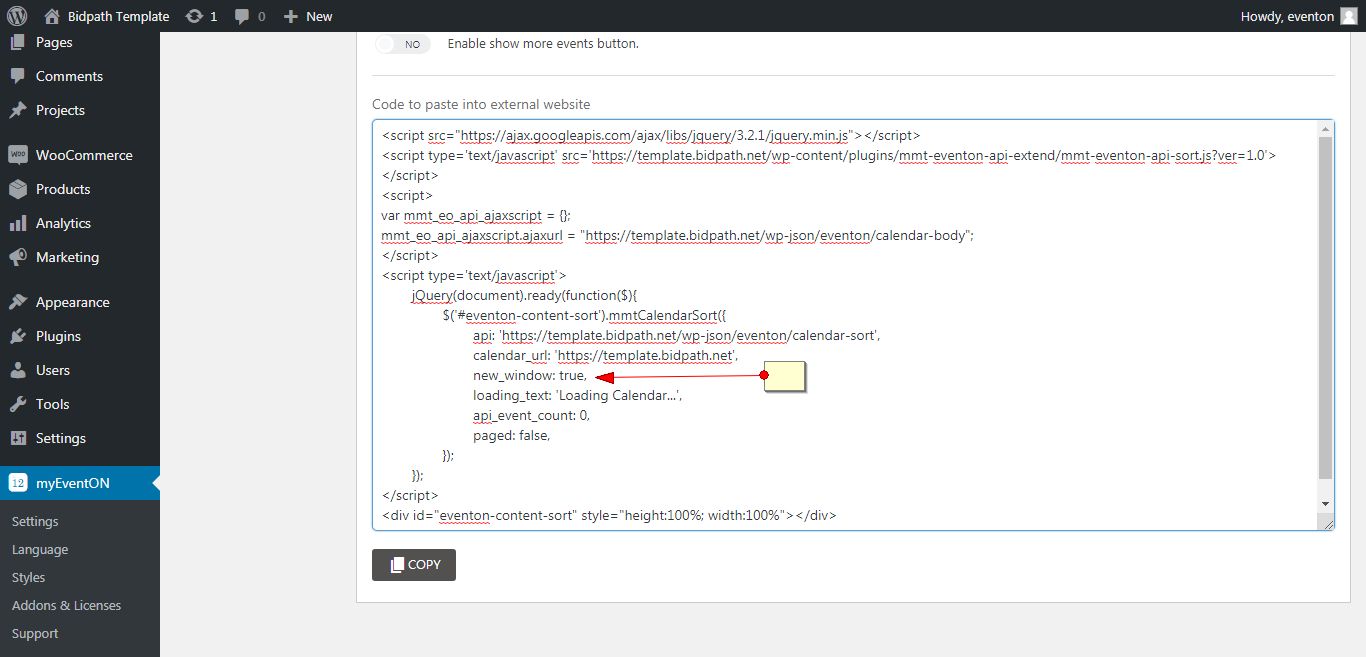
Request 4
In the script, please make new_window: false, to new_window: true,
It will enable opening in external link.
Replies for tickets on suppota
Request 4
In the script, please make new_window: false, to new_window: true,
It will enable opening in external link.
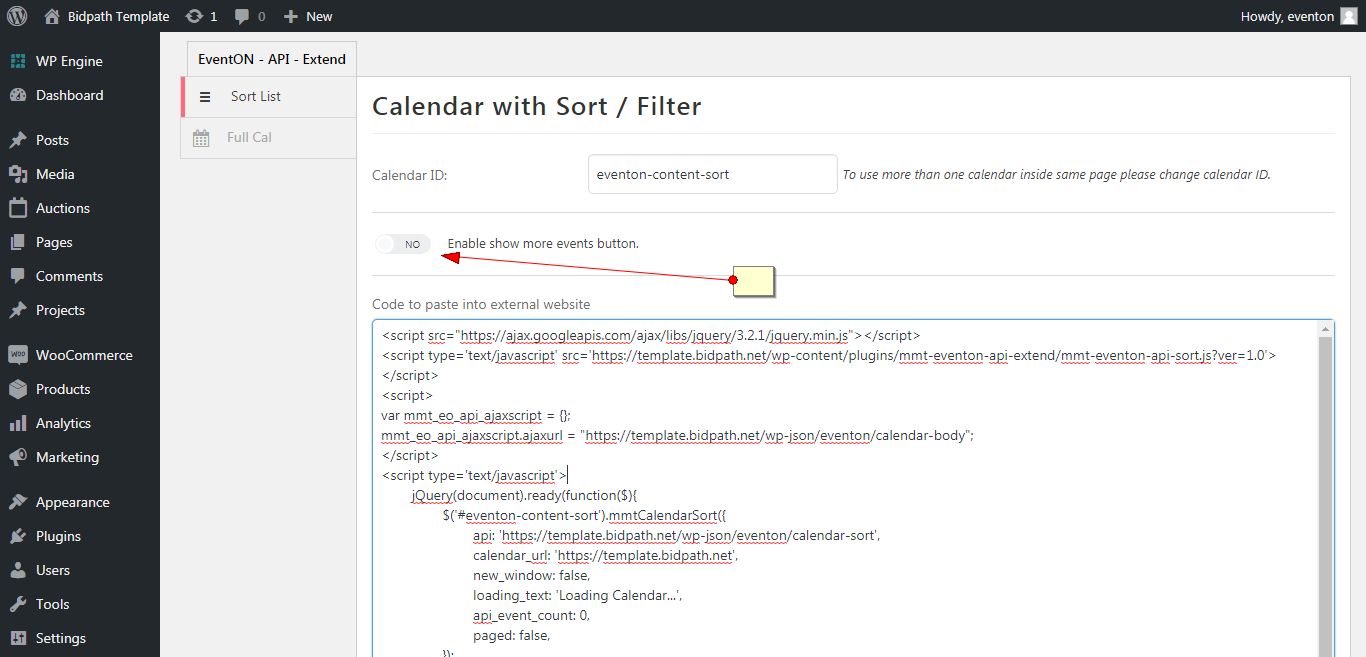
Request 4
You do not have the “Enable show more events button.” enabled.
Load more will work after you turn it on. Please remember to copy and paste the regenerated script once you enabled the option
Hi,
Step one 1 process the payment:
https://paypal.me/Basilakis/60usd
Then we need:
1. Your Email
2. FTP Access
3. WordPress Access
We will then start working on it!
Please create support tickets in the future if you need immediate answers. You can look into our RSVP addon which offers user registrations and capacity limits for RSVPing to an event. https://www.myeventon.com/addons/rsvp-events/
If you have more questions, kindly send us a new ticket and we would be more than happy to help you resolve your issues!
Oh wow thank you very much!
Thanks. I have purchased and installed the Event-Photos add on and followed the instructions above.
What alterations to the shortcode do I need to make?
show_et_ft_img=’yes’ (but this just shows the original featured image and not the additional image that I added)
Thank you!
WordPress investigated the use of Child theme but advised that this was not possible
I have added the code into the Code Snippets functions.php and it appears to be working OK for now – thanks
Looks GREAT!! Thank you so, so much!!!
Ok, thanks. It´s ok. Tell us what to do to continue the work.
Thank you!
Yeah, I know how to do this for one calendar.
But the problem is, I have two calendars on the site.
One public google calendar and one private calendar.
How can I synchronise both automaticly daily?
Or I can combine all the events into one google calendar, but how can I then automaticly make some events public and some events private. Is thats possible?