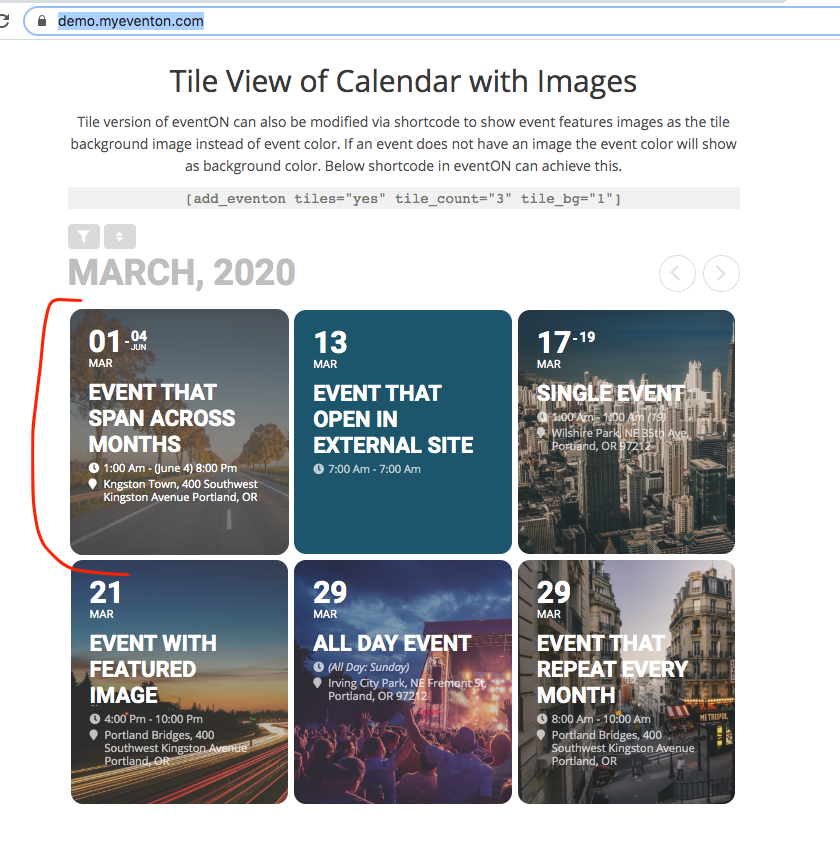
Sorry, “ugly” was the wrong choice of word.
I just figured out the problem. Though I’m not sure of the solution.
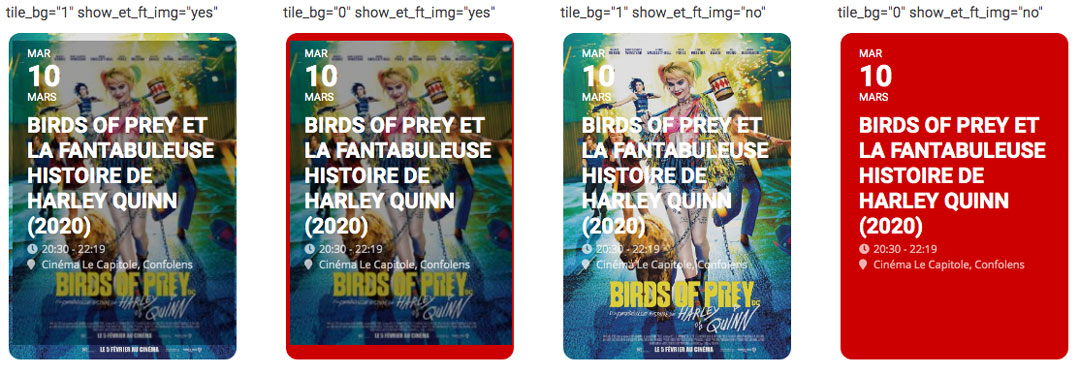
In my shortcode I have both tile_bg=”1″ show_et_ft_img=”yes” enabled. This is why there is there is the double image.
The problem is I want the slight dark overlay (so you can better read the event text) that is in the first two, when show_et_ft_img is set to “yes”, but as you can see, neither of these are very visually pleasing with the “double image” or the weird red background (set by the event color).
For each one, the rollover effect is slightly different, and the problem is the rollover effect on the first one, where both images are visible is the most visually pleasing (in my opinion), though the two images are not visually pleasing.
What to do?
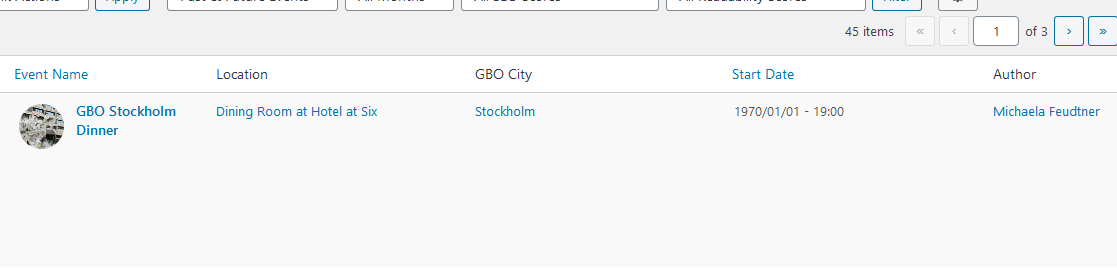
This still shows even though I manually tried to change the date twice.
I think the styles need to be cleared from cache. take a look at the new version tiles on our demo site there is not issue with this overlay color. https://demo.myeventon.com/
Marc I would not release is if it was an ugly outcome 🙂
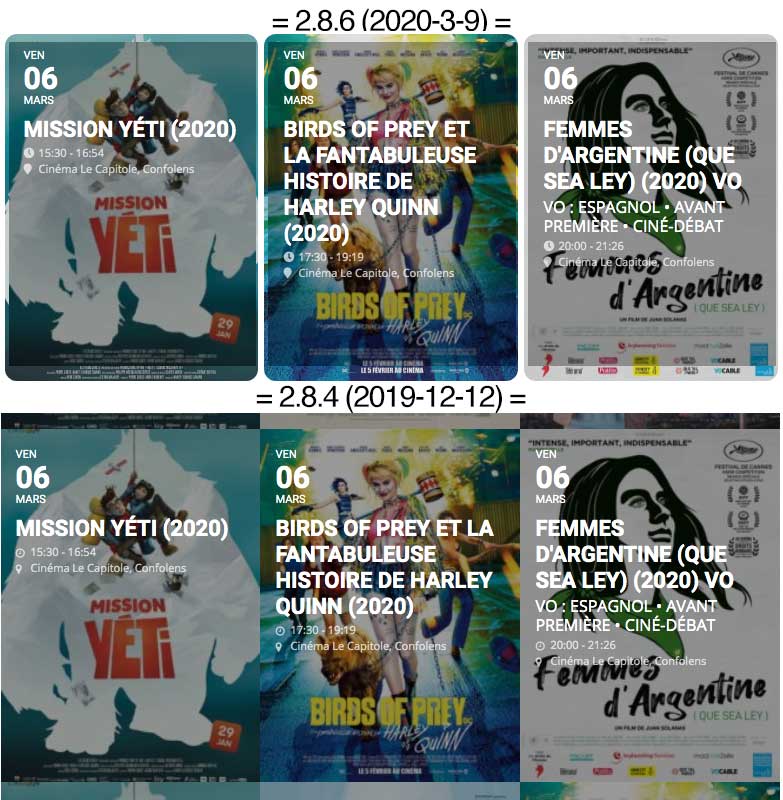
Screenshots of the change and how they look, compared to a previous build. You can see in the most recent update (top) there is a weird double image effect around the border.
Also, personally, I prefer the events when they are side-by-side with each other (no margin). It would be nice if you gave an option, either in the Shortcode or Settings menu, to turn this on or off or set the value (distance) ourselves.
I looked briefly for this before rolling back to a previous version of the plugin, but couldn’t find it.
Hope you didn’t forget to reservce some more time for this issue?
Still waiting for a solution.
Br
Jens
I think they are asking for LazyLoad of event information if possible. The information below the EventTop will only load (via ajax, maybe) when the EventTop is clicked. Probably to speed up page load times when there are a lot of events.
I would find this helpful too, if implemented.
Thank you. I found the problem in the Velocity Minify plugin. After uninstalling the plugin problem disappeared.
Best regards
Drago
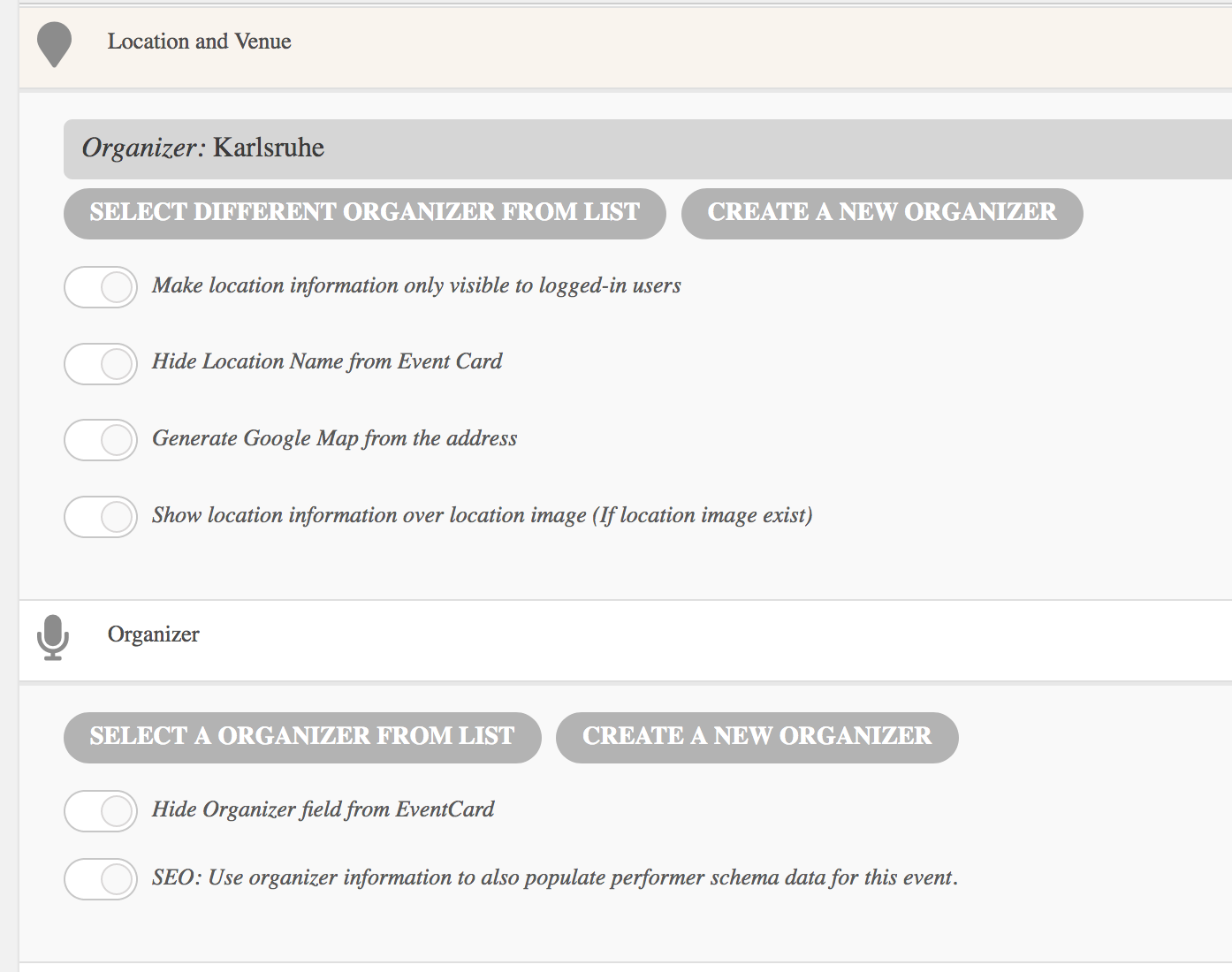
Gosh, it’s getting worse.
The view is not only not showing five but all events – some events are missing which occur on the “Termine” page.
I better stop adding events until I know, what’s going on….
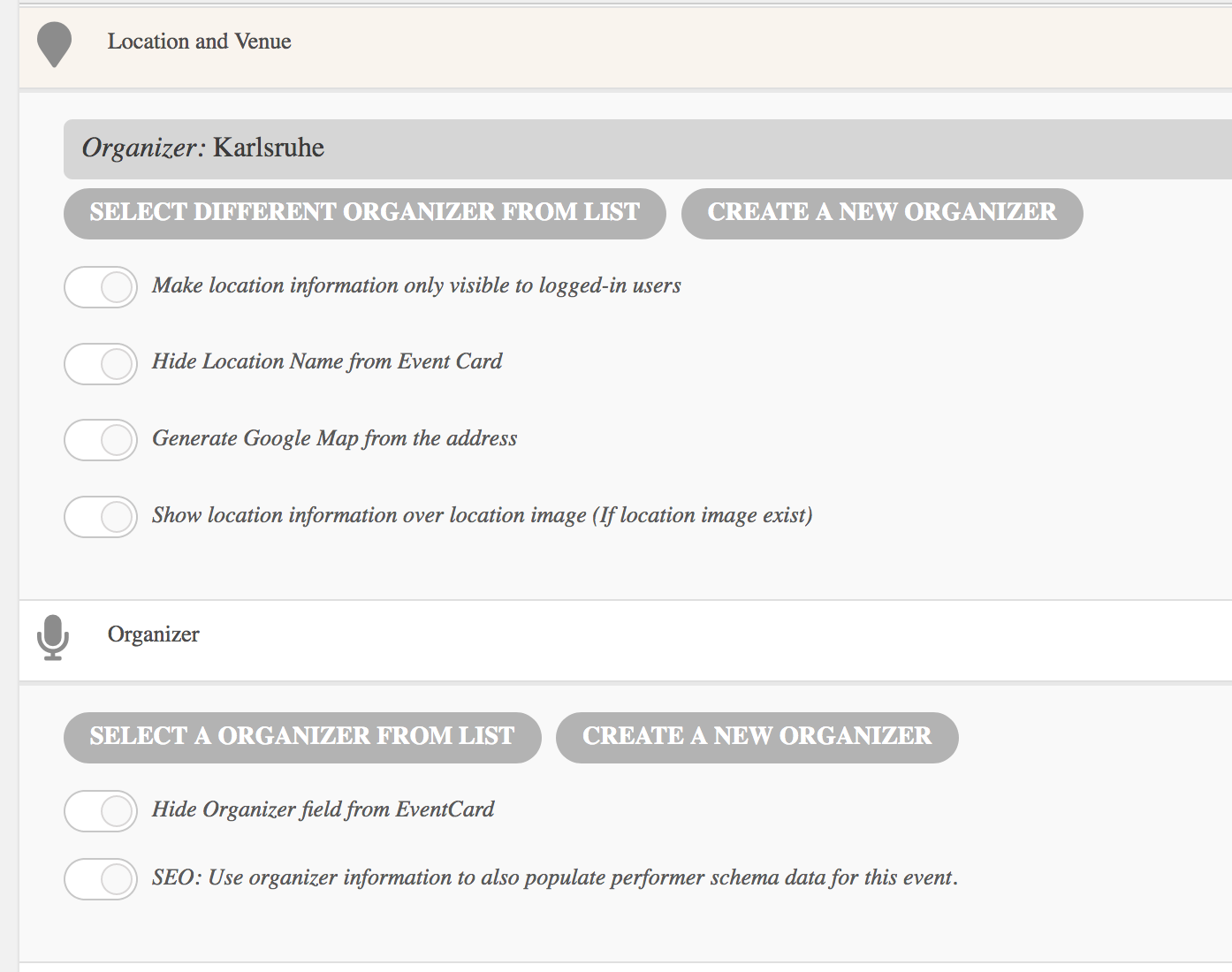
Ah and there is another problem…
As you can see on the screen shot, the location form now shows “create new organisation”… it has no effect on the event. It still shows the location, but the naming is mixed up.
Yes… changing dates or change event status to draft from the Events page, doesn’t reflect in all pages… for example… in the Home page, the Drafted events are removed successfully, and also the dates are modified. while in the Courses pages, and all the Courses under “Espresso Academy” are not modified !!
I need to confirm if I change an event or remove it (Draft) it’ll reflect in all pages I’m adding the event on.
Thanks.