Dear Ashan,
Thanks for your time and help, ofcourse that is possible. Please find the login information below:
Username: kidsacad
Password: u9IaXgqkU
FTP server hostname is: web02.qdc.nl on port 21.
Best,
Replies for tickets on suppota
Dear Ashan,
Thanks for your time and help, ofcourse that is possible. Please find the login information below:
Username: kidsacad
Password: u9IaXgqkU
FTP server hostname is: web02.qdc.nl on port 21.
Best,
No, it’s the same. We still don’t have the option mentioned above
I’ve just tried to import the updated file I just sent you, and the dates are still coming out as 01/01/1970 – although the dates are correct on the screen as they are being imported.
I just don’t get it.
So this should work?
So the time should be written like this –
| 09:30 AM |
Also it seems there is an issue with this part:
9AG.’,,,,,,,,,,,,www.kingsplace.co.uk,,,,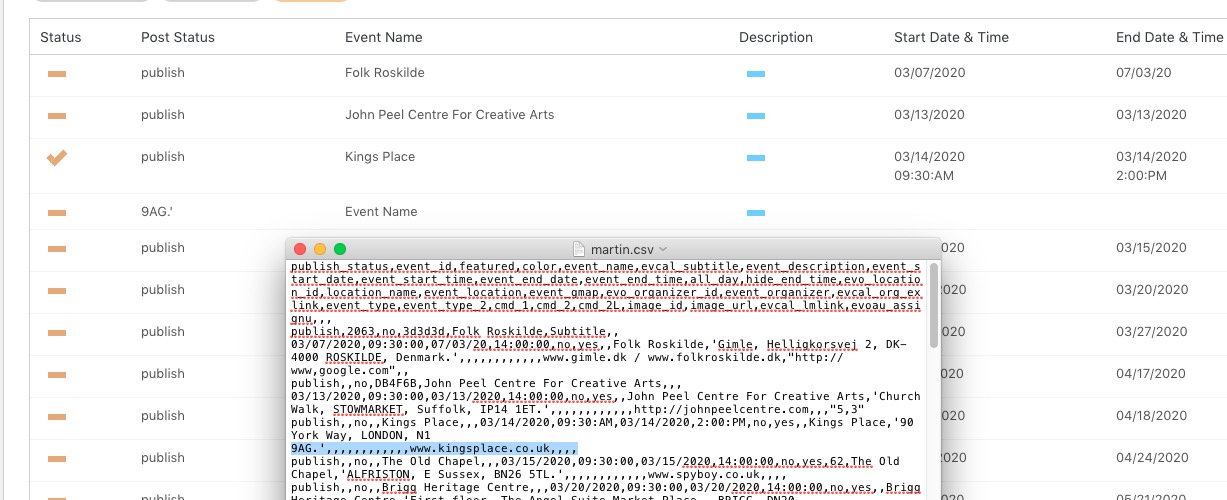
Times are incorrect. Please replace them with 12h format + PM/AM.
Hi,
Thank you for your reply and advice.
My current code:
[add_eventon cal_id=”id1″ ft_event_priority=”yes” event_count=”15″ show_limit=”yes” ux_val=”3″ jumper=”yes” jumper_offset=”2″ jumper_count=”1″ show_et_ft_img=”yes” ]
Thank you,
Jon
Hello,
Thank you for your messages, I am going to assign this ticket to Ashan and he will be able to take it from here and find you a solution. Please allow some time for him to get back to you, we greatly appreciate your patience and thank you for being a eventon customer! Also please disable any IP blocking on your site if there are any.
Ashan,
The same on dev2:
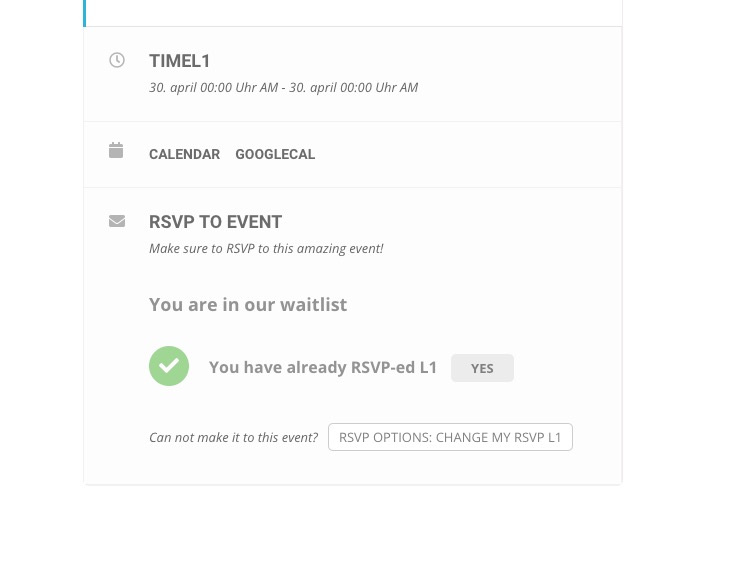
Cannot find these two in Language: https://helpdesk.ashanjay.com/wp-content/uploads/2020/03/%D0%9D%D0%B5%D1%82-%D0%BF%D0%B5%D1%80%D0%B5%D0%B2%D0%BE%D0%B4%D0%B0-RSVP-email-1.png and https://helpdesk.ashanjay.com/wp-content/uploads/2020/03/%D0%9D%D0%B5%D1%82-%D0%BF%D0%B5%D1%80%D0%B5%D0%B2%D0%BE%D0%B4%D0%B0-waitlist-email-1.png