Reply to: tickets(164227)

We are glad your issue is resolved, if you have any further questions or concerns please create a new ticket.

If you have a moment, we would greatly appreciate if you could kindly leave us a review at codecanyon! from your account > downloads. Cheers!

Reply to: tickets(166347)

We are glad your issue is resolved, if you have any further questions or concerns please create a new ticket.

If you have a moment, we would greatly appreciate if you could kindly leave us a review at codecanyon! from your account > downloads. Cheers!

Reply to: tickets(165025)

We are glad your issue is resolved, if you have any further questions or concerns please create a new ticket.

If you have a moment, we would greatly appreciate if you could kindly leave us a review at codecanyon! from your account > downloads. Cheers!

Reply to: tickets(167048)

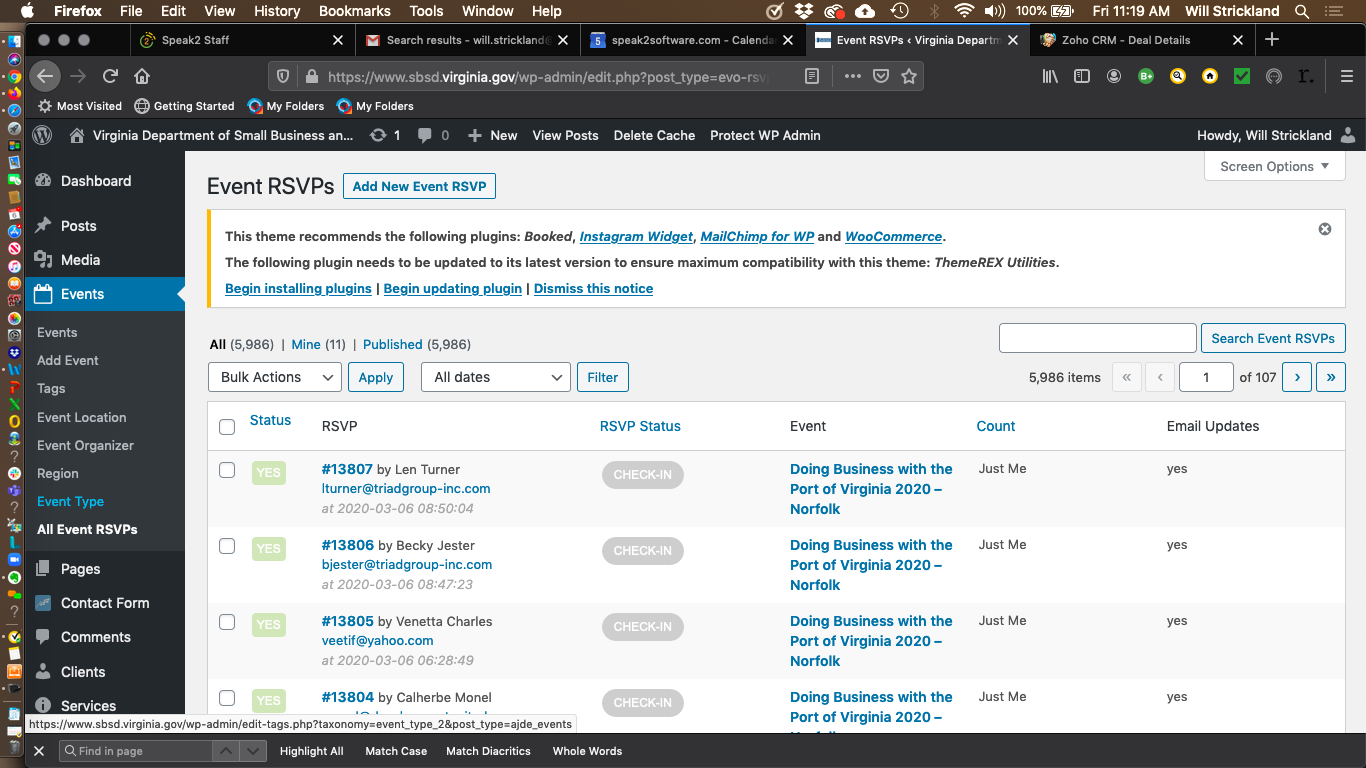
I don’t need to export the data for an individual event.  I have to report out the data by region for all the events by year.    The Events RSVP view (attached) would be close if the data included date and region.   Is there any report like that available or tooling way to dump the event rsvp data?

Reply to: tickets(167124)

Hi,
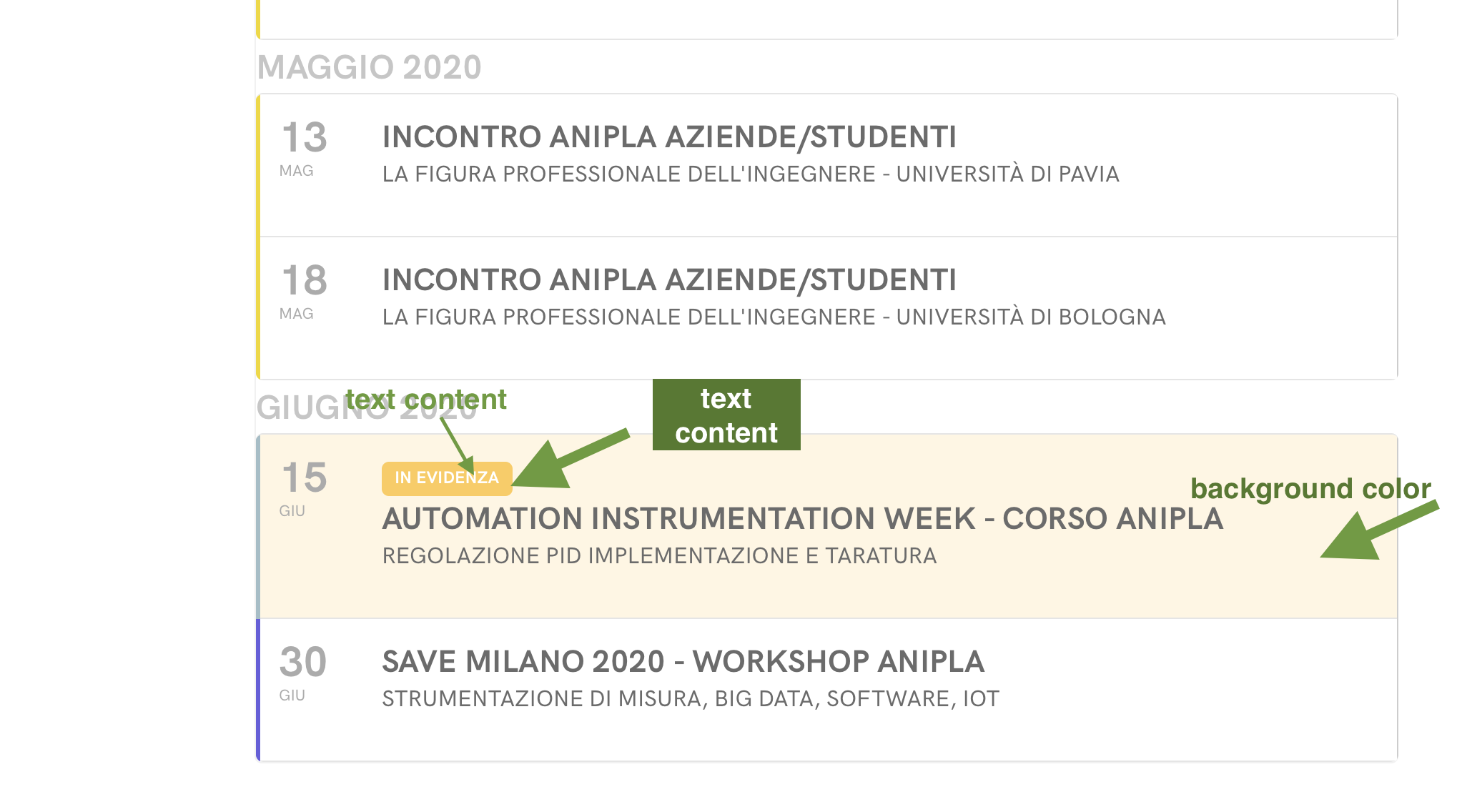
looking better I found the setting to activate the different background color for featured events.
And this is a good solution, but I’m not able to change background color (for featured event: normal/hover). I tried applying this code to in the style setting CSS (but no changes):

.eventon_events_list .eventon_list_event .evcal_list_a.featured_event {
background-color: #e1e8f7!important;
}

.eventon_events_list .eventon_list_event .evcal_list_a.featured_event:hover {
background-color: #ced7ea !important;

I also would like to change the tab background and tab text content (instead of ‘featured’) for featured events.

To be more clear I attach here a screenshot

Reply to: tickets(166354)

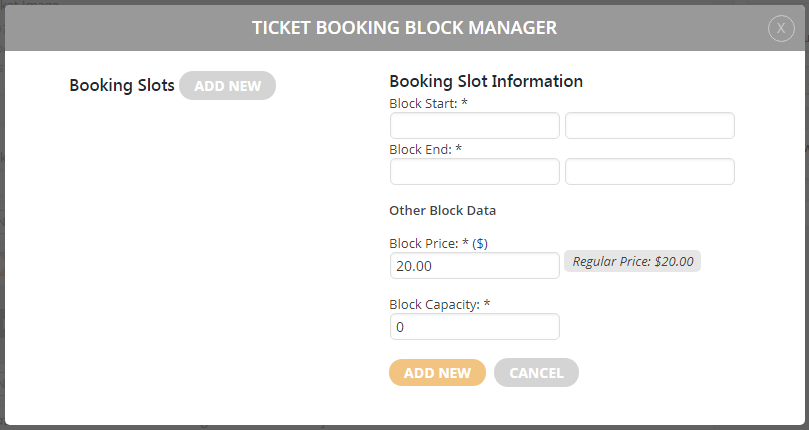
  1. Please use Bookings add-on and put 0.00 to Block Price: https://docs.myeventon.com/wp-content/uploads/2018/05/capture-3.png

I had tried to use the Booking add-on prior to this ticket.  I again have added it again to the a test event I just created after reading your reply.  You can see it here: https://newalbanyelks.org/volunteer/

I’ve searched all over the documentation (your demo isn’t working) to see if the details I’m adding in the booking slot is correct as there is no direction on the popup, just a *

I’m adding the time in the fields on the popup.  SCREENSHOT: https://prnt.sc/rckz3r

After adding the times, it shows a success message. I add the second time as detailed above. 

When I go to the event, it shows there are not any slots on the date of the event (April 18 – https://newalbanyelks.org/volunteer/

There should be 2 times slots showing on April 18.  11 am to 4 pm and 4 pm to 9 pm

Adding a ticket price of $0 doesn’t work. I have to go to further edit, opens Woocommerce, add the $0 in WooCommerce, then go back to the event. 

2. Please go to Edit Event > RSVP > press Sync Count icon.

I Synced the event and still shows the event is full. The Sync doesn’t seem to be working. 

https://newalbanyelks.org/volunteer/

2. Please check this one:
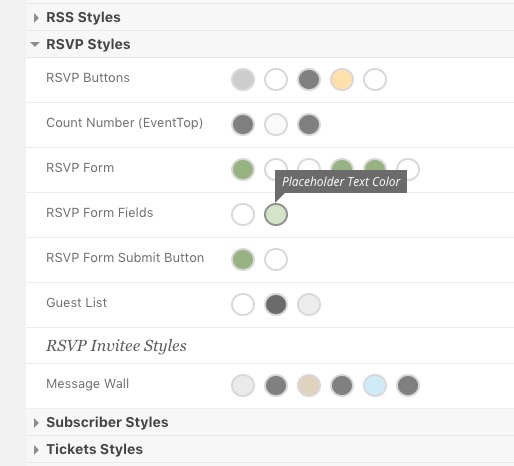
I updated all those and the RSVP form is not changing to the styles I have chosen. 

SCREENSHOT: https://prnt.sc/rcl2gu

Also sometimes you need to “EventON > turn off Write styles to header > save settings > turn on Write styles to header” to see the change.

I cannot seem to locate this in the admin <<<

3. Please go to EventON > RSVP > disable Activate RSVPing with one-click from eventTop ONLY for logged-in users. This worked

4. Please replace add_eventon with add_eventon_list.

[add_eventon_list number_of_months=”3″ event_count=”5″ event_type_2=”147″ hide_empty_months=”yes” accord=”yes” ]

Now it doesn’t show the ability to scroll through the months.