Hello,
No issues with your shortcode on our test server: http://dev2.myeventon.com/20693-2/
Could you update Booking add-ons to 1.1 and please try the instructions mentioned in this documentation to make sure your issue is indeed coming from eventon.
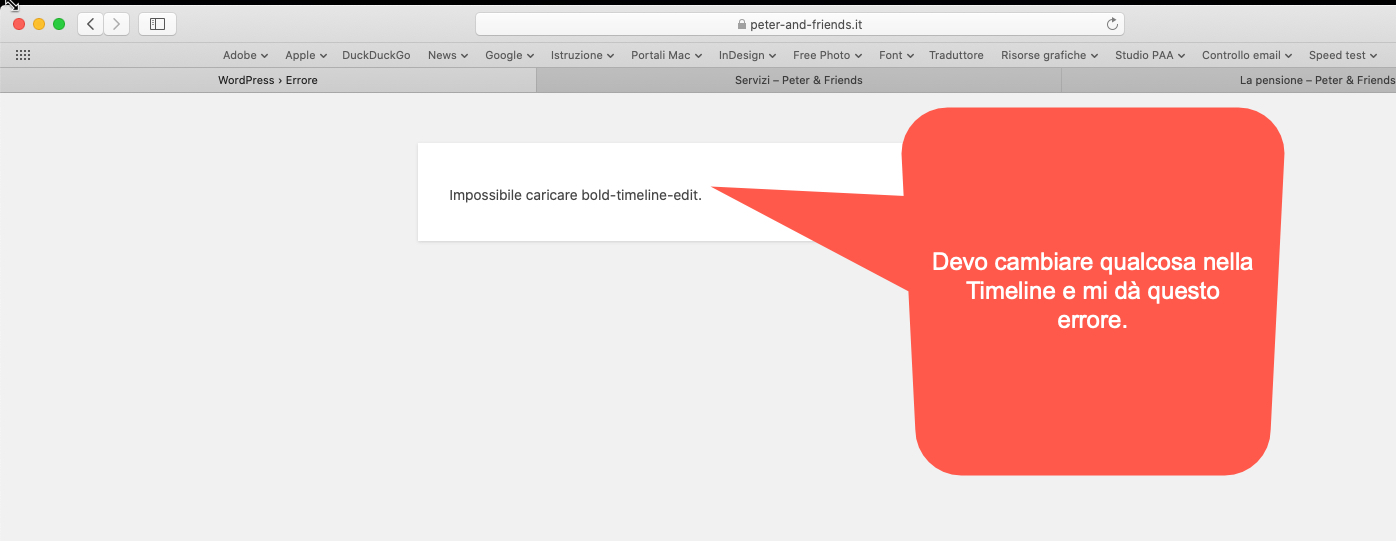
First of all, thank you for replying.
in the left bar you can see both Bold Timeline and Cost Calculator. I had created a timeline (La pensione = the pension) and wanted to edit something, but it is not possible because it gives an error. Failed to load bold-time-edit. I’ve already asked for support from the creators of the theme, and he told me to try disabling the various plugins installed. By turning off EventON, the problem is solved.
I wanted to know if the problem could be fixed, otherwise if I have to make further corrections, I will deactivate your plugin, make corrections and then reactivate it.
The same happens with the Cost calculator.
Hello,
Please fix this error:
js?key=AIzaSyAW2iaDtGYoJUrzW-2WebqeOPG37bLVLao&ver=1.0:58 Google Maps JavaScript API error: RefererNotAllowedMapError
https://developers.google.com/maps/documentation/javascript/error-messages#referer-not-allowed-map-error
Your site URL to be authorized: https://www.festivalbiblico.it/events/la-parola-dio/
More info: https://elfsight.com/blog/2018/06/how-to-get-google-maps-api-key-guide/
Could you update CSV Import to 1.1.8? To update eventon addons: You can download latest eventon addons from myeventon > my account. Then you can go to your website, deactivate old addon and install new one and activate then delete the old addon. This link will further explain the process. Also you can follow us on twitter to get real-time announcements on updates!
Yes, you can test with cash payment. By cons, do not touch my events, thank you!
Hello,
Please use this shortcode instead:
[add_eventon_list event_count=”4″ tiles=”yes” tile_count=”4″ tile_height=”250″ hide_past=”yes” event_type=”7,8″ number_of_months=”12″ hide_month_headers=”yes” hide_empty_months=”yes”]
The problem is that event_count=”4″ limits events for each months. If you want to limit them overall you need to use this add-on https://www.myeventon.com/addons/event-lists-extended/:
[add_eventon_el event_count=”4″ tiles=”yes” tile_count=”4″ tile_height=”250″ hide_past=”yes” event_type=”7,8″ number_of_months=”12″ hide_month_headers=”yes” hide_empty_months=”yes” event_count_list=”yes”]
Try on http://dev.myeventon.com/wp-admin/
By monthly view I meant the “Full Calendar”
the 3 or 4 forthcoming events
If you want to show 3/4 events from different months please install Event Lists: Ext and use the shortcode from Feb 18,2020 AT 11:31AM – Posted 5 Days Ago – #164314.
Hello,
Unfortunately, you can’t see images in full size since they are backgrounds on tiles. Because our plugin is responsive parts of images can be cut-off because of different screen ratios and row/column widths.
You can try adding to make them more square (change 500):
tile_height=”500″