Hello,
Yes. Please go to EventON > Google Maps API > disable Disable Google Maps API > add Google maps API Key (Required).
More info on how to create the correct map api key: https://elfsight.com/blog/2018/06/how-to-get-google-maps-api-key-guide/
Replies for tickets on suppota
Hello,
Yes. Please go to EventON > Google Maps API > disable Disable Google Maps API > add Google maps API Key (Required).
More info on how to create the correct map api key: https://elfsight.com/blog/2018/06/how-to-get-google-maps-api-key-guide/
Hello,
They are both activated on this website:
https://claremontschl.wpengine.com
Hello,
This is not supported by EventON: event_type_2=”AND”. More info: https://docs.myeventon.com/documentations/confused-event-type-categories/
What are trying to achieve is not supported at the moment, I am afraid. However please create a new ticket and select Feature Request as category so others can vote to get it moved into development faster. OR You can send us a customization job request by creating a new ticket in here and selecting Customization Request as the category.
The only available option is filter_relationship=”OR”:
Filter Relationship for Multiple Event Types. For multiple event types, select the filter relationship that to be used for filtering events.
Hello,
In EventON > Tickets > Reminders > Enable before event start reminder email #1 > you can choose Select emailing group: All guests with completed orders OR All guests with pending orders. Please try on http://dev.myeventon.com/wp-admin/
Unfortunately, we are still not sure what can cause this.
Could you check this guide: https://docs.myeventon.com/documentations/show-calendar-another-site-via-iframe/? Maybe it can provide a temporary solution.
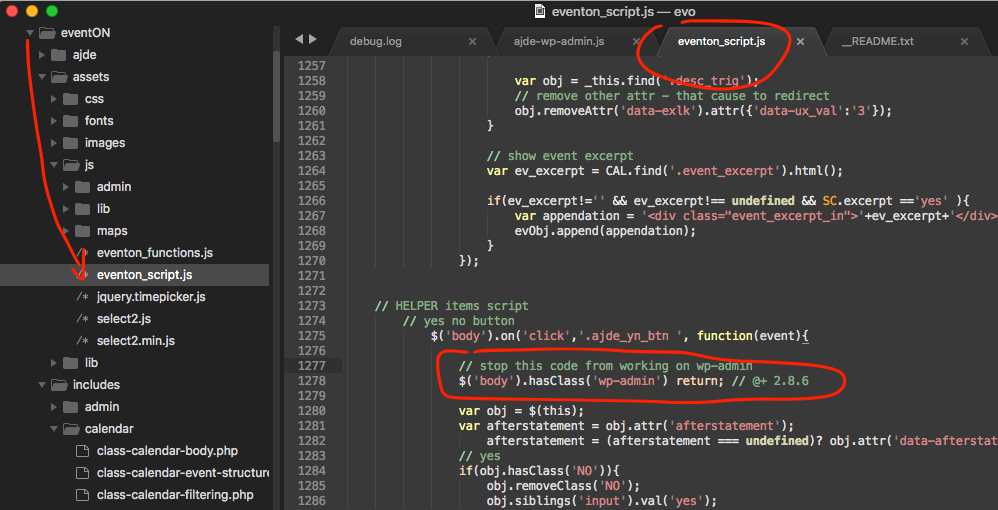
Please follow this instruction https://helpdesk.ashanjay.com/wp-content/uploads/2020/02/Screen-Shot-2020-02-17-at-1.37.47-PM.png but add this code:
if($(‘body’).hasClass(‘wp-admin’)) return false;
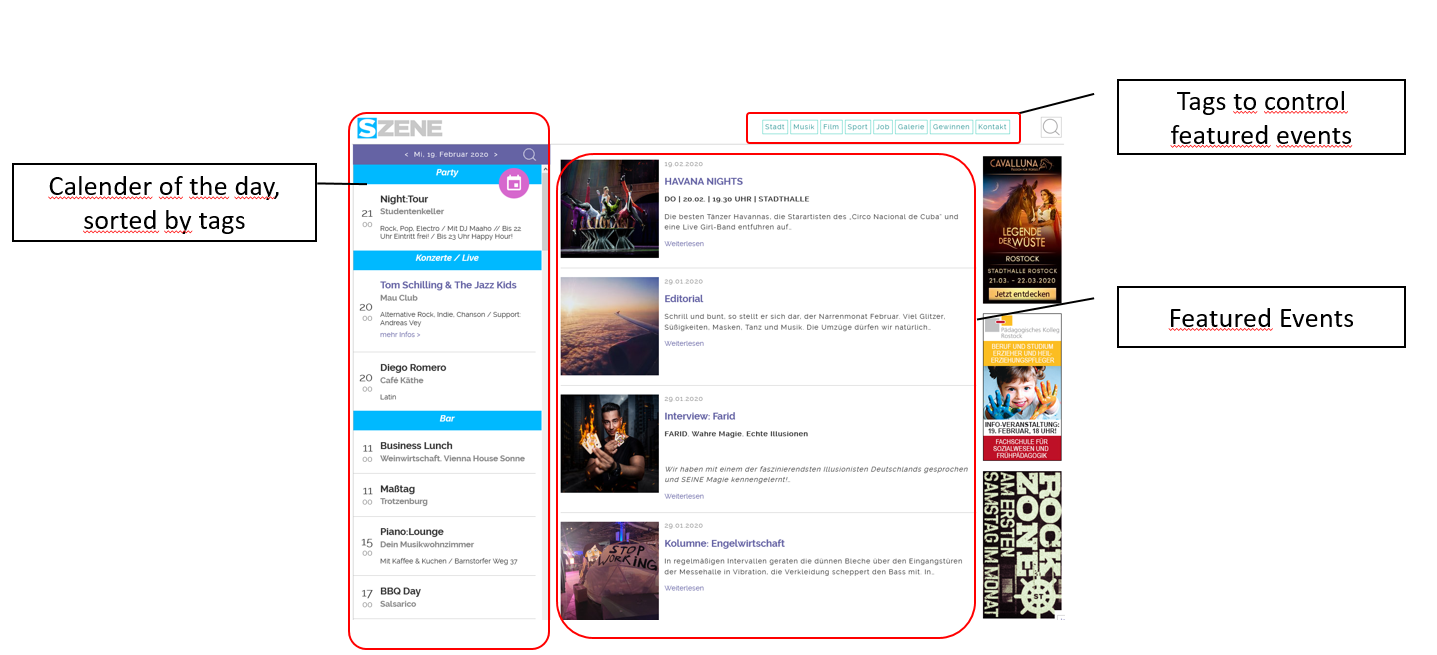
Dear Ashan! Is it also in my picture that I see the place on yours? It’s unfortunate that you didn’t continue and didn’t add a place to the basket.
Please watch the video and place your test order.
https://drive.google.com/open?id=1QmPFaD1BX1lgvyFcPiUl-YLrPOogK67Q
Hi Artem,
yes I deleted an started a new import. And the problem is still the same.
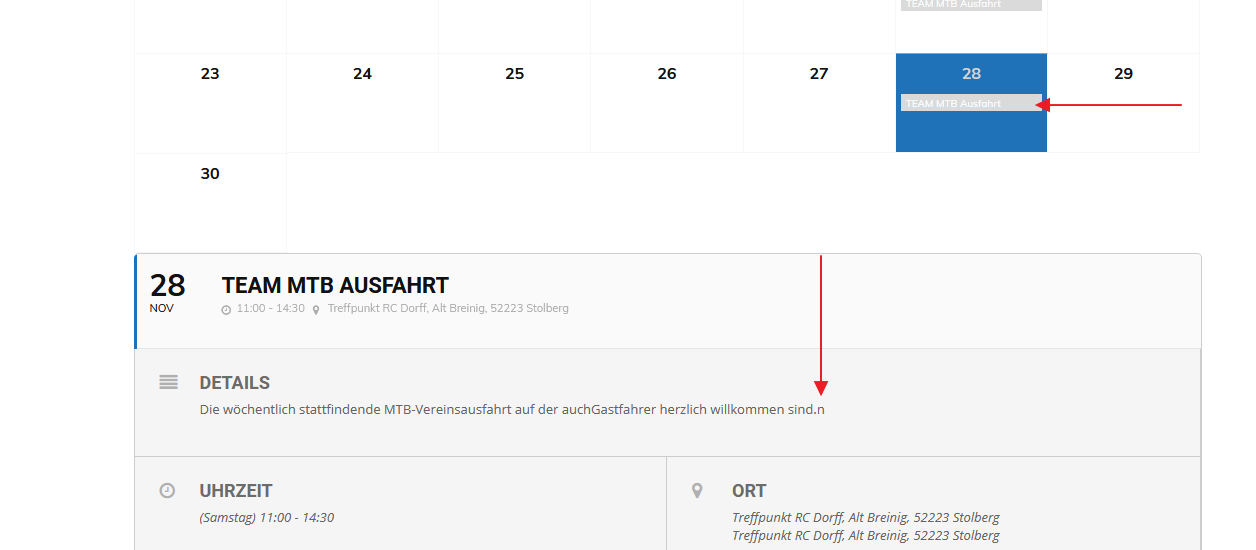
I tried it again with two dates: 11/21 and 11/28.
Please feel free to download the pictures here: https://we.tl/t-Bm8akZjsB5
As you can see the on the first picture there is no entry on 11/21.
Pictures 2 and 3 shows my import settings.
Picture 4 is the result of the import.
Picture 5 shows 11/21 after the new import including the “n”.
Picture 6 shows the same result on 11/28
What else can I do?
Br
Jens
Hi Ashan, Hi Artem,
Could you find a solution? I have to launch te event before end of this week 🙁
Thank you,
Linda