Hello,
Unfortunately, we unable to refund the main plugin. Please contact CodeCanyon for this.
Do you also want to refund this order #78905 Dynamic Pricing?
Replies for tickets on suppota
Hello,
Unfortunately, we unable to refund the main plugin. Please contact CodeCanyon for this.
Do you also want to refund this order #78905 Dynamic Pricing?
You don’t have Event Type with ID=37. Please check https://guide2.co.uk/worcestershire/wp-admin/edit-tags.php?taxonomy=event_type_2&post_type=ajde_events and change evet_type=”37″ in the shortcode.
Hi,
I see that you have added the Booster Tool for woocommerce plugin. Is this plugin payable for having the functionality of multiple currencies?
Also, did you add code somewhere or did you just add Booster tool? If so, is it the same thing you are going to do for the other development project?
Hello,
Please try this code:
.ajde_evcal_calendar.boxy.boxstyle1 .evo_boxtop {height: 185px !important;}
#evcal_list .eventon_list_event p a.desc_trig {padding-top: 200px !important;}
1. Please use this code:
.eventon_filter_line .filtering_set_val { text-decoration: underline; }
And remove .eventon_filter_line .filtering_set_val.show { text-decoration: underline; }
2. Try this:
.evo_cal_above .evo-filter-btn {top: 93px; left: 10px; }
.eventon_sorting_section {margin-left: 53px;}
Hello,
Thank you for your great suggestion, at the moment it is not supported. However please create a new ticket and select Feature Request as category so others can vote on your idea and get it moved into development faster. OR You can send us a customization job request by creating a new ticket in here and selecting Customization Request as the category.
Hello,
There seems to be insufficient memory on the server, since your shortcode works on this page: https://www.vidartscience.org/2485-2/. Please check https://docs.myeventon.com/documentations/increasing-wordpress-memory-limit/
Please also follow the instructions in this documentation to activate debug in your site to see any PHP errors recorded that can provide insight on to whats going on. Please reply with a link to debug.log file. If you are not able to do this please send us FTP access to your site so we can do this for you.
Is this the same when you are opening the file?
The same for me.
I deleted TEAM MTB Ausfahrt on 2020/11/28 event and imported it again https://www.rc-dorff.de/wp-admin/post.php?post=6673&action=edit:
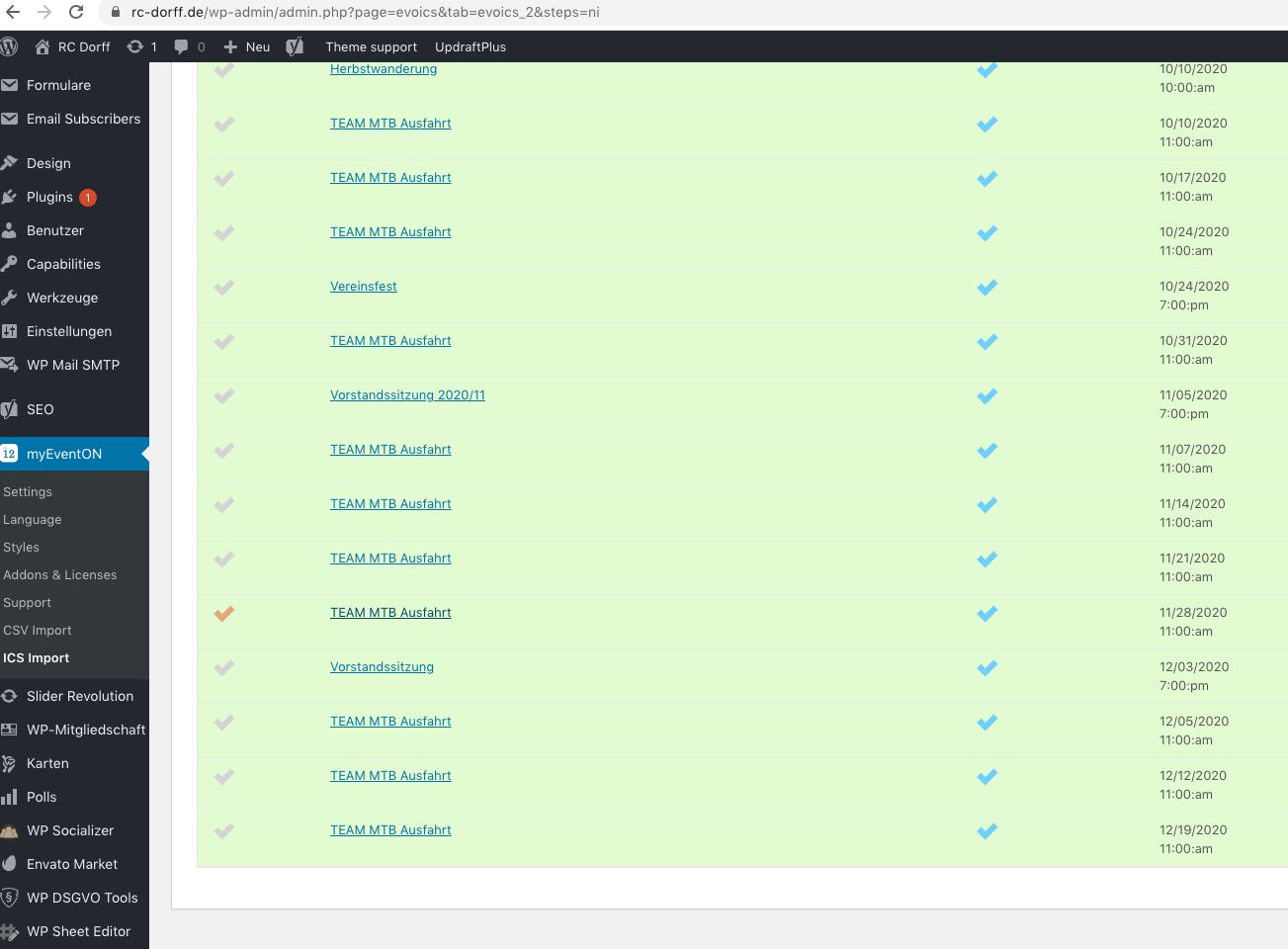
As you can see it transformed /n into <br>:
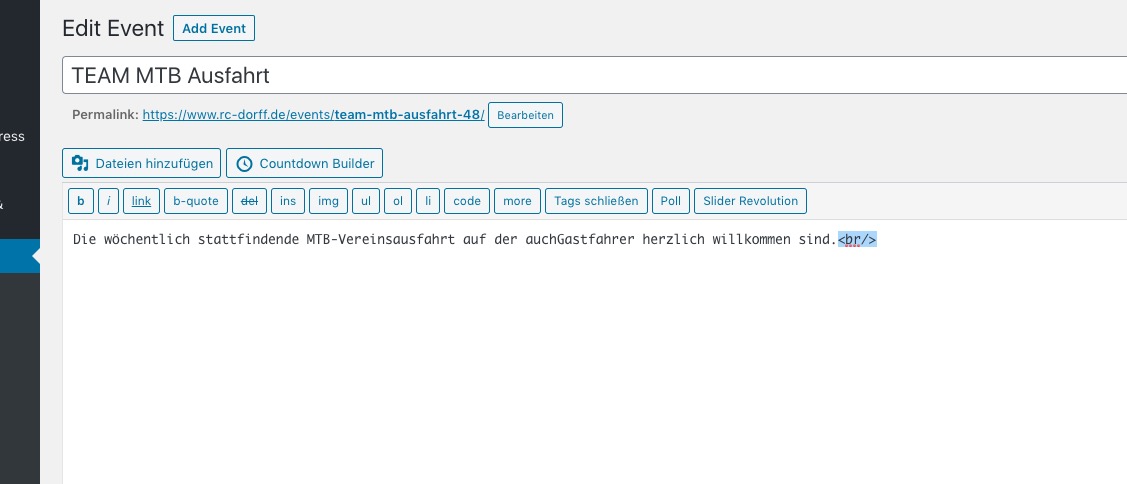
You’ve already stated that “I also deleted all the events on my website and started an new import again.”, but could you try to delete and import TEAM MTB Ausfahrt on 2020/11/28?
Yes, will send you FTP creds and payment today. Thanks
Hello,
Please go to EventON > Time Settings > enable Allow universal event time format on eventCard. Please also note that wp-admin > Settings > Date Format should be in this format: 18th February 2020