You can go to Edit Event > copy Permalink (ie https://eliancesglobal.com/events/eliances-101/) > send it to a person.
Archives: Replies
Replies for tickets on suppota
Reply to: tickets(162332)
Unfortunately, no. At the moment this is not supported. However please create a new ticket and select Feature Request as category so others can vote on your idea and get it moved into development faster. OR You can send us a customization job request by creating a new ticket in here and selecting Customization Request as the category.
Reply to: tickets(162783)
We are glad your issue is resolved, if you have any further questions or concerns please create a new ticket. If you have a moment, we would greatly appreciate if you could kindly leave us a review at codecanyon! from your account > downloads. Cheers!
Reply to: tickets(162352)
CSS styles:
.eventon_events_list .eventon_list_event .evcal_desc span.evcal_event_types.ett1, .evo_pop_body .evcal_desc span.evcal_event_types.ett1 {}
#evcal_list .eventon_list_event .evcal_desc em, .evo_lightboxes .evcal_desc em {}
.evcal_desc .evcal_desc3 em i {}
Please add them to wp-admin > Appearance > Customize > Additional CSS.
Reply to: tickets(159079)
Tim please try this patch fix.
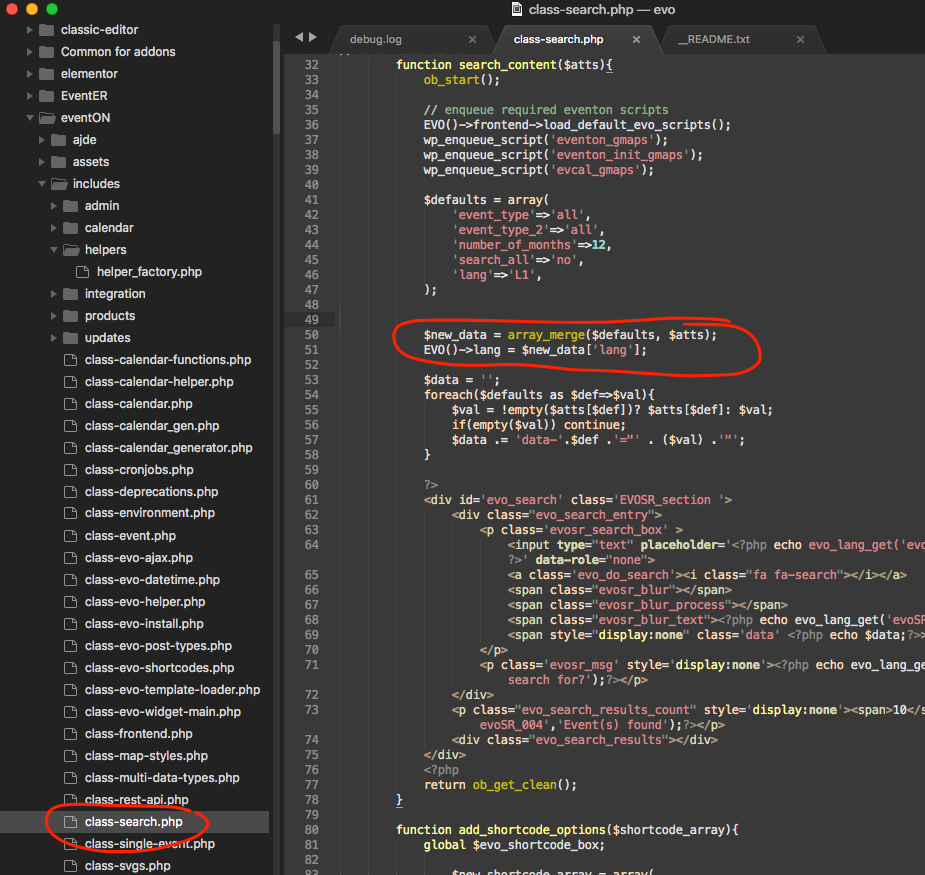
This should do the trick 🙂
Reply to: tickets(162876)
Hello,
Please go to EventON > Tickets > PDFer Settings > Enable PDF tickets for event tickets.
Reply to: tickets(162840)
We are glad your issue is resolved, if you have any further questions or concerns please create a new ticket.
If you have a moment, we would greatly appreciate if you could kindly leave us a review at codecanyon! from your account > downloads. Cheers!
Reply to: tickets(159801)
Ashan,
Please check 1.
Reply to: tickets(162840)
Perfect – thank you so much!
Reply to: tickets(159801)
Thank you for your messages, I am going to assign this ticket to Ashan and he will be able to take it from here and find you a solution. Please allow some time for him to get back to you, we greatly appreciate your patience and thank you for being a eventon customer!