How do I do that? It’s not showing as needing to update in the Dashboard.
Is there a place to do this update manually?
Replies for tickets on suppota
How do I do that? It’s not showing as needing to update in the Dashboard.
Is there a place to do this update manually?
Wow Jeroen, thank you for pointing this out. All these years since 2011 to be precise no one has had this issue 🙂 Allow us sometime to get this sorted out for the next version release 4.9.2 🙂 should be able to get this out this week.
We can create a CRON on our server but what should we set up exactly? What’s the command and the time settings?
Once I am in I am confident I can get this running
so to save some time
what users do you want to access the form- or do you want every user to access the form
or do you want even those not logged in to access the form
password didn’t work
Ulrich, what is the invoice plugin you are using, that program is not getting the correct ticket prices.
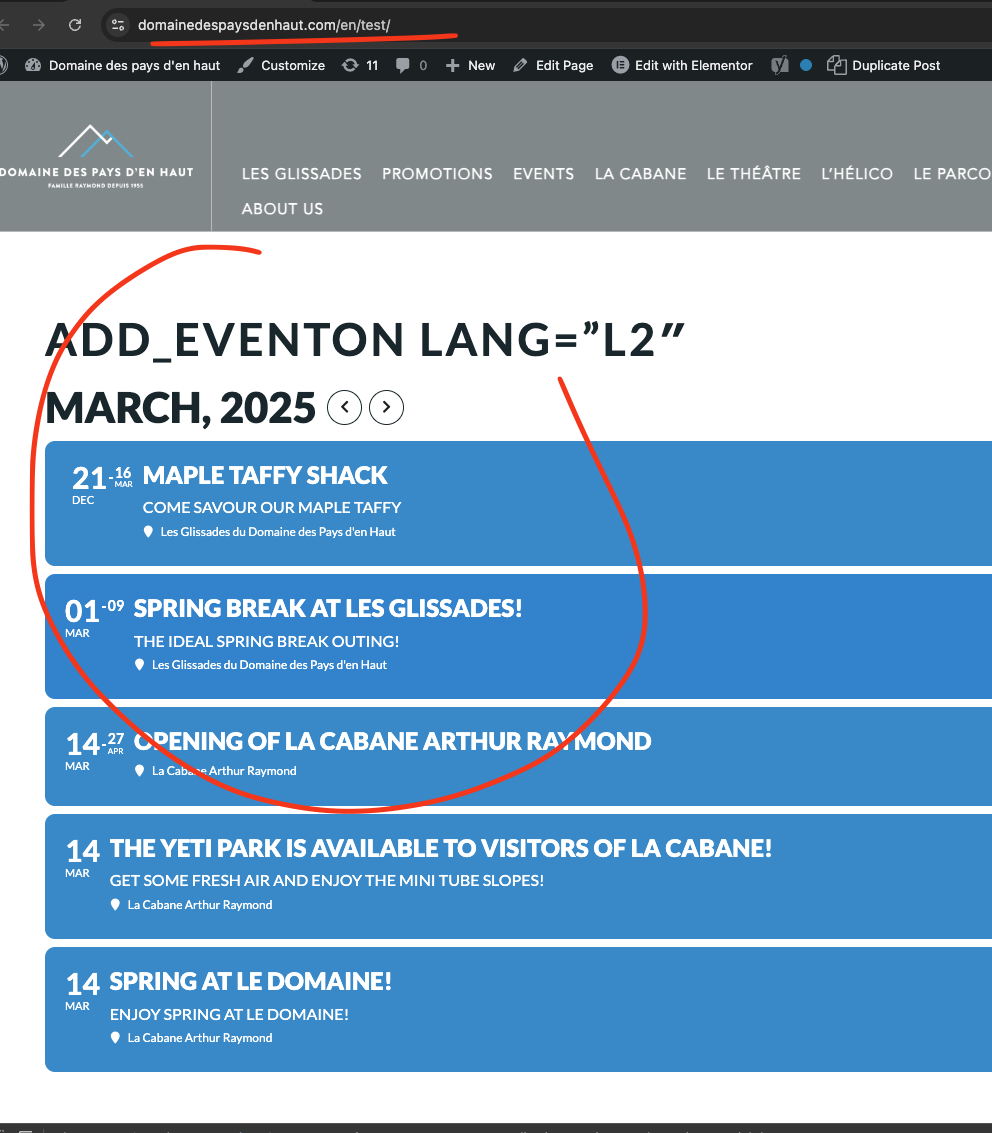
Because eventON is passing the L2 value correctly into AJAX to get events that have L2 value set to. But it is not returning any event posts because something is being done which stops returning those event posts.

Hello Karine, I am also hoping it is something we can fix from EventON. But I am not finding any ways how to.
If you look the calendar when we set to load events without AJAX at first, the march events load fine. But when you switch event using AJAX, it doesnt load the correct events.
It seems to me like, when ajax is called, what is put out is controlled by the polylang. the wp-query. Would it be possible for you to get an answer from polylang team to see if they modify wp-query when ajax is running?
Hello Sally,
So with #2, what you are looking for is user RSVP be saved as draft before it can be approved or not > then send confirmations. — as Dave mentioned it is not supported at the moment. We could potentially get this built for you as I can see this could be very useful for others as well.
3. With regards to CRM. You have several options.
Webhooks:
CSV Export Import
#4 QR Code Addon – You can use our QR Code addon to check-in customers. We are also working on a new addon called “Check-ins” Which will give you a front-end page to easily search attendees by their name and mark them in. It adds a bit of human interaction compared to QR Code checkin. eg. The person at the door asking “Can I get your last name” vs hold QR Scanner scan “Good to go”. 🙂
This addon, we are hoping to get it out by this week.
Let us know if you have any other questions.
and eventon-action-user/includes/class-functions.php