Hey Shaan,
Give us some time so we can check the Cron Manager and find out the issue. We are reviewing this, but it will do require some time to make sure how things work and where the problem is.
We will do figure this out eventually 🙂
Replies for tickets on suppota
Hey Shaan,
Give us some time so we can check the Cron Manager and find out the issue. We are reviewing this, but it will do require some time to make sure how things work and where the problem is.
We will do figure this out eventually 🙂
1)Please see this other website (previous version of EventOn) where you can expand the card even if the card is set as external link:
https://www.aburologia.com/programa-abu-2020/
You will see contracted cards when navigating in the calendar and expanded cards when clicking the link.
2) Now see this website (EventOn 2.8 recently updated) where the card is not expanded when set as external link:
https://www.webaucv.org/congreso-aucv-2020/
The problem appeared when the www.webaucv.org was updated to new version. Both websites were configured exactly the same.
The interesting thing is having contracted cards when navigating in the calendar and expanded ones when showing the event on a page.
Hi Artem,
That worked well for the home page. But it didn’t exactly work for the full cal page . It doesn’t show the three lines anymore but it’s turned the full cal in to a huge list of events. Any idea how to fix that? Example of the new modified issue at http://www.chancesterrace.ca/calendar/
Thanks!
Rick
We are glad your issue is resolved, if you have any further questions or concerns please create a new ticket.
If you have a moment, we would greatly appreciate if you could kindly leave us a review at codecanyon! from your account > downloads. Cheers!
Could you please try the instructions mentioned in this documentationto make sure your issue is indeed coming from eventon.
If this didn’t help could you delete https://nassaureads.com/wp-admin/post.php?post=979&action=edit# page (please also remove it from Trash). After go to Plugins and delete EventON – Subscriber add-on. Now reinstall it.
Hello,
1. & 2. Thank you for your messages, I am going to assign this ticket to Ashan and he will be able to take it from here and find you a solution. Please allow some time for him to get back to you, we greatly appreciate your patience and thank you for being a eventon customer! Also please disable any IP blocking on your site if there are any.
3. Could you please update EventON to 2.8.4 and add-ons (please check for latest versions from here) and send us a video of the issue?
Ashan,
1. The same on dev2:
http://dev2.myeventon.com/wp-admin/post.php?post=19456&action=edit
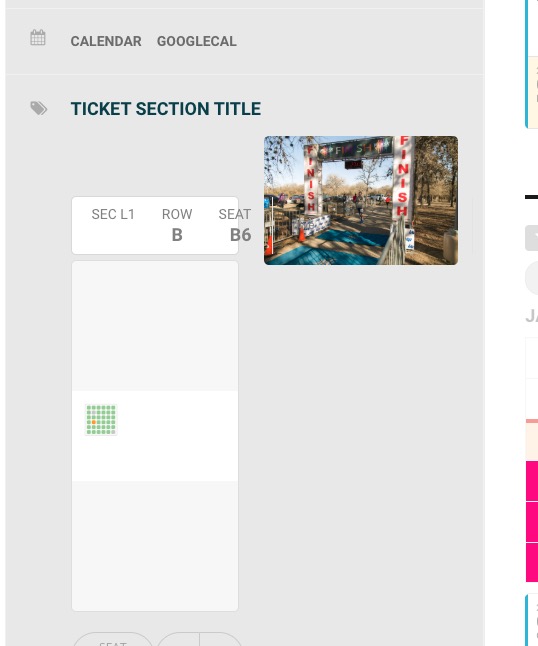
2. The same on dev2. Add a section > move it > save > add another > they both should jump to the corner: http://dev2.myeventon.com/wp-admin/post.php?post=19456&action=edit
3. I’ll ask the customer to send a video.
Hello,
Please follow this guide: https://docs.myeventon.com/documentations/add-additional-fields-actionuser-event-submission-form/
Hello,
Please check this add-on https://www.myeventon.com/addons/bookings/. Try on http://dev.myeventon.com/wp-admin/
Can the ticket show dates in a dropdown instead of a pile of dates in the single event view?
You can use https://www.myeventon.com/addons/ticket-variations-options/.
Hello,
Could you update EventON to 2.8.4 and Seats to 1.0.7? Before update please backup current versions and the data.
Please elaborate more about your current issue. You are referring to Ticket Stock but in this event https://www.arts1.co.uk/wp-admin/post.php?post=1316&action=edit “Manage Ticket Stock” options is disabled.
‘Ticket Stock Reduced’ is sometimes set as ‘No’
Could you tell us where can I find this?
Also in https://www.arts1.co.uk/wp-admin/post.php?post=1845&action=edit and https://www.arts1.co.uk/wp-admin/post.php?post=1834&action=edit I didn’t find purchased identical seats.