Hi,
Sorry you are having issues. Please add the following code to your custom CSS
.ajde_evcal_calendar.boxy.boxstyle1 #evcal_list .eventon_list_event .evcal_desc span.evcal_event_title
It should fix this issue for you.
Let us know if you have more issues.
Hey Emily,
I just loaded your page and February is there loading all the events.
when it comes to circles, I also see everything fine. Can you check this opening your web site into icognito so we know we are checking thigs properly?
Hello Karen,
I loaded the web site and I can see from the developers console some JS issues of not finding/load some files.
Can you change theme and try to see if our calendar works?
Can you please check the website using google chrome ? it seems everything is ok on Safari but not on Chrome.
Hi Ashan,
I’m not sure why that’s happening, no idea. Is there perhaps a setting that’s disabled for single event pages?
I have set you up an FTP username and password for you. Hope this helps! Thanks so much.
Server / Host:
home678902725.1and1-data.host
Port:
22
Protocol:
SFTP
User name:
u89076960-ashan
Password:
Thisis2020not2019!
Hey Chris,
I am sorry to hear you are having issues. I have asked our CEO to review why this is happening.
He will check the ticket and reply back to you about this.
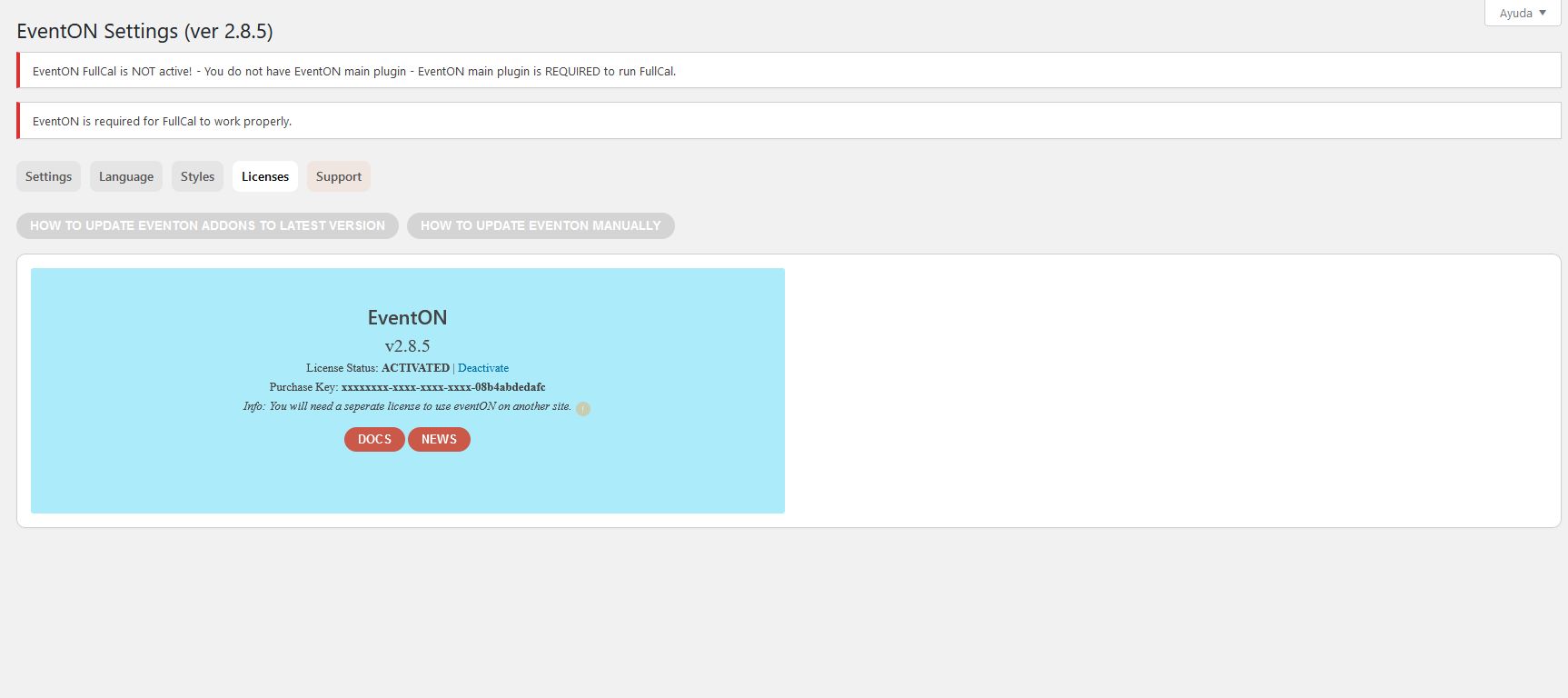
The plugin gives me an erro to must active it but is activated, you can check on a screenshot
Hey,
I load the web site and there is a conflict with the JS. You need to disable some plugins one by one so you can see which one is creating the problem.
Hey Malaga,
This is outside the support scope.
You can send us a customization job request by creating a new ticket in here and selecting Customization Request as the category.