Ashan,
The same on dev2:
http://dev2.myeventon.com/wp-admin/post.php?post=20250&action=edit subscribed to Conferences
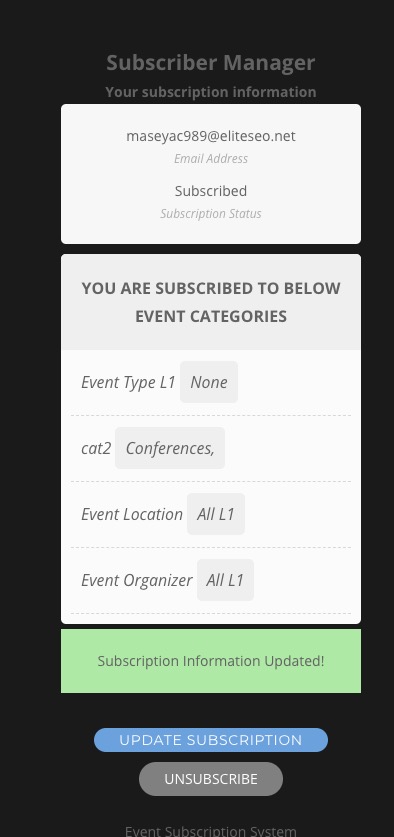
But received http://dev2.myeventon.com/wp-admin/post.php?post=20251&action=edit
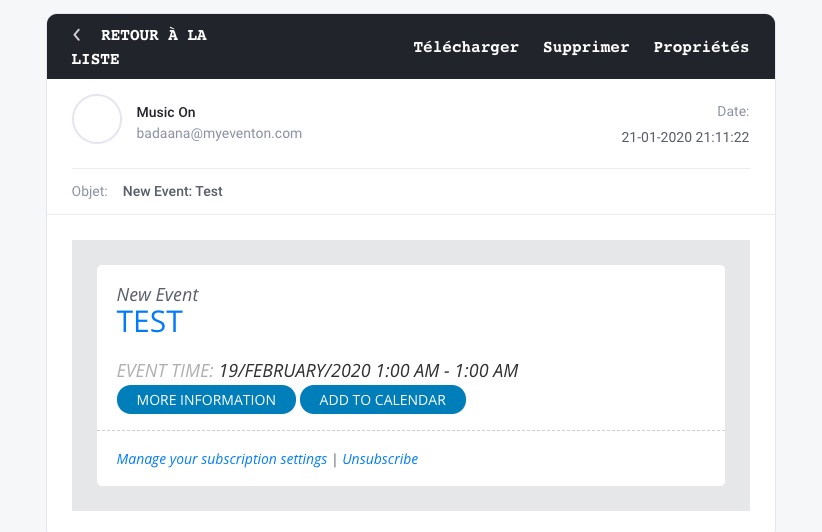
Replies for tickets on suppota
Ashan,
The same on dev2:
http://dev2.myeventon.com/wp-admin/post.php?post=20250&action=edit subscribed to Conferences
But received http://dev2.myeventon.com/wp-admin/post.php?post=20251&action=edit
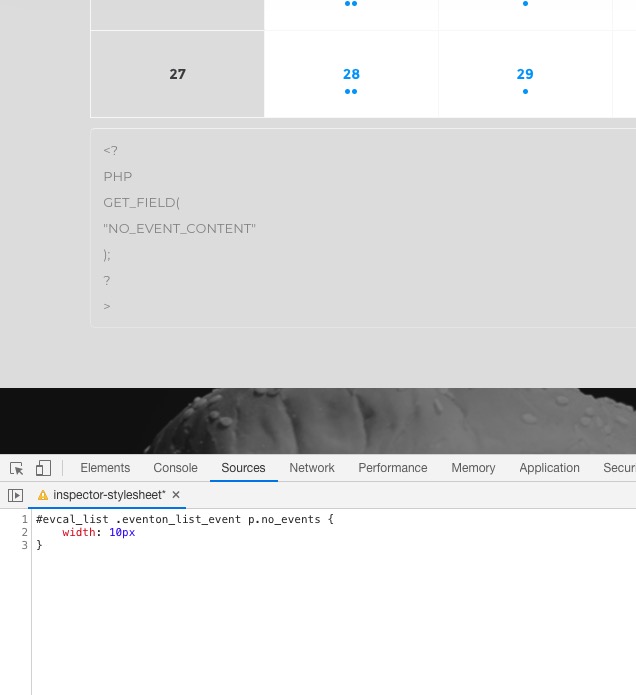
You can use this CSS:
#evcal_list .eventon_list_event p.no_events { width: 10px }
And get as many line breaks as you like:
Hello,
Please go to EventON > Search Events > enable Include events in default wordpress search results.
Hi,
None that I can see. The only instructions I can find are the video linked below:
https://youtu.be/nVGolm4XLhc
After installing the latest version of EventON I didn’t get any option to import Events into EventON as in the video. I’ve seen a month-to-view calendar on this site before and the owner tells me it’s just disappeared.
Any steer on how to connect EventON and WPLMS?
Thanks
If I leave it as “events” then people can still go to scomm.com/events and see the bad looking page.
If there are no links in the menu or somewhere on the page I doubt any user will go there.
Could you elaborate more? What Running Club 1 exactly is?
So i want a possibility for the people that can filter for example by location.
Can filter from where? Calendar?
Could you please try the instructions mentioned in this documentation to make sure your issue is indeed coming from eventon.
Hello,
Please check this:
calendar_url: URL to calendar page on this website to redirect when clicked on an event on the API Calendar. If a URL is not provided the clicks on events would redirect to single event pages. If you want the event clicks to redirect to single events page, leave calendar_url:”, as blank.
Please leave calendar_url as blank to fix this issue.
Hello,
The problem is in iThemes Sync. For some reason it doesn’t load EventON which leads to this error. Please try updating to EventON 2.8.5.
You can also try the instructions mentioned in this documentation.
Hi Artem,
Many thanks for your reply. I will do this tomorrow. Is that what is causing the button not to appear?
I have viewed source and it’s definitely not lurking about anywhere.
Thank you again
Stephen.