Hello,
number_of_months only works with Event Lists shortcode. Could you try this shortcode instead of yours:
[add_eventon_list show_upcoming=”1″ number_of_months=”12″ tiles=”yes” tile_count=”4″ tile_bg=”1″ tile_style=”1″ hide_past=”yes”]
Replies for tickets on suppota
Hello,
number_of_months only works with Event Lists shortcode. Could you try this shortcode instead of yours:
[add_eventon_list show_upcoming=”1″ number_of_months=”12″ tiles=”yes” tile_count=”4″ tile_bg=”1″ tile_style=”1″ hide_past=”yes”]
Hello,
Found the social media issue. My fault… had “Show social media share icons only on single events” enabled… (my apologies!)
Kind regards.
Hi Basil,
Thank you for your fast reply. Don’t have them at the moment, however, I entered the login details in the initial support email, so you must have it.
My website is not live yet, please hit http://radnasebi.com/pocetna
and then log in with the provided admin credentials on the very right side. I just tried and it worked fine.
Let me know if you encounter any issues. Thank you in advance!
hey Andrea,
What happens when you click on the event does all the details load?
Additional i’ve made a test page with the different short codes.
https://www.heeldetijd.nl/test/
I used these short codes:
[add_eventon hide_past=”no” tiles=”yes” tile_bg=”1″ show_et_ft_img=”yes” lang=”L1″ ux_val=”1″ jumper=”yes” hide_empty_months=”yes”]
[add_eventon jumper=”yes” jumper_offset=”1″ jumper_count=”2″ show_et_ft_img=”yes” ux_val=”1″ hide_empty_months=”yes”]
I seems the tiles=”yes” is the one causing problems.
The top version is not working. Bottom one works fine but is missing social media icons.
Hope this helps more.
Kind regards,
Roy
Hey Sadesh,
You can send us a customization job request by creating a new ticket in here and selecting Customization Request as the category.
hey Jacy,
Can you re-phrase what you wrote for us in a more clear way? Just write it step by step how we can identify the problem and then provide us also backend details so we can work the issue.
Hello,
Yeah for the customer I changed it back to ux_val=”2″ to have a working share solution for the time being. So if you click on that all works fine.
Normally it is on ux_val=”1″ but than it does not work. The eventcard does not slide down. But I would like to use the ux_val=”1″ option. (looks better).
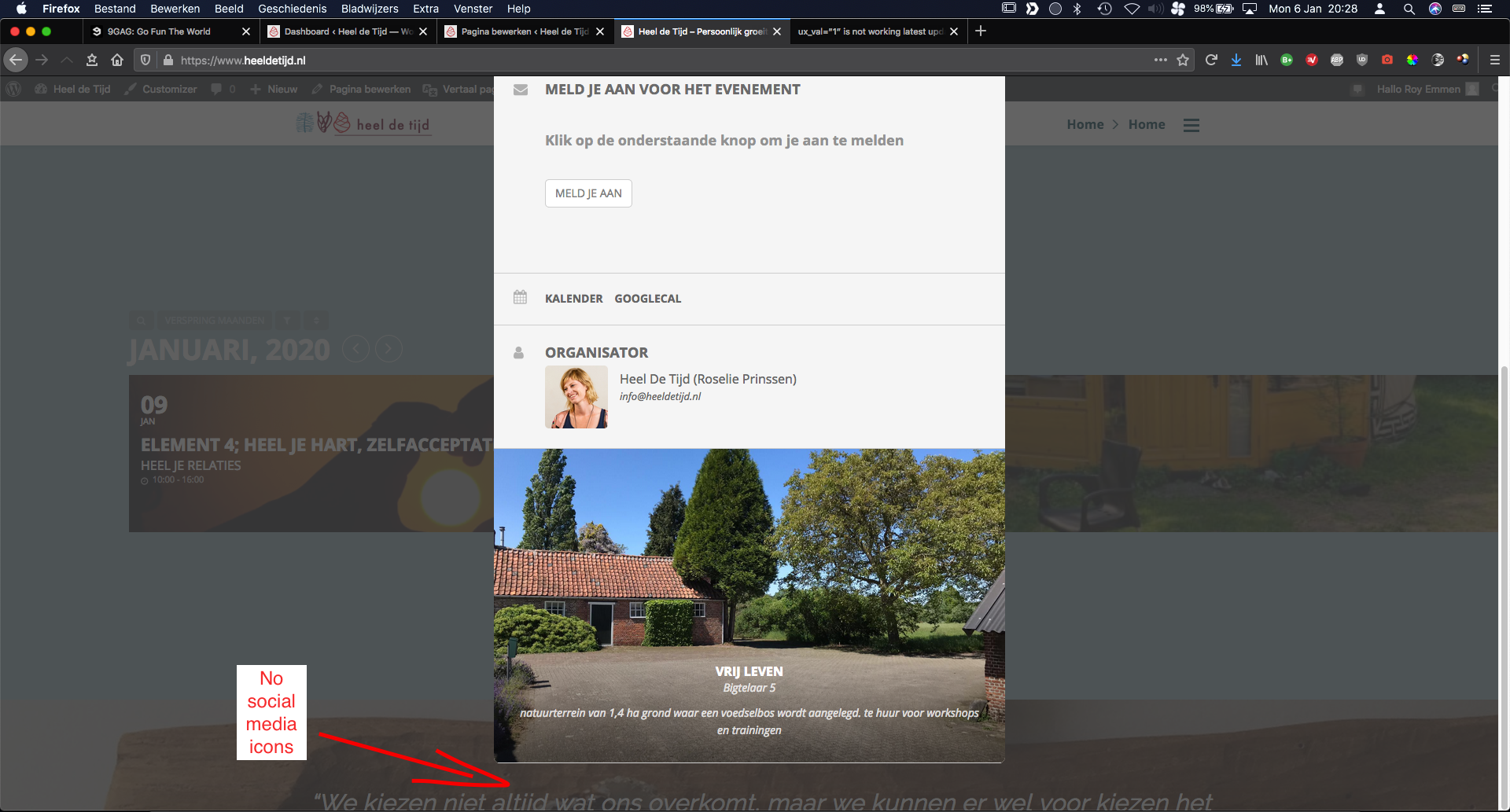
Also in the ux_val=”1″ and ux_val=”3″ option(look at screenshots) the social media icons are not showing on the eventcards. (see screenshot)
I left the fault on the homepage for u to see what I mean. And provided a screenshot to show you the social media icons are missing from the eventcard.
I hope this makes more sense. Please let me know if you need something else. Thanks in advance.
Kind regards,
Roy
Can you ask to re-crawl it please? Based on your web site size you do have a crawl budget so ask to check this again.
Hi,
What are the login details to pass the first screen that block us from seen the web site?