Hello
Yes it works now !
https://www.squadravendee.fr/galerie-evenements-passes
Thanks
Have a nice day
Replies for tickets on suppota
Hello
Yes it works now !
https://www.squadravendee.fr/galerie-evenements-passes
Thanks
Have a nice day
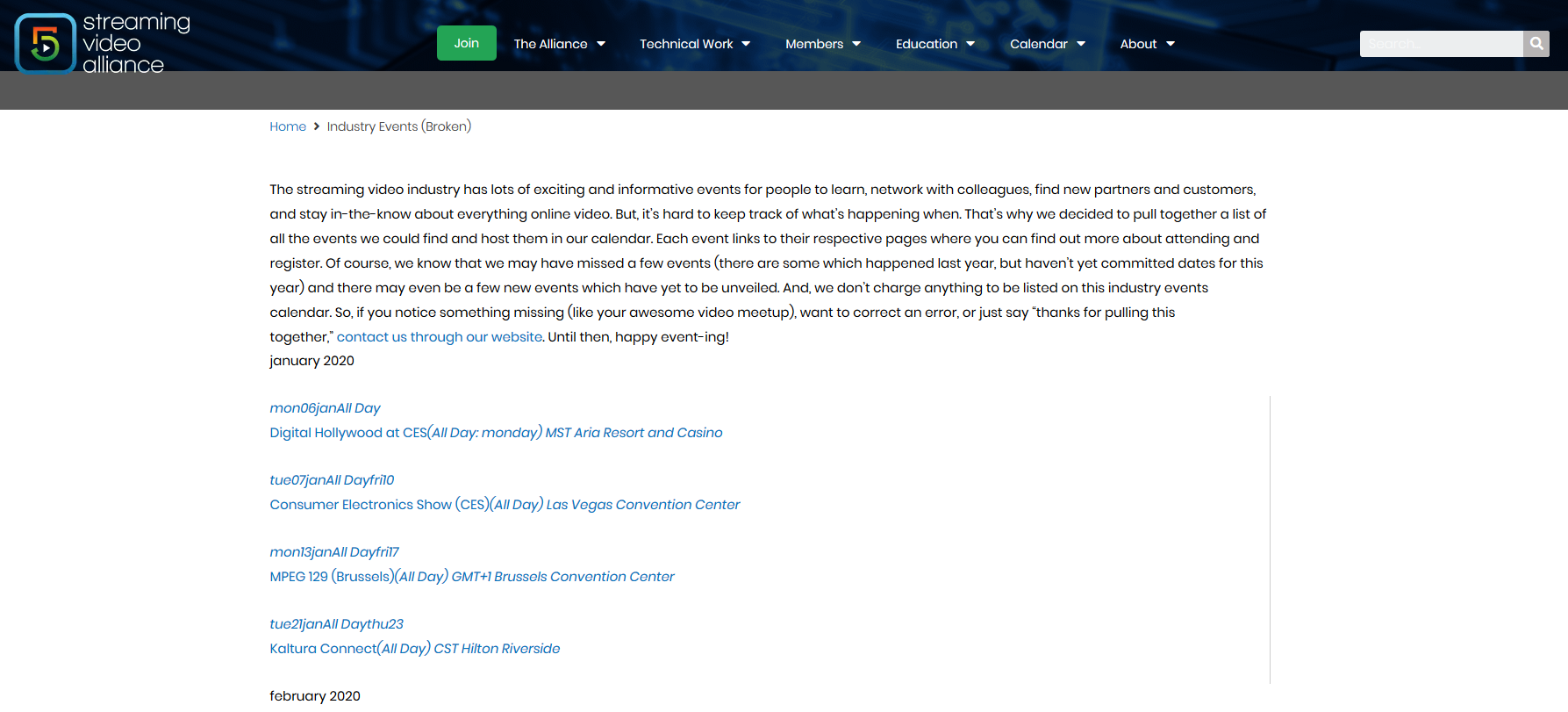
Well, this is super strange. Here is the shortcode I’m using (sorry, the one pasted in the ticket description is wrong):
[add_eventon_el number_of_months=”12″ event_type=”879″ hide_so=”yes” show_et_ft_img=”yes” hide_past=”yes” sep_month=”yes” hide_empty_months=”yes”]
This does NOT display correctly (it’s missing all of its styles). But when I add this shortcode to the page as well:
[add_eventon_list number_of_months=”0″ event_count=”15″ hide_past=”yes” event_type=”879″ hide_empty_months=”yes” ]
It displays correctly (although I obviously have a “no events” message at the bottom corresponding to the second calendar).
I am not sure if this has to do with CSS minification/optimization (I am using WP Rocket) but I excluded the following css from WP Rocket:
/wp-content/plugins/eventon-event-lists/assets/(.*).css
/wp-content/plugins/eventON/assets/css/(.*).css
I am not sure if I am missing one or if this is even necessary?
I can’t have a production page without styles so I have created a second page that shows how the styling is broken:
https://www.streamingvideoalliance.org/industry-events-broken/
On that duplicate page, I have unchecked the following WP Rocket features:
1. Caching (the page will not be cached)
2. No CSS minification or optimization
3. No JS minification or optimization
4. No JS defer
It still remains broken.
Thanks,
Jason
Hi,
I created some back up codes so you can bypass the authentication step:
Thank you for helping me.
Diana
Ok I’ve done it was a problem on .htacces files.
Now everything is working ….
Just couple of questions :
1) on the destination website is it possible to open a lightbox instead of redirect people to the site where is the calendar after click on an event ? Or at least i can remove at all redirection, so nothing append if someone click on event ?
2) on the destination website is it possible to show calendar like “tiles” mode instead a list of events? Or at least there is a way to make the colored right bar on events list bigger cause people can see better which king of event it is ?
3) If I have full cal addon is it possible to show events in a full cal mode on the destination web site ?
Thanks
Ok Adam I have refunded you for the upgrade and you should be good to go.
I have gone ahead and refunded you for the addon andre.
Hello there kindly update to the latest version of events list addon 0.16 http://docs.myeventon.com/documentations/changelog-event-lists-ext/
that will resolve this issue 🙂
I have gone ahead and processed the refund for you. Sorry it did not work out.
Hello,
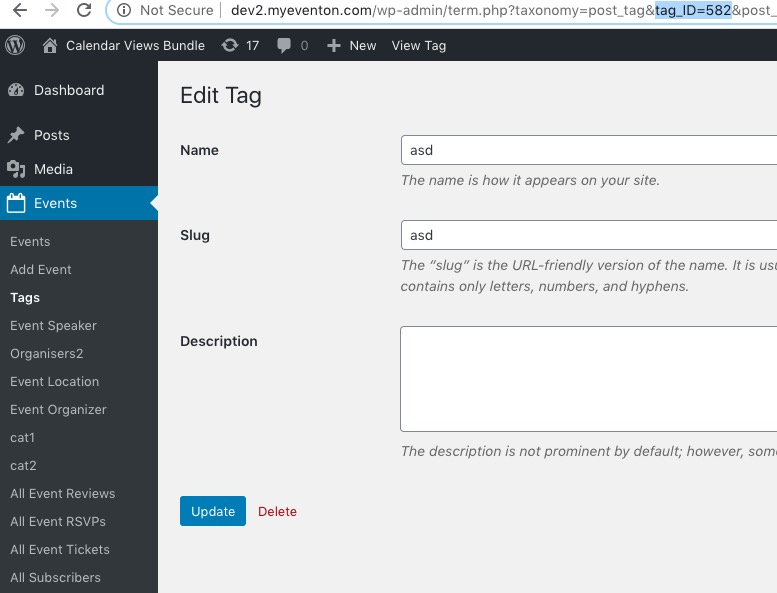
Please use tag id instead of it’s name. Go to wp-admin > Events > Tags > Edit Tag > find tag_ID:
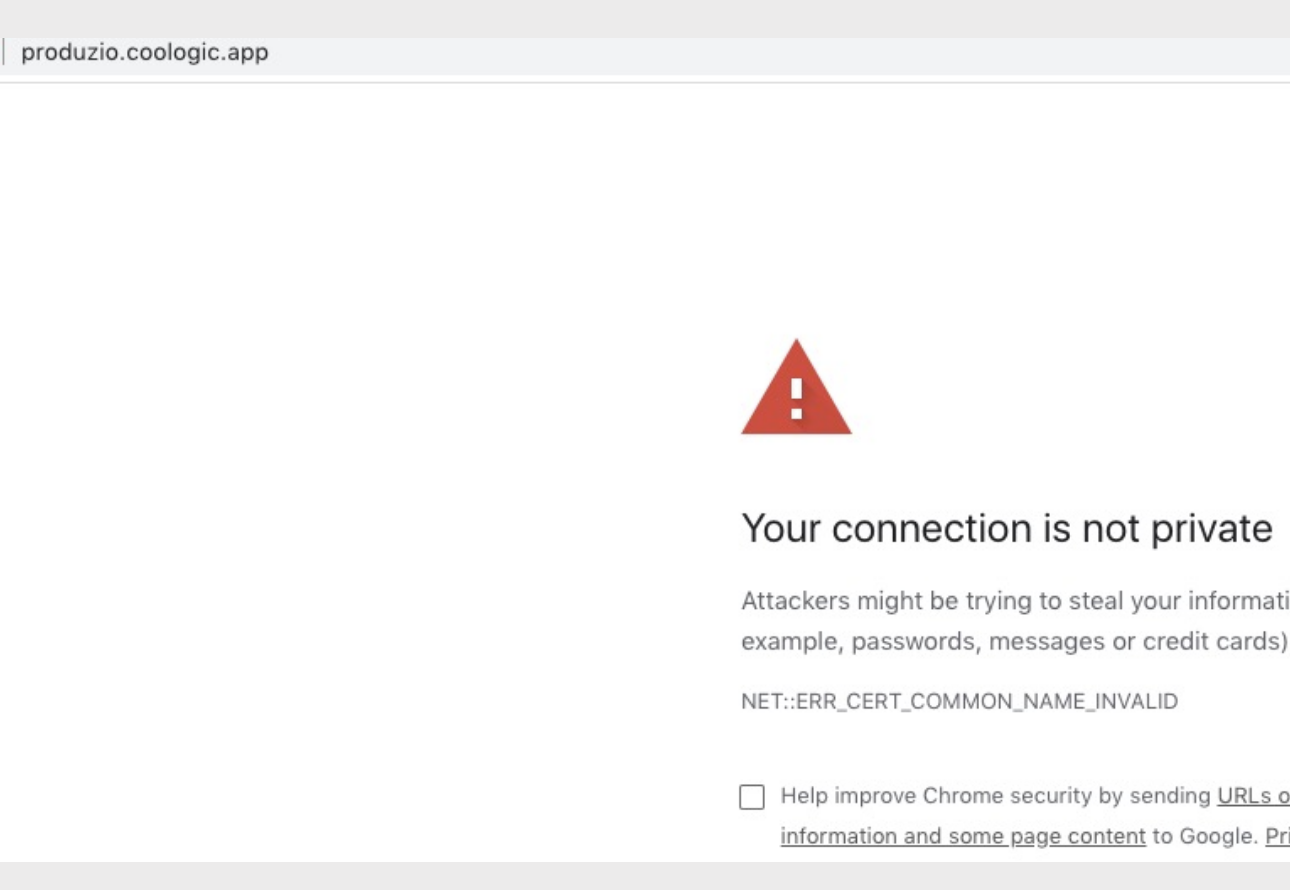
you wrote the wrong addre “produzio.coologic.app” instead of “produzione.coologic.app” SSL it seems to be correctly configured.
and it also on logistica.coologic.app the event test that i’ve created it doesnd’t show up on calendar ..