We didn’t add this feature since if you have 1000 events then there is no point of showing them all because users won’t be able to check them anyway. If you have 10 events then it’s better for you if users scroll to their month because they will check not only their event but also other events.
Archives: Replies
Replies for tickets on suppota
Reply to: tickets(162416)
Hello,
thanks for the reply.
I would add that for a future update. Thought this is a standard feature in such a big plugin.
Thanks, Markus.
Reply to: tickets(162337)
Hi Shawn,
This depends on which plugins you will need.
Please look at our Bundles so you can get the best for you 🙂
Reply to: tickets(160249)
display City, State
Are you referring to these fields: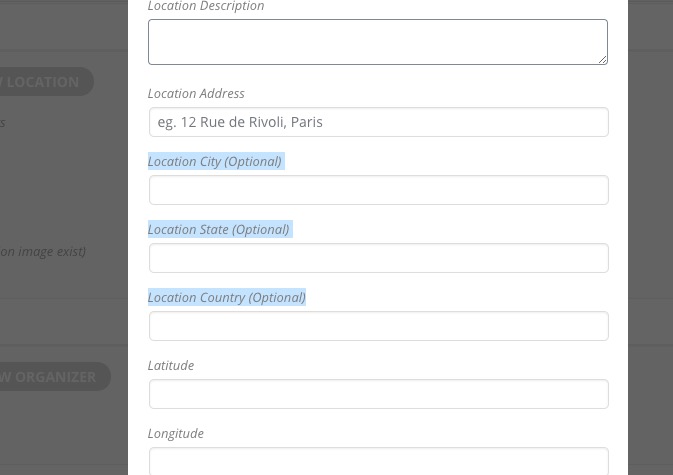
If so then, unfortunately, you cannot show them anywhere on the front-end. They are for admin only.
About Google Map. Please fix this error:
Geocoding Service: You must enable Billing on the Google Cloud Project at https://console.cloud.google.com/project/_/billing/enable Learn more at https://developers.google.com/maps/gmp-get-started For more information on authentication and Google Maps JavaScript API services please see: https://developers.google.com/maps/documentation/javascript/get-api-key
Additionally,
Please add this CSS code to EventON > Styles (If you can’t see any change, EventON > turn off Write styles to header > save settings > turn on Write styles to header):
.eventon_events_list .eventon_list_event .evcal_desc span.evcal_desc2, .evo_pop_body .evcal_desc span.evcal_desc2 { text-transform: none !important }
Reply to: tickets(162457)
This is the code (below here). It works when I keep it as saying ‘business’ – see the code I’ve used below. BUT then it says ‘business’ on the tickets and email notifications when I actually want it to say something like ‘Menu Choice’.
I also want it to be optional (as not all events will require it) but hide the *optional label as it might confuse people.
Eventually I also want to be able to export this field with the CSV guest list. I’ve read this but am not quite sure how to combine the two: https://docs.myeventon.com/documentations/how-to-add-additional-fields-to-download-attendees-csv-file/ Thank you!
add_filter(‘evotx_checkout_additional_fields_settings’,’evotx_2′,10,1);
function evotx_2($fields){
$fields[‘business’] = __(‘Menu Choice’,’evotx’);
// you can add other fields like this similarly
return $fields;
}
add_filter(‘evotx_additional_ticket_info_fields’, ‘evotx_1’, 10,1);
function evotx_1($fields){
// additonal field code block
$fields[‘business’] = array(
‘type’=>’text’,
‘label’=> evo_lang(‘Menu Choice if applicable’),
‘required’=> false,
);
// you can use same code block for more fields
return $fields;
}
add_filter(‘evotx_get_attendees_for_event’, ‘evotx_3’,10, 3);
function evotx_3($arr, $event_id, $_th){
if(!isset($_th[‘business’])) return $arr;
$arr[‘oD’][‘business’] = $_th[‘business’];
// the above 2 lines can be used for all other new fields
return $arr;
}
Reply to: tickets(161558)
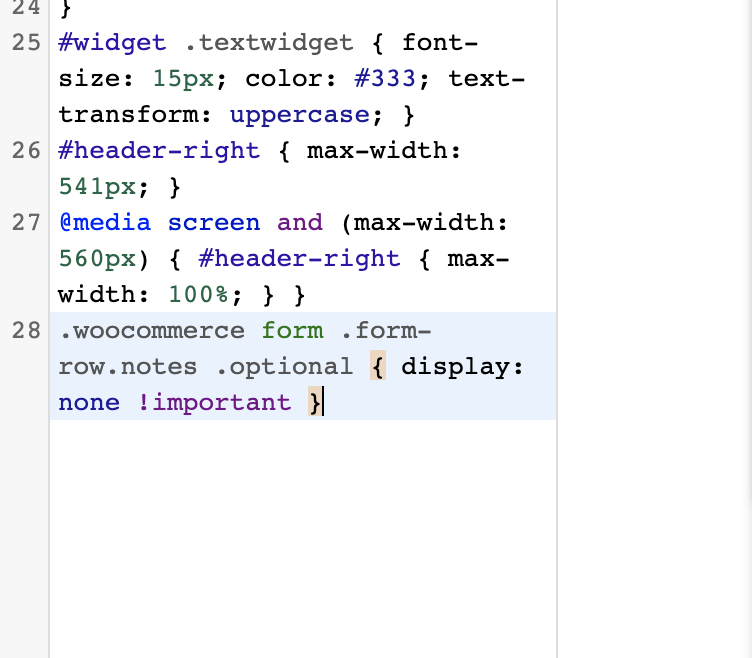
- I think this was a cacheing issue at my end. Seems fixed now.
- No. I was following the exact code in this article of yours: https://docs.myeventon.com/documentations/how-to-add-additional-fields-at-checkout/ it works IF I keep it saying ‘business’ but I want it to say ‘Menu Options’ or ‘Menu Choices’ or similar. BUT if I change code in functions.php, it stops working properly.
This is code I added:
add_filter(‘evotx_checkout_additional_fields_settings’,’evotx_2′,10,1);
function evotx_2($fields){
$fields[‘business’] = __(‘Menu Choice’,’evotx’);
// you can add other fields like this similarly
return $fields;
}
add_filter(‘evotx_additional_ticket_info_fields’, ‘evotx_1’, 10,1);
function evotx_1($fields){
// additonal field code block
$fields[‘business’] = array(
‘type’=>’text’,
‘label’=> evo_lang(‘Menu Choice if applicable’),
‘required’=> false,
);
// you can use same code block for more fields
return $fields;
}
add_filter(‘evotx_get_attendees_for_event’, ‘evotx_3’,10, 3);
function evotx_3($arr, $event_id, $_th){
if(!isset($_th[‘business’])) return $arr;
$arr[‘oD’][‘business’] = $_th[‘business’];
// the above 2 lines can be used for all other new fields
return $arr;
}
3. I have. It did not work (see screenshot of code).
Reply to: tickets(162457)
Hello,
Please check my answer on this question in your other ticket: https://helpdesk.ashanjay.com/ticket/ticket-variants-and-options/
Reply to: tickets(161558)
1. The event doesn’t have Edit Event > Tickets > Manage Ticket Stock enabled OR any number in Edit Ticket Option > Ticket Variation Stock Quantity. Could you show me where do you check “the ticket stock numbers”?
2. Have you managed to solve this:
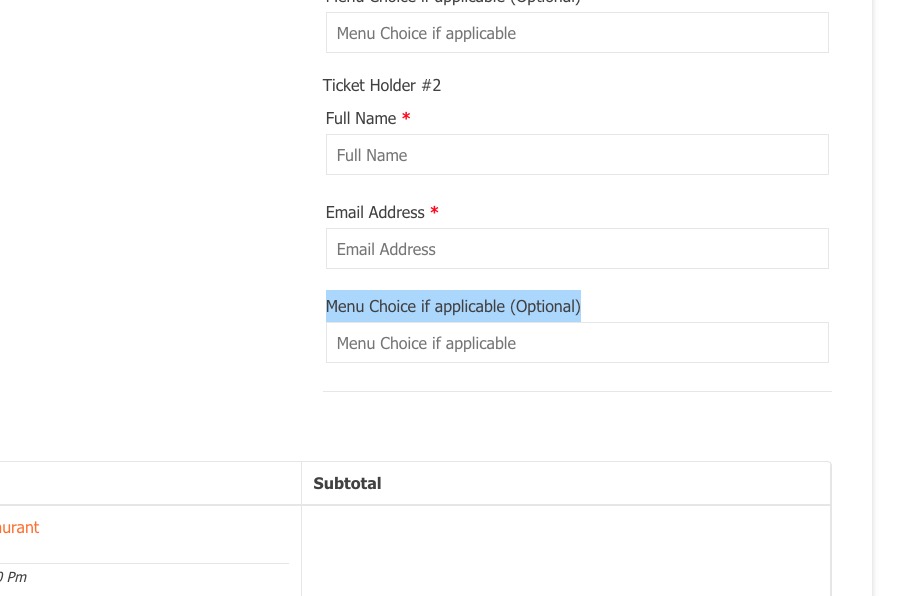
Please note that unfortunately, we unable to help with customizations. You can send us a customization job request by creating a new ticket in here and selecting Customization Request as the category.
3. Please try adding it to wp-admin > Appearance > Customize > Additional CSS.
Reply to: tickets(162457)
Hi,
Thank you for your message.
To understand what is the issue, please share for us the code so we can be able to help.
Reply to: tickets(159220)
Hey Basilis,
No problem, please find following the link to admin acces to our website : https://gascogne-lomagne.fr/wp-login.php?redirect_to=https%3A%2F%2Fgascogne-lomagne.fr%2Fwp-admin%2F&reauth=1
ID : Eventon
Password : Eventon@2020