Hello,
Please follow the instructions in this documentation to activate debug in your site to see any PHP errors recorded that can provide insight on to whats going on. Please reply with a link to debug.log file. If you are not able to do this please send us FTP access to your site so we can do this for you.
Hi Basilis,
Just following up again to see how I need to move forward.
Gab
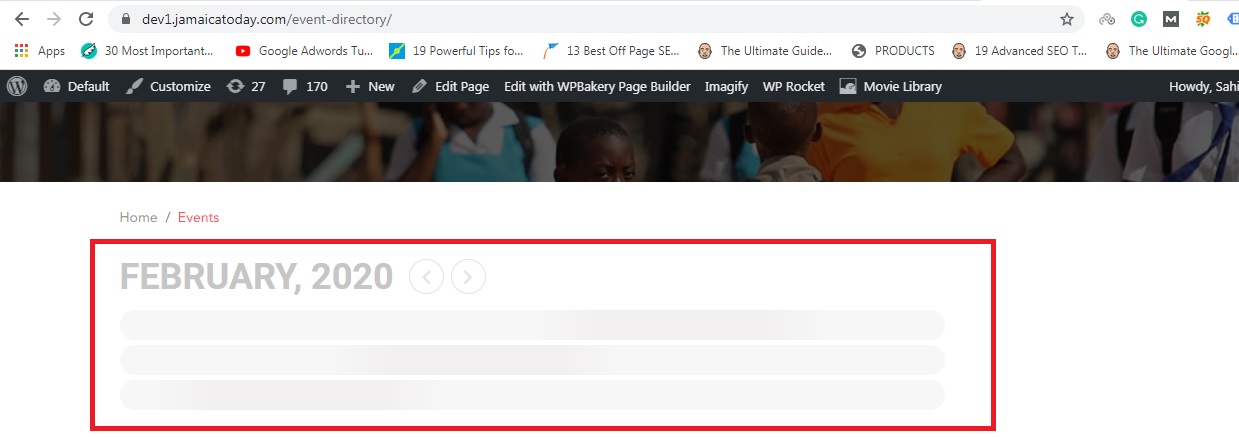
Hi, I have tried this, I disabled all the plugins and activated the default theme as well, but still, it is not showing calendar. Please see the image for your ref.
Please help on priority
Hello Kitan,
I have applied the CSS code already and asked to review this. Havent u?
Hi – I should also mention that I want to add my event calendars to my MailChimp emails and read that the RSS Feed addon would make this possible to do.
I have 3 different calendars on my web site, and wanted to be able to add each calendar to my Mailchimp email campaigns that featured upcoming events for the next month or 2, so there would be 3 separate 1-2 month calendars in the Mailchimp campaign.
Is this possible to do?
Thanks!
Can you provide both ftp and wp-admin access info please?
I’m suggesting this as a fix on your end. I had to do something to make it work on my site already by adding “box-sizing: border-box;”
Or alternatively instead just add “box-sizing: border-box;”
Ashish has accepted the job for 200
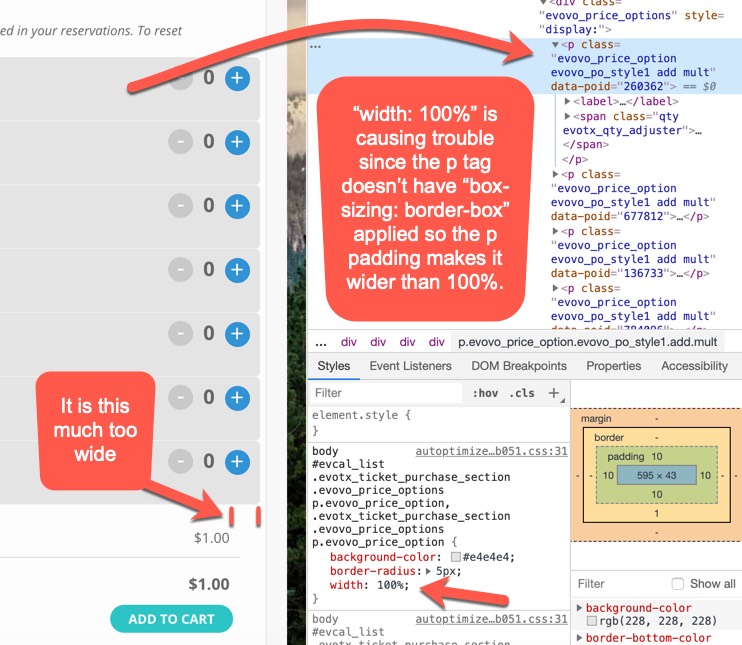
Here’s a snapshot of the Ticket Options where they are too wide. My recommended fix would to be just delete “width: 100%” since the p tag is already 100% width by default.