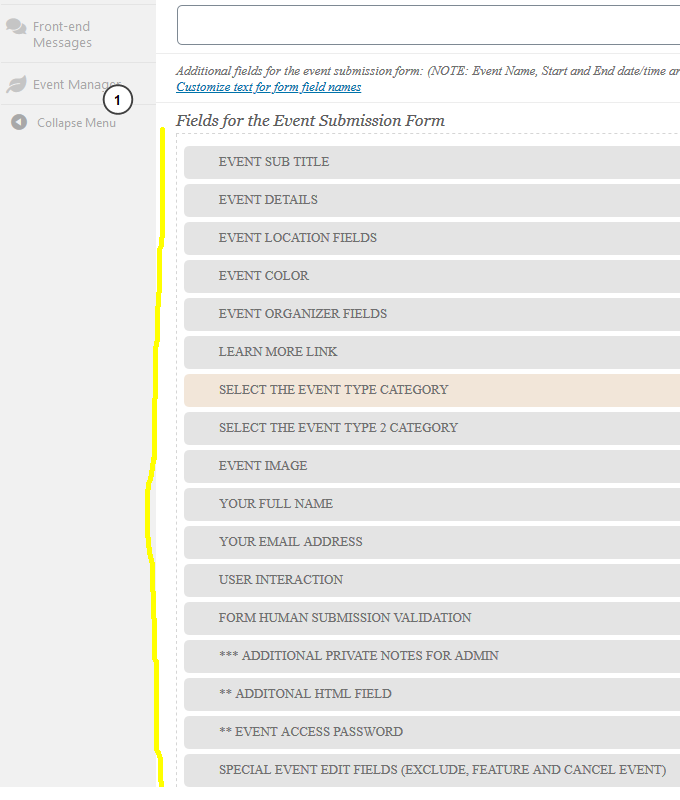
Please follow https://docs.myeventon.com/documentations/how-to-show-various-information-in-eventtop/
Archives: Replies
Replies for tickets on suppota
Reply to: tickets(159758)
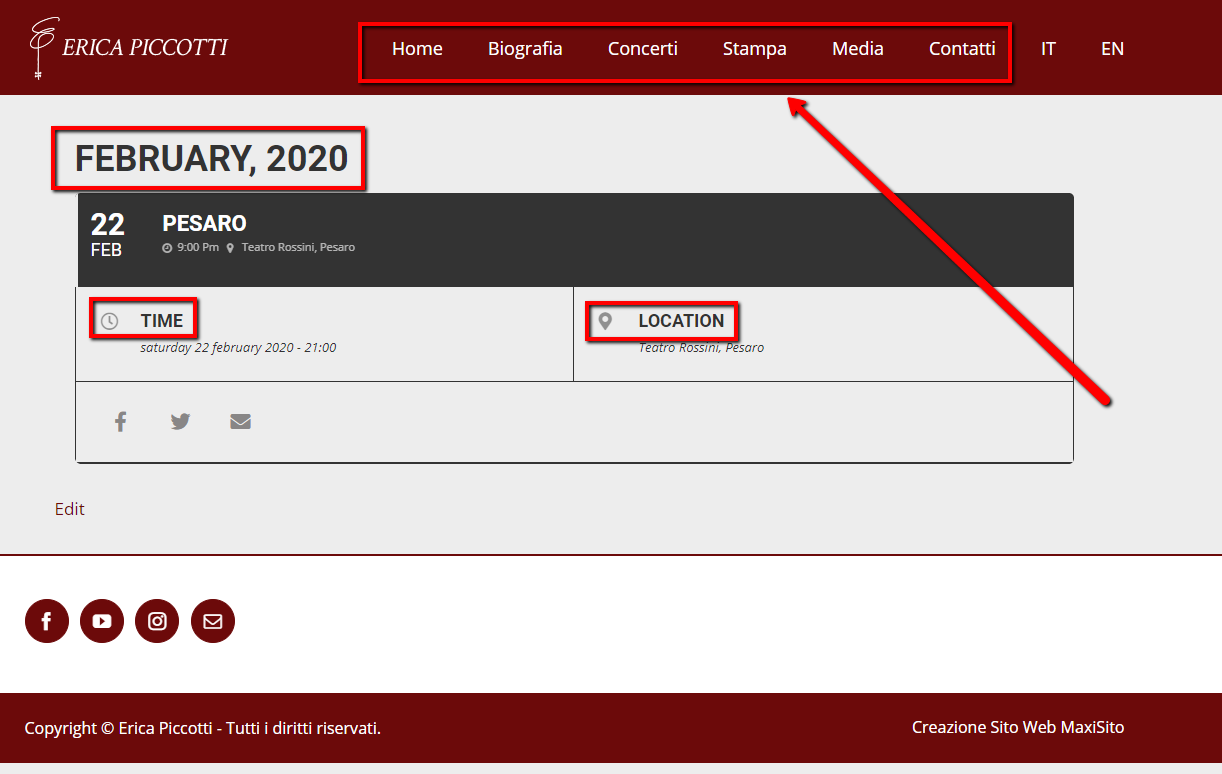
Thank You we have set all but there is a problem with the menu language.
If I go to the HP in ENGLISH: https://ericapiccotti.com/en/
in I click on the ENENT “PESARO” to get details https://ericapiccotti.com/concerti/pesaro-2/var/ri-0.l-L2/
The menu remain in ITALIAN
is there a solution or a workaround to fix this problem?
Reply to: tickets(160042)
Thanks! That certainly made it better. I even set the hight to 600px to get more in there. But the crux of the matter is that we feature paintings for art classes on the calendar and some paintings are in portrait format i.e. higher. Even at 600px high, those images get cropped. Before, the calendar was adjusting automatically.
Do you have a snippet that would make it fluid and work with Hight: 100%?
Many thanks!
Reply to: tickets(159606)
Hello,
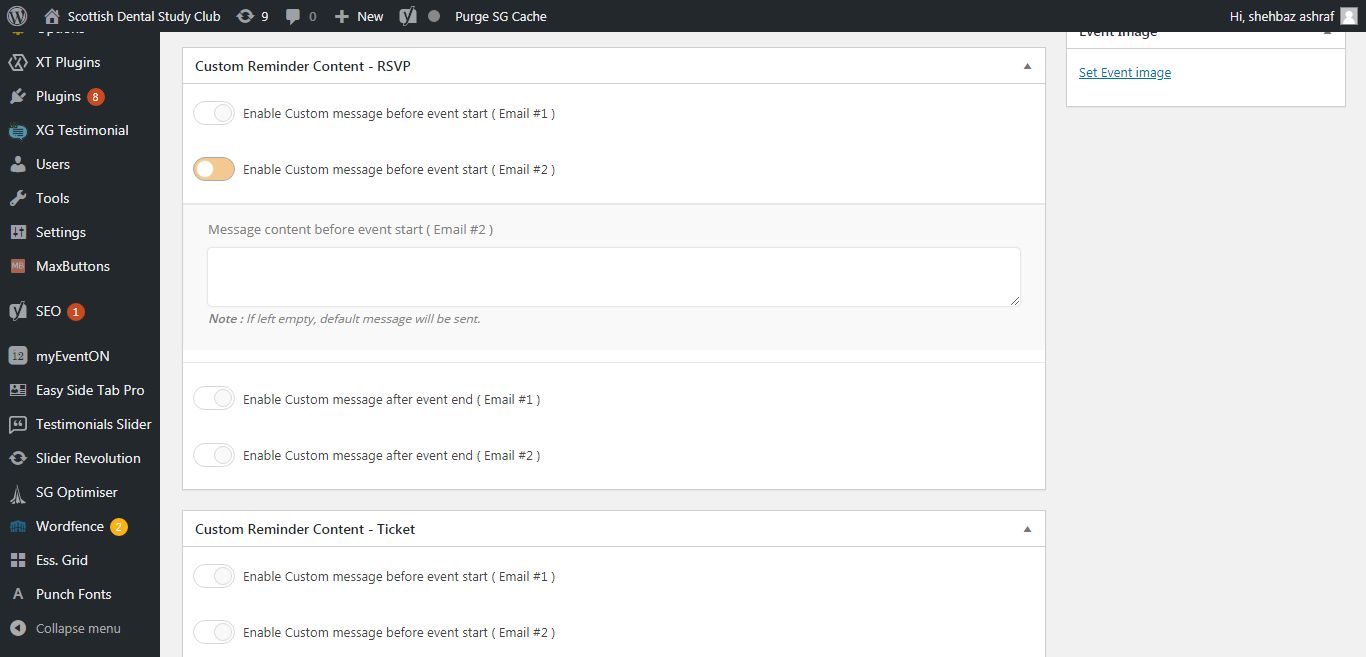
I have installed the work. Please check.
Please note that all settings should be enabled in the settings panel ( myeventon > rsvp ) first for this to work.
Reply to: tickets(160248)
Hi,
Thank you so much for the help!
I have 2.8.5 active now but ‘Events’ are still blank/empty?
Note, when I FTP’d, the /wp-content/plugins/eventON folder had the 2.6.whatever version appended to it, so I didn’t manually delete it – I inactivated/deleted via WP Admin and uploaded the new .zip file through WP Admin, if that matters? I did back up the DB before doing anything.
What would you try next?
Thank you!!
Reply to: tickets(157649)
Ok thanks
Reply to: tickets(158087)
Lonk to the log file https://drive.google.com/open?id=1i0V1g7swA9Pj6GWKk3kptJV-weQFliVA
Reply to: tickets(158087)
define(‘WP_DEBUG’, true);
define( ‘WP_DEBUG_LOG’, true );
define(‘WP_DEBUG_DISPLAY’, false); in wp-config.php done
Cache cleared
Page reloaded
Infinite animation of the calendar loading
dev2.quoifaireaukamouraska.com/wp-content/debug.log File content:
[27-Jan-2020 22:53:05 UTC] PHP Fatal error: Allowed memory size of 134217728 bytes exhausted (tried to allocate 20480 bytes) in /home/quoifair/dev2.quoifaireaukamouraska.com/wp-includes/wp-db.php on line 2672
Reply to: tickets(157946)
found a another soultion for me that works what i want with shortcodes variables…
[add_eventon_wv week_style=”1″ users=[[:authid]]]
currentuser=”yes” is not what i was looking for… need somthing for NOT logged-in user
thanks
Reply to: tickets(160294)