Hello,
Please remove hide_empty_months=”yes” from the shortcode.
Replies for tickets on suppota
Hello,
Please remove hide_empty_months=”yes” from the shortcode.
Unfortunately, there is no direct compatibility between EventON and your translating plugin. Could you contact the plugin developers, maybe you can somehow assign a specific language to EventON’s events like you do to Pages: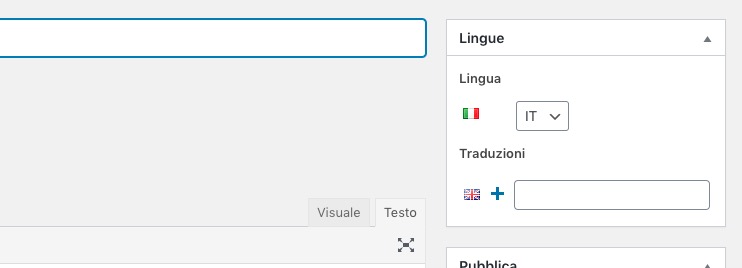
Hi,
Thank you for the suggestion. I installed Loco and found several templates for the EventOn plugin and addons. However, I did not see any source text labeled “Event Over”. I used their Source tab that allowed me to search the complete file to insure I was not missing any labels.
Do you have any other suggestions? Thanks.
Hello,
Unfortunately, I cannot see EventON Settings page:
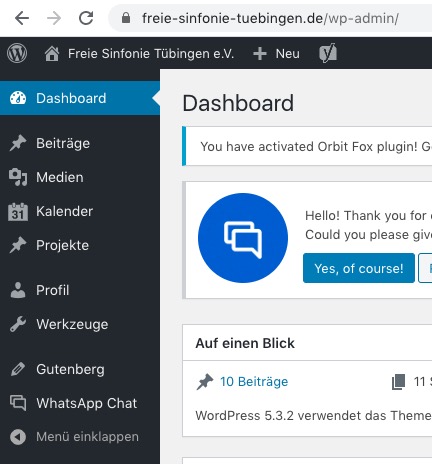
Could you go to EventON > ICS Import > enable Enable event time adjusting based on this website’s timezone?
Please comment .evcal_evdata_img { height: 370px !important; } and go to EventON > EventCard > Feature image display style: Direct Image OR 100% Image height with stretch to fit OR 100% Image height with propotionate to calendar width.
Hello,
Unfortunately, the only possible solution is to customize the source code.
Please send us a customization job request by creating a new ticket in here and selecting Customization Request as the category.
Please check http://docs.myeventon.com/documentations/shortcode-guide/
We are glad your issue is resolved, if you have any further questions or concerns please create a new ticket.
If you have a moment, we would greatly appreciate if you could kindly leave us a review at codecanyon! from your account > downloads. Cheers!
Could you instead send me the files with instructions on how to set it up, please? You previously mentioned that the changes would be kept in a separate plugin so I assumed it would be a simple matter of uploading and activating that custom plugin.
Thanks
When “I inactivated/deleted via WP Admin” did you enable EventON > Do not delete eventon settings & data when EventON is uninstalled? It seems that, unfortunately, the only possible solution is to restore the backup that was made before the update.
Hello,
Please provide both wp-admin and ftp access information. The work is complete.