We are glad your issue is resolved, if you have any further questions or concerns please create a new ticket.
If you have a moment, we would greatly appreciate if you could kindly leave us a review at codecanyon! from your account > downloads. Cheers!
I fixed the sidebar widget by using EventON Shortcode Executor (ESE) with this shortcode:
[add_eventon_list number_of_months=”3″ hide_empty_months=”yes” ]
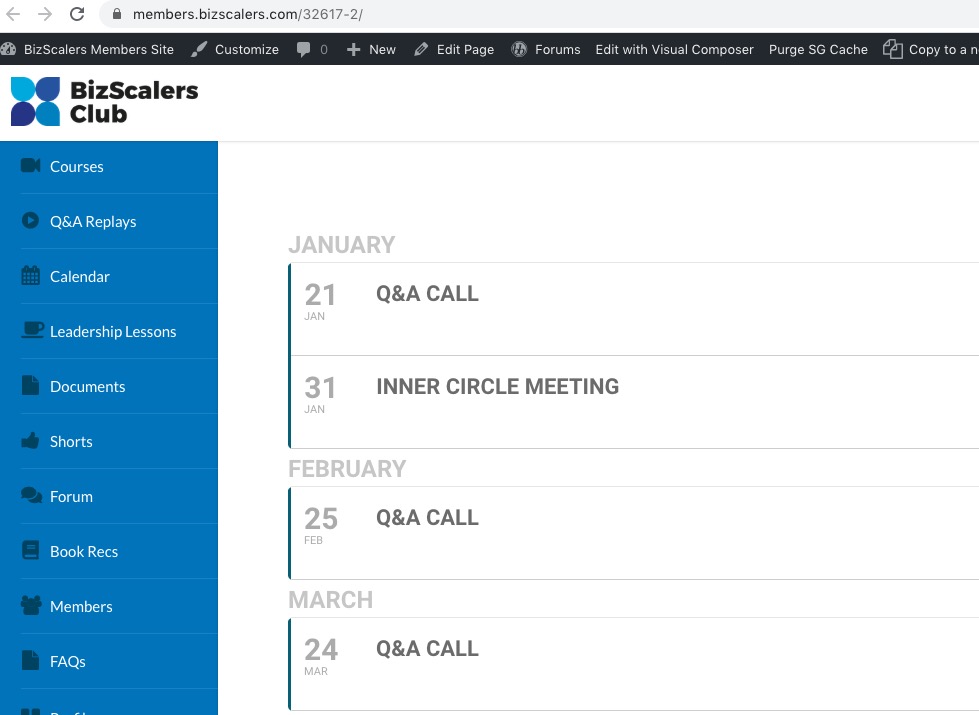
January is visible on this page (shortcode from https://members.bizscalers.com/wp-admin/post.php?post=1604&action=edit&classic-editor):
Not sure how to check https://members.bizscalers.com/calendar/, it redirects me to https://members.bizscalers.com/oops-this-content-is-members-only/?wlfrom=%2Fcalendar%2F
1. Unfortunately, you’ll have to translate everything manually.
2. You can go to wp-admin > Events > Event Speakers > Edit > add URL. Unfortunately, it won’t change the speaker’s url but will show it in the lightbox.
3. Like you described, no. However please check https://www.myeventon.com/addons/action-user-plus/. Try on http://dev.myeventon.com/wp-admin/
4. Unfortunately, no.
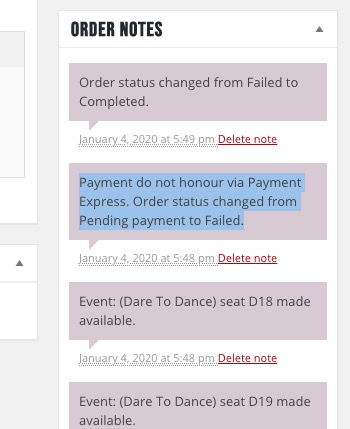
It seems that this order https://www.arts1.co.uk/wp-admin/post.php?post=1834&action=edit failed to receive the payment and made seats available again:
Did you set this order’s status to Completed manually?
We are glad your issue is resolved, if you have any further questions or concerns please create a new ticket.
If you have a moment, we would greatly appreciate if you could kindly leave us a review at codecanyon! from your account > downloads. Cheers!
Worked perfectly! Thanks for your help.

Hi again,
I don’t know how, but know it works. It seems that some parts of the shortcode causes the problem… Better if you review the problem.
Thank you anyway.

Hi and thanks for your answer.
No, this was only because I had only one event in this month. If I have two event, it look like the following picture in this message. And what I want is the event one below the other and not one beside the other. And that the event and image is larger (taking the whole length of the calendar) like the one of the other website. Thank you for your help.
Well, the “nYou can view the full calendar at …” will point back to the old calendar and we don’t want that.
I am importing the Events via ICS URL and I do not have any access to the ICS before I import them. How would I hide them without parsing them before the plugin add them as events?