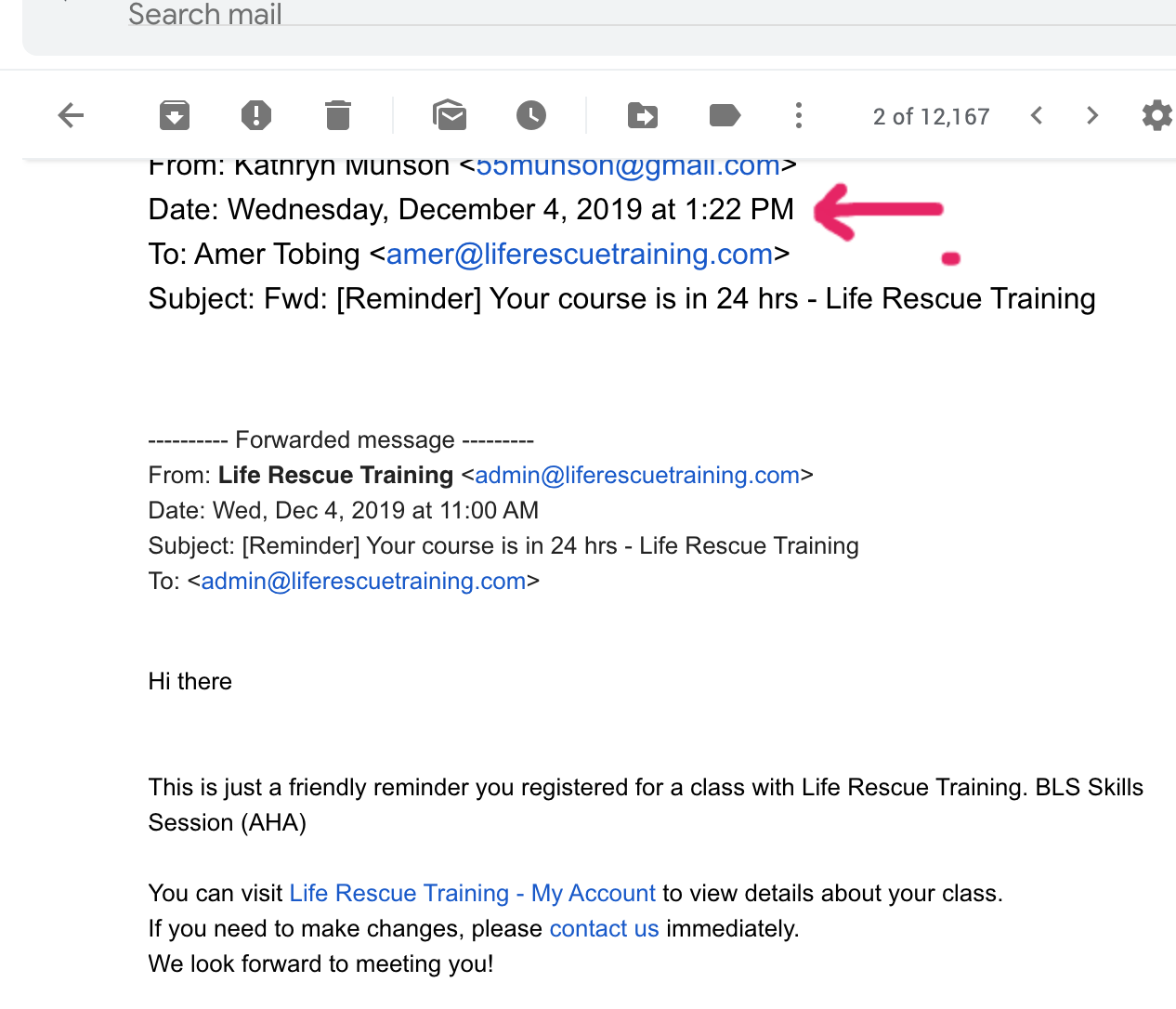
See attached. Student registered for class on December 23rd and you can see by the date below it was sent on December 4th?
Replies for tickets on suppota
See attached. Student registered for class on December 23rd and you can see by the date below it was sent on December 4th?
Hi,
Thanks for reply. After the updates it worked. But still i have a problem, when pop-up showing up event card going to the top of the page.
Hi, I will ask our customer for the email.
If I am not logged in I am requested to do so when I press the button in the email.
Hello,
Users must click on Yes or No in the email they received:
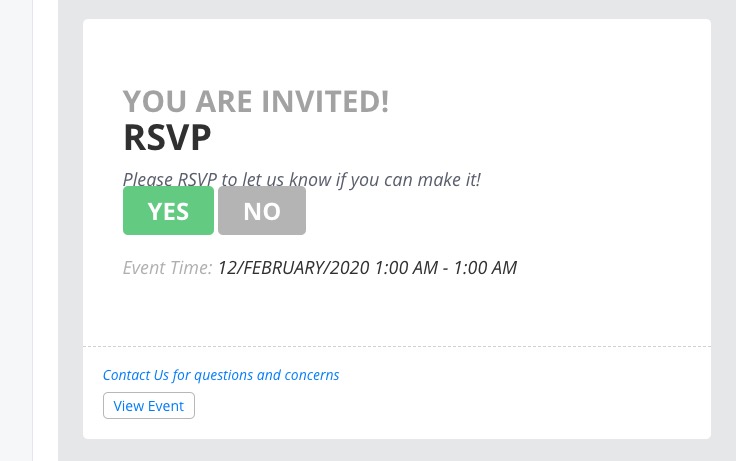
Only then they can see RSVP options:
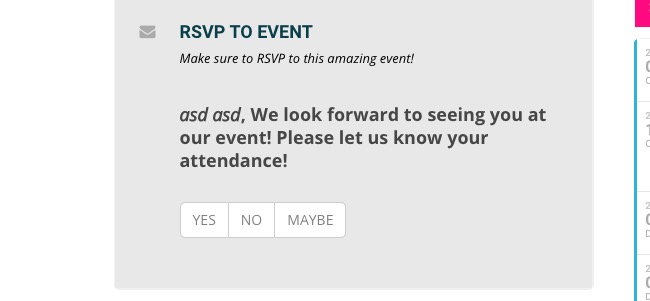
When I click to “NO”-button in the e-mail i get this:
Are you logged-in? Could you try logged-out and then check RSVP options?
Hello,
EventON shows filters in alphabetical order by default. Please check our test server: http://dev2.myeventon.com/19988-2/
Could you please try the instructions mentioned in this documentation to make sure your issue is indeed coming from eventon. Please start with disabling Category Order and Taxonomy Terms Order plugin.
If you have questions please let me know.
Hello,
You can either use event_type parameter (https://docs.myeventon.com/documentations/how-to-use-event-types-to-do-more/) by adding it to api URL, ie http://dev2.myeventon.com/wp-json/eventon/calendar?event_type=6,12, to show events from different locations but from the same domain where you installed Event API add-on. OR Install Event API add-ons on different domains and show your calendars by embedding the code from EventON > Event API > Code to paste the below code into external website, where you want the eventON calendar to show.
Hello,
Could you update EventON to 2.8.4?
Please check for latest version of Slider add-on from here Your issue might be related to an older version you are running and we might have resolved this already in the newer version update. If you are on latest version of our software and the issue still persist please let us know.
Please also try switching your theme to Twenty Twenty because of this js error:
theme-cursor.js?ver=5.3.2:214 Uncaught TypeError: Cannot read property ‘indexOf’ of undefined
at HTMLAnchorElement.<anonymous> (theme-cursor.js?ver=5.3.2:214)
at HTMLDocument.dispatch (jquery.js?ver=1.12.4-wp:3)
at HTMLDocument.r.handle (jquery.js?ver=1.12.4-wp:3)
Please follow https://docs.myeventon.com/documentations/import-additional-fields-using-hooks/ OR You can send us a customization job request by creating a new ticket in here and selecting Customization Request as the category.