Update 4.9.1 solved the issue. Thank you for the quick fix!
Archives: Replies
Replies for tickets on suppota
Reply to: tickets(380896)
I just want to have the months always visible, now they are not there, only when you click on months. So I want them always visible.
Reply to: tickets(380805)
I’ll do that, but I am still puzzled at why it doesn’t show dates in Brackets for March but does in April, what has changed?
Reply to: tickets(380935)
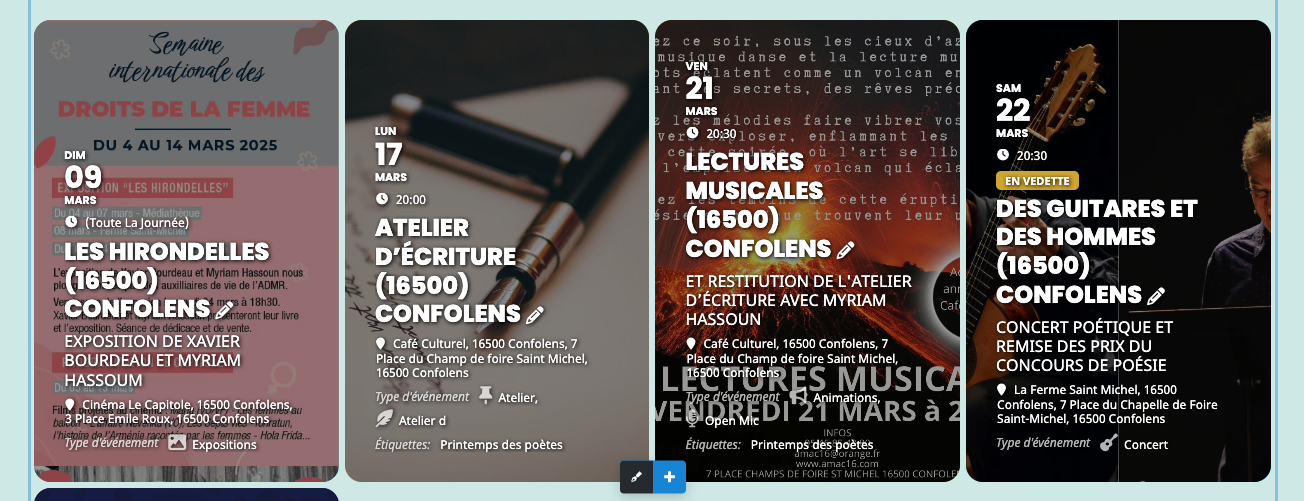
[add_eventon_list number_of_months=”6″ event_count=”4″ event_past_future=”future” hide_so=”yes” show_et_ft_img=”yes” etc_override=”yes” tiles=”yes” tile_count=”4″ tile_bg=”0″ hide_month_headers=”yes” show_repeats=”yes” hide_empty_months=”yes” hide_end_time=”yes”]
Mind if I add a few suggestions at the same time?
1) I applied a “flex-end” to the inner content tiles, because I prefer the content to be at the bottom. Is there any way to add this as a toggle on the backend. I also applied a slight text shadow to make the text pop a bit.
/* adjusts the placement of the text in EventOn featured images */ .ajde_evcal_calendar.boxy.boxstyle0 #evcal_list .eventon_list_event .desc_trig { align-content: flex-end; } .desc_trig { text-shadow: 1px 1px 4px black; }
2) when you set show_et_ft_img=”yes” but tile_bg=”0″, it only loads the “medium” quality of the featured image, and it looked really bad on the front end. Very pixelated. But I prefer this hover effect to when I invert those values (show_et_ft_img=”no” but tile_bg=”1″). There is a “Tile Background Image Size” that I tried setting to tile_bg_size=”full”, but that didn’t work when the settings are like this. So I went into class-calendar_generator.php and updated line 1388 from “if( isset($main_image[‘medium’]) ) $img_med_src = $main_image[‘medium’];” to “if( isset($main_image[‘medium’]) ) $img_med_src = $main_image[‘full’];” which loads the higher quality images and doesn’t look so bad. Any way to make the Tile Background Image Size to apply to both shortcode variants?
3) As you can see from the attached screenshot, that the 2nd event is missing part of the text in the “event type” field. For the event titled “ATELIER D’ÉCRITURE (16500) CONFOLENS” the event type only says “Atelier d”, but it should say “Atelier d’art de l’expression”. I’ve had this problem in the past with the Title and Subtitle fields: https://helpdesk.ashanjay.com/ticket/continuation-of-ticket-167502-use-of-single-quotes-in-event-title-causes-error-in-related-events/ I just checked, and this doesn’t seem to be a problem for Event Tags, only Event Types.
I live in France and they use a LOT of apostrophes! Is there a way to fix this so it won’t cut this off whenever it finds a category name with a single (or double) quote? I’m pretty sure I just need to update line 1353 of the same class-calendar_generator.php from $term_name = $this->lang(‘evolang_’.$__tax_slug.’_’.$termA->term_id, $termA->name); to something else, but I’m just not sure. I tried a few things, and they didn’t work, so I’ve left it for now.
Thanks in advance for your help.
Reply to: tickets(380570)
Please advise when I will get my complete and total refund.
If I do not have it within 2 business days I will be forced to file fraudulent charges with my bank.
Reply to: tickets(380897)
Hello…I applied both recommendations and it did not correct the spanning of the calendar item
WP Admin Login: https://thejourneytributeband.com/wp-login.php
Login: adms7
Pass: Anklebyter686!!
Reply to: tickets(380252)
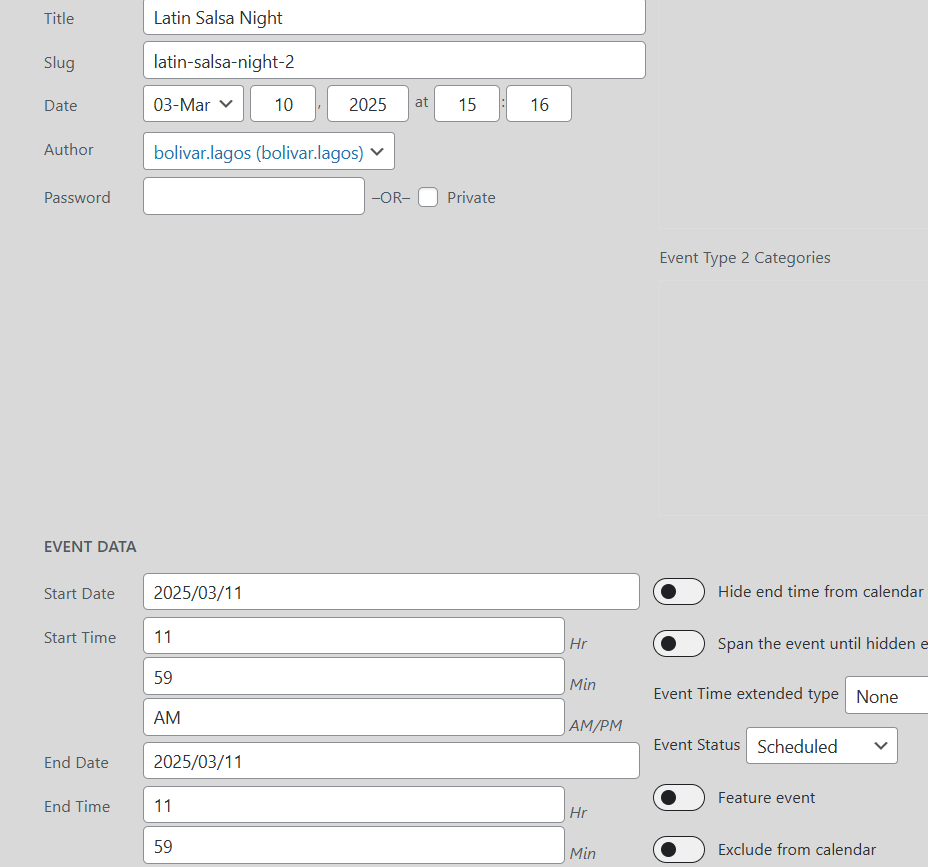
Attaching screenshot of backend
Reply to: tickets(380252)
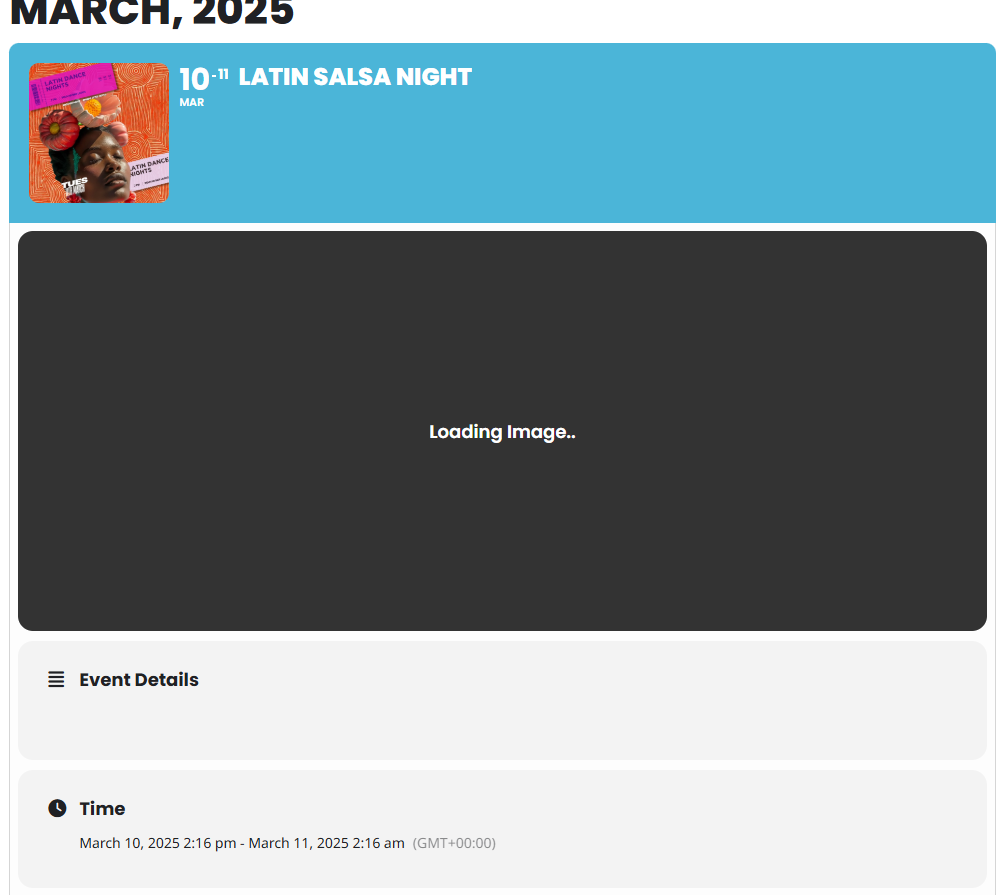
I created a new event to replace an existing one, but I am still having issues.
Frontend: Image is not loading
Backend: Date problems, I cannot add event details as the panel where the details are entered are not loading.
Reply to: tickets(379318)
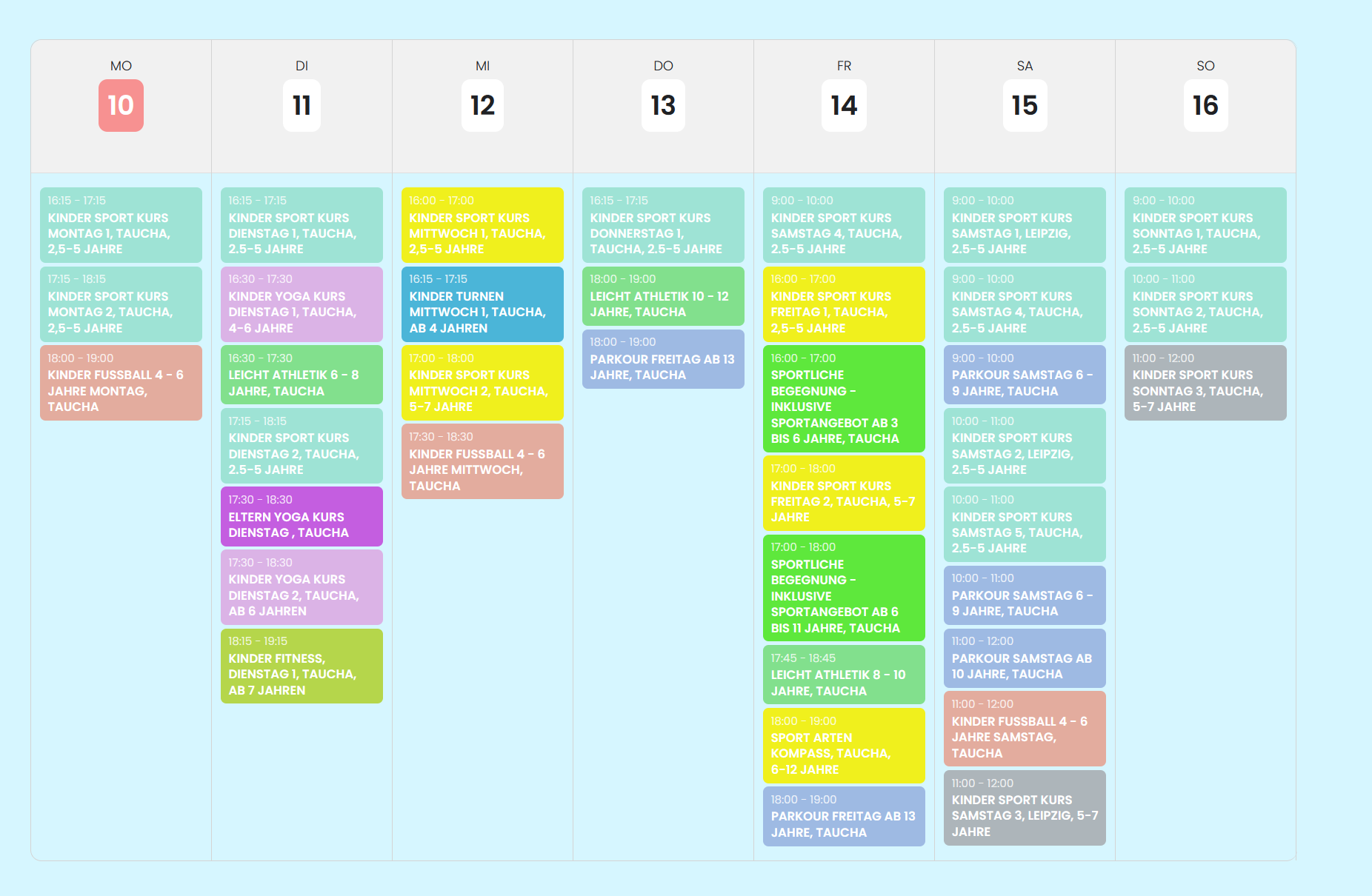
Here’s another Screenshot from the frontend to clarify that it is not necessary to display a specific week/year. The courses are the same throughout the year.
Reply to: tickets(379318)
Thank you for the response!
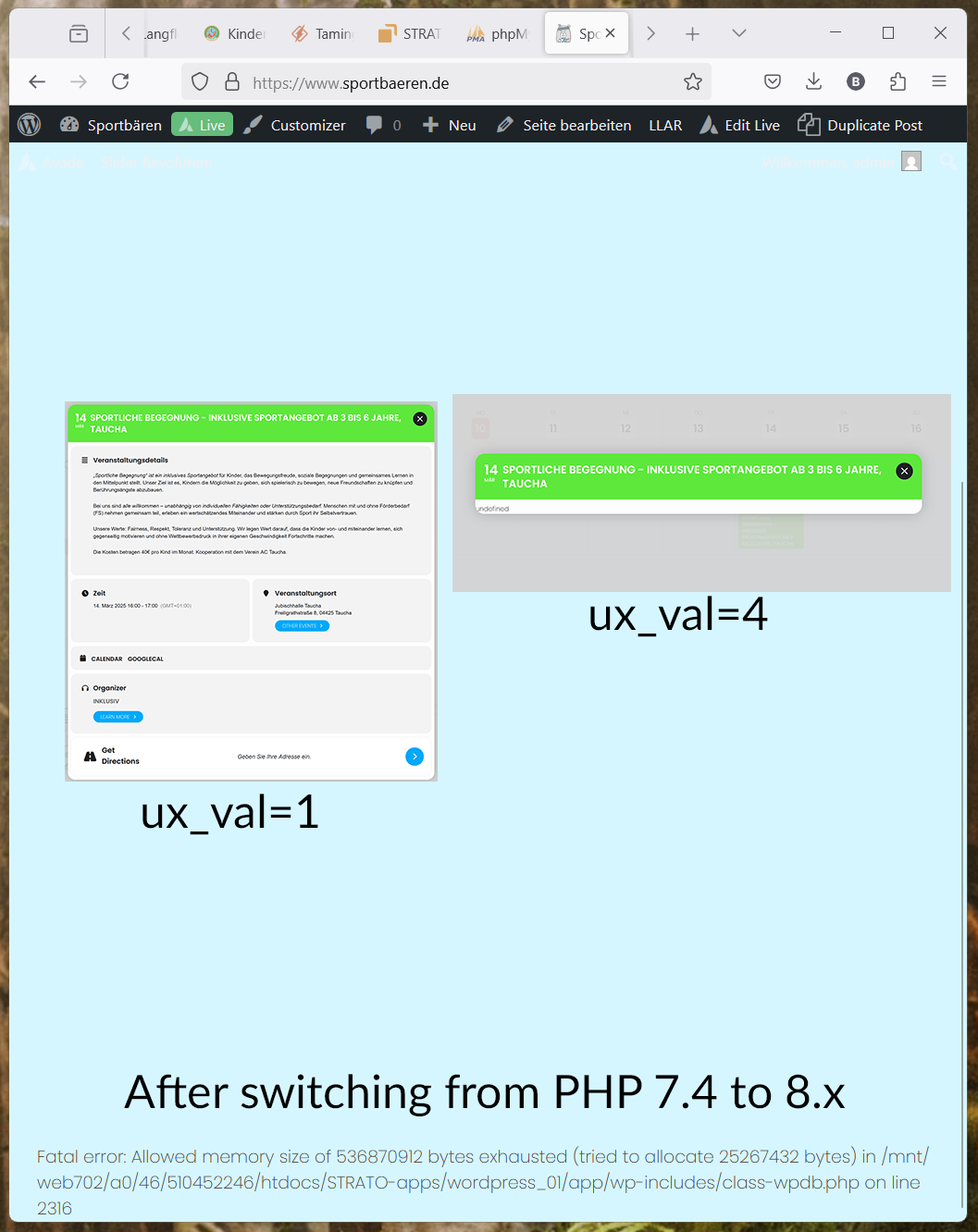
Unfortunately I can’t leave the website in an error state for you to inspect since it is in a productive state. But I have attached a screenshot of the result of switching from PHP 7.4 (extended Support version) to 8.x.
The PHP Memory Limit Error also shows irregularly when attempting to interact with the backend. Sometimes it works, sometimes it gives an error. I can force the error by increasing the PHP version from 7.4 to 8.x – this seems to require extra memory which can not be allocated withing the max. 512MB limitation.
I have tried switching the WP Query method as you suggested, but as soon as I reduce the time frame, most of the events disappear from the calendar. So I can not make use of this and have to leave it at “query all”…
I have tried to set ux_val=”4″ in the calendar instances, which returns “undefined” as can be seen in the screenshots.
I am calling the Calendar like this:
[add_eventon_wv show_et_ft_img=”yes” filter_type=”default” disable_week_switch=”yes” cal_init_nonajax=”yes” hide_so=”yes” ux_val=”1″ table_style=”1″ week_style=”1″ event_organizer=”48″]
I have run an “optimize” job on the database table _postmeta which has shrunk it by about 100MB but the PHP fatal error problems persist.
Maybe we need to take a look at the structure of the events. We are using EventON to display serveral pre-defined weekly views of recurring events (sport events). For each sports course we have created one EventON event with a weekly repeating type. In the frontend it does not matter which week we are in – we just need to see a fixed weekly view without dates. Should we perhaps change the repeated type to a single event in a specific week and year and then narrow the calendar view to this one week where the events are placed?
I have the feeling that each sports course continuously creates new events in the database each week, leading to more than 5.000 entries already. With a query all setup, this seems to cause massive memory requirements. What is your view on the situation with the new information?
Best regards,
Bodo Schütze