We are glad your issue is resolved, if you have any further questions or concerns please create a new ticket.
Archives: Replies
Replies for tickets on suppota
Reply to: tickets(378783)
Hello,
There are many custom CSS styles:
https://paavojarvi.com/wp-admin/admin.php?page=eventon&tab=evcal_3
It seems that you need to update them accordingly after the update.
Reply to: tickets(378708)
Please go to EventON > Download all eventON events. > click on CSV Import.
Now open the file and use it as a template.
Reply to: tickets(378788)
Hello,
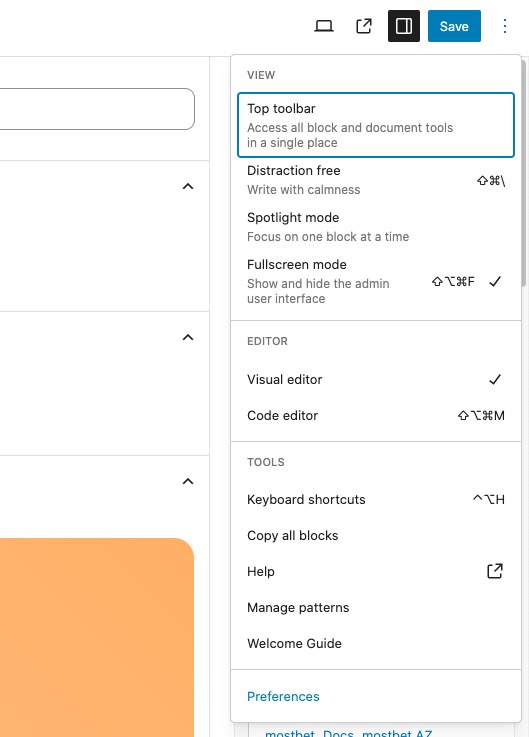
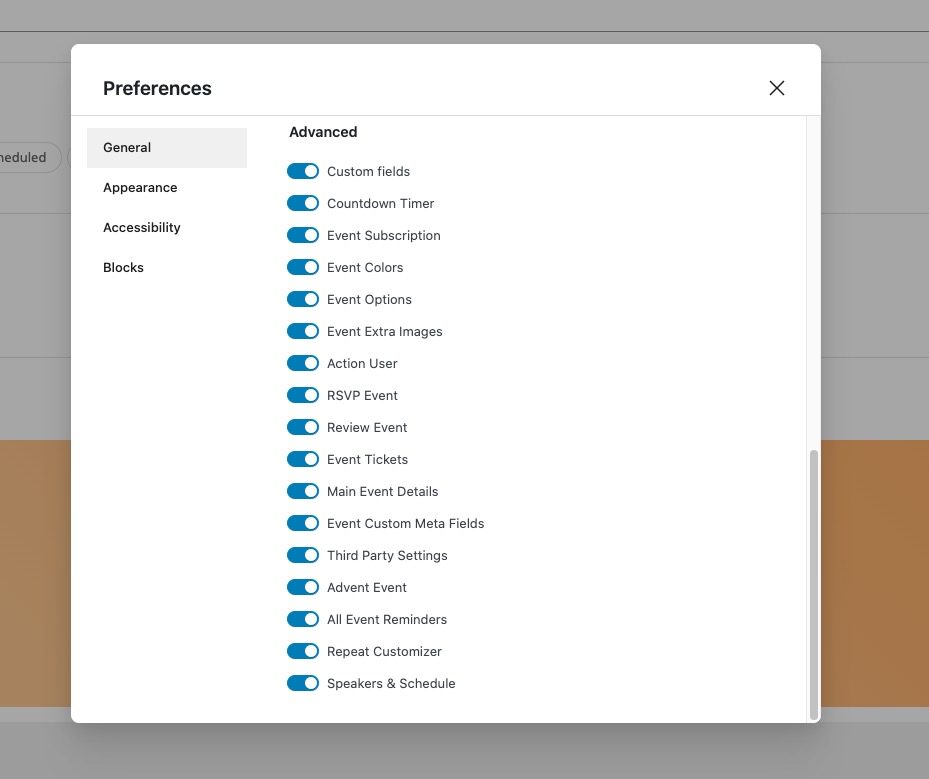
Please go to Edit Event > Preferences > uncheck fields you don’t want to see:
Reply to: tickets(342093)
Hello social medium,
Could you try going to EventON > Time Settings > Default Event Timezone is the same as wp-admin > Settings > Timezone?
Also go to Edit Event > make sure that Timezone is the same.
Reply to: tickets(378380)
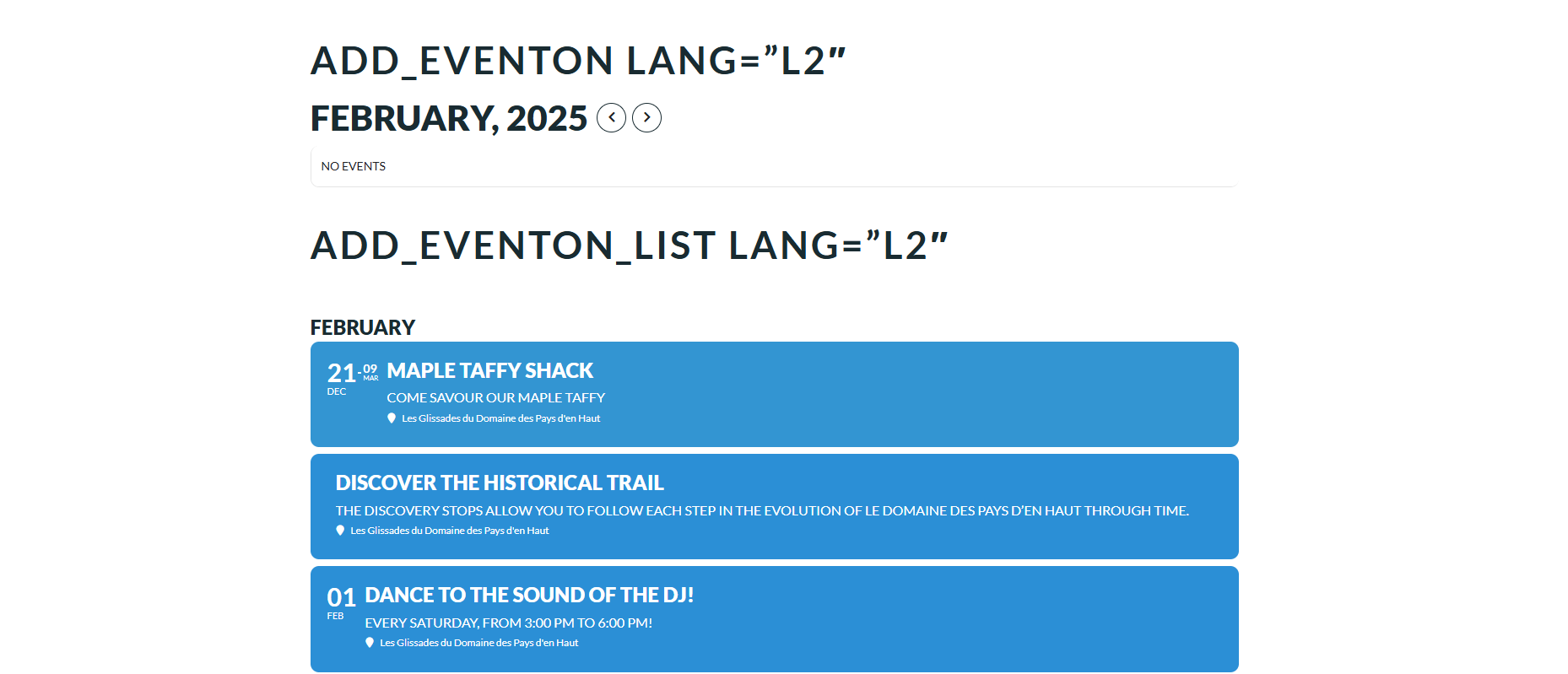
Even while removing all options [add_eventon lang=”L2″] shows nothing but [add_eventon_list lang=”L2″] works normally. There seems to be an issue with the shortcode add_eventon specifically
Reply to: tickets(342093)
I have the same issue. Is there any update on this?
Under https://yogamitann.de/kursplan/ the start times are 1h earlier than set in the backend. If i click of an event the times are correct.
Reply to: tickets(376071)
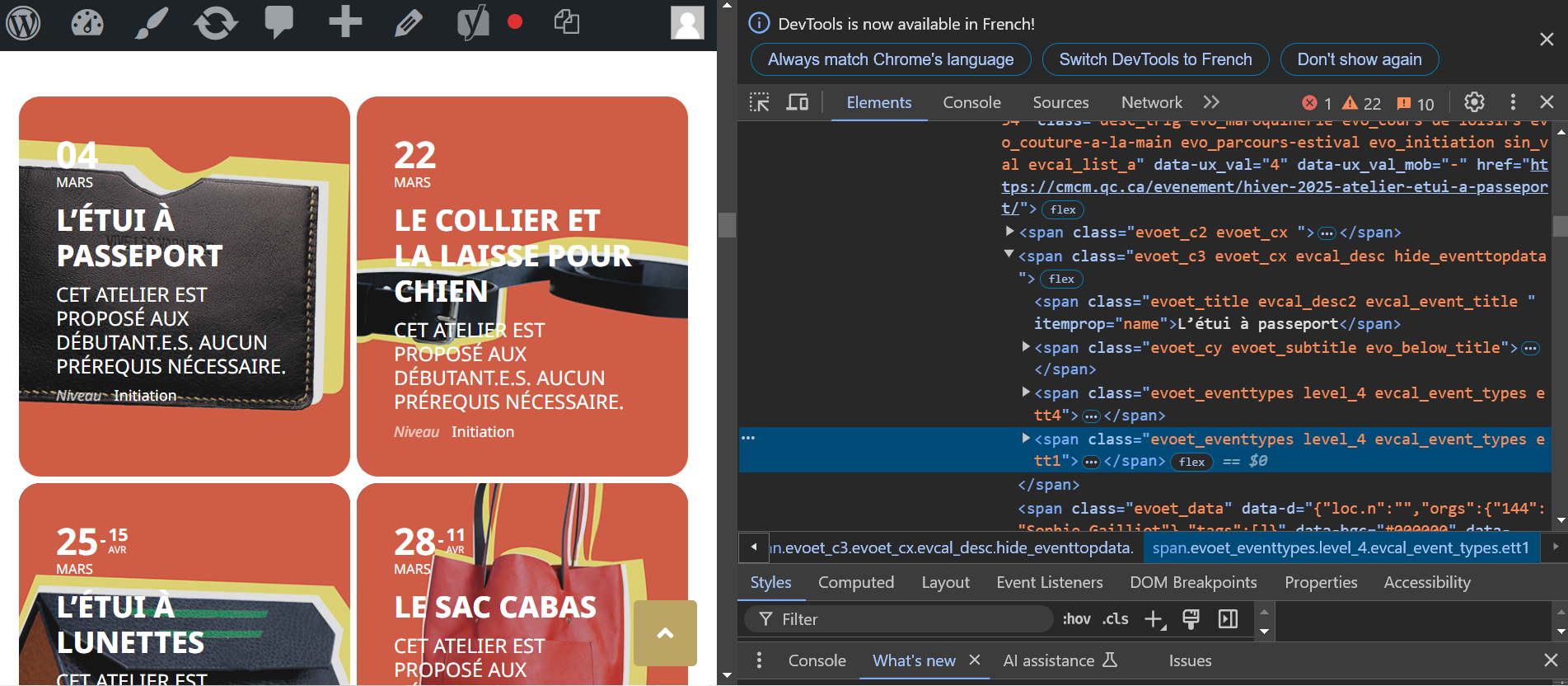
I update to 4.8.2 but nothing seems to change…When i remove your css, only one event type is showing.
Reply to: tickets(376825)
I understand, but do you have any clue or idea on how to fix this with custom code? We might add custom code to fix this translation issue
Reply to: tickets(378380)
We cannot do that the website is in production with a lot of traffic, and we need to use Polylang anyway