Hello,
Date/Time:
https://docs.myeventon.com/documentations/event-post-meta-variables/
evcal_srow UNIX event start value
evcal_erow UNIX event end value
Please take a look at how you retrieve locations:
https://docs.myeventon.com/documentations/taxonomies-eventon/
The same with speakers, just use event_speaker $taxonomy.
Please take a look at Actions & Filters:
https://docs.myeventon.com/documentations/hooks-actions-filters/
The ones that contain “eventon_eventcard” is what you need to check out.
Perfect! Please keep us updated.
Hello,
Please contact CodeCanyon about refunding the main plugin.

Hi Artem
Thankyou for the link, that is useful and will take a look
However I need to do some custom changes for compatibility with paid memberships pro and need to find where the events details are output(as per attached image)
I dont know if this will be the same place for a lightbox popup and a single page view or if they are different.
Thanks, I’ve done that and made a note in my diary to renew the 2 I want in Feb next year.
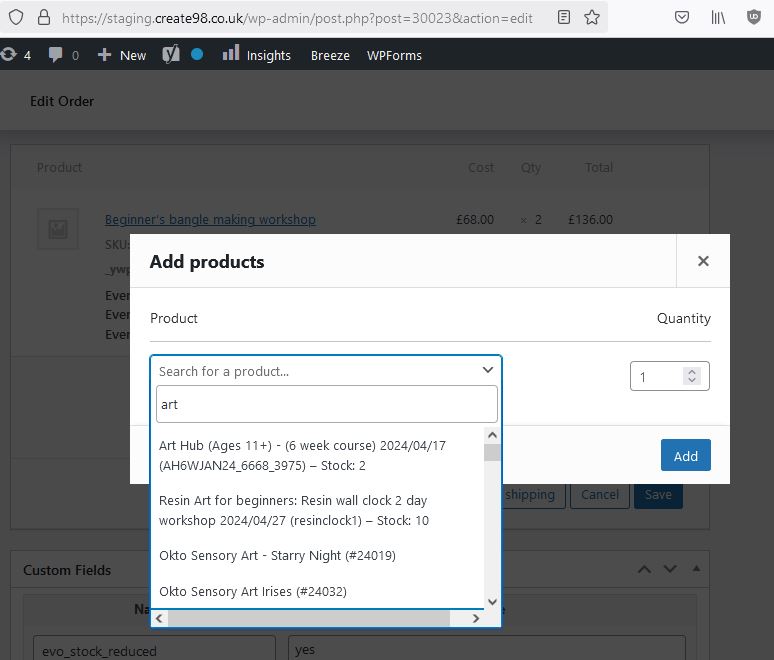
Staging works. image attached.
thanks i’ll try this code
Order #203296 (February 5, 2025)
Hi,
The console errors were discovered after issues editing an order, so maybe it’s easier to debug from that end.
The issue affects editing WooCommerce orders on live. The issue doesn’t occur on staging.
If you go to;
WooCommerce > Orders > edit an order
Scroll down to the product part of the order.
Add item button.
Add product button
A pop panel appears to search for a product to add.
On staging the dropdown works correctly and says add 3 characters. See attached.
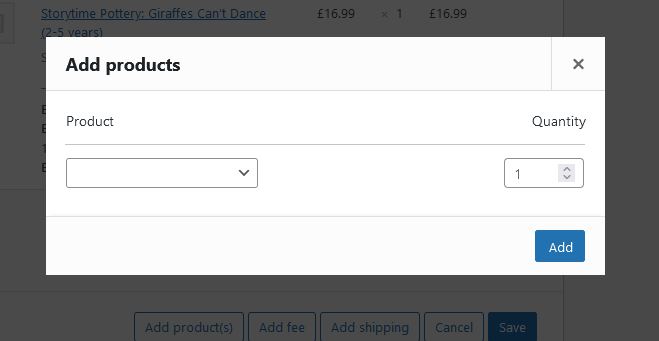
On live the dropdown is broken and doesn’t expand fully.
In the console I see the errors;
Store “core/interface” is already registered. data.min.js:2:20189
Uncaught TypeError: h is undefined
<anonymous> https://create98.co.uk/wp-includes/js/wp-auth-check.min.js?ver=6.7.1:2
jQuery 7
xhr https://create98.co.uk/wp-includes/js/heartbeat.min.js?ver=6.7.1:2
jQuery 4
Thanks
Andrew