Hello,
I am sorry, the access information you have provided did not work for us. Please check them and post the correct login information as a private message, thank you!
What is your current version of EventON? Could you make sure to use the latest – 4.8.2?
Hello,
It just looks to be stuck.
I believe that since there is quite a lot of seats, the server may not have enough memory. Please follow the instructions in this documentation to activate debug in your site to see any PHP errors recorded that can provide insight on to whats going on. Please reply with a link to debug.log file. If you are not able to do this please send us FTP access to your site so we can do this for you.
Could you also send us your .json file, so we can check it?
Please also update EventON, Tickets, Seats and other add-ons that require updating.
To update eventon to latest version: If you are unable to do autoupdate, you can go to codecanyon your account > download and get the latest eventon version as zip file. Then you can go to your website > make sure “Delete eventon settings & data when EventON is uninstalled” is Deslected from eventon settings, delete old eventon, install new one and activate. This link will further explain the process it. Also you can follow us on twitter to get real-time announcements on updates!
To update eventon addons: You can download latest eventon addons from myeventon > my account. Then you can go to your website, deactivate old addon and install new one and activate then delete the old addon. This link will further explain the process. Also you can follow us on twitter to get real-time announcements on updates!
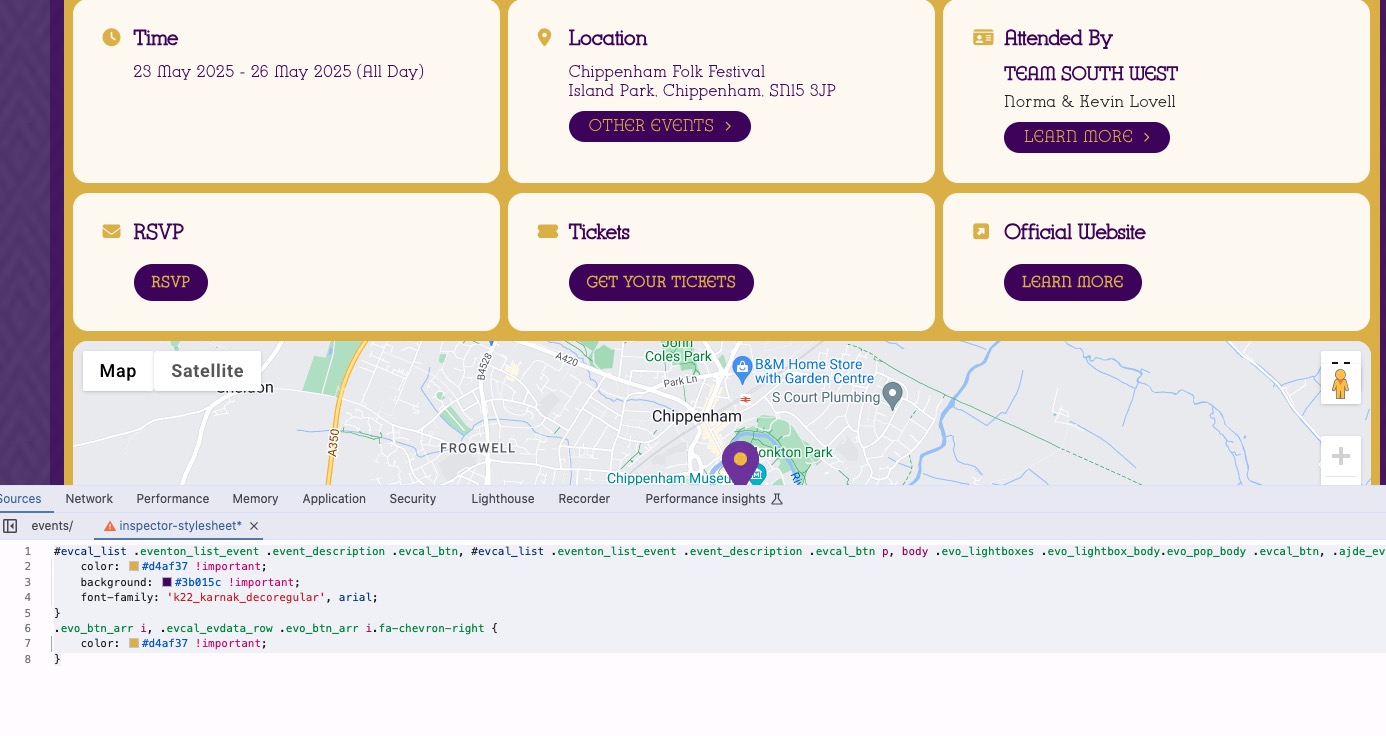
This code is going to make all buttons the same (font, gold color and violet background):
#evcal_list .eventon_list_event .event_description .evcal_btn, #evcal_list .eventon_list_event .event_description .evcal_btn p, body .evo_lightboxes .evo_lightbox_body.evo_pop_body .evcal_btn, .ajde_evcal_calendar .eventon_list_event .event_description .evcal_btn, .evo_lightbox .evcal_btn, body .evcal_btn, .evo_lightbox.eventon_events_list .eventon_list_event a.evcal_btn, .evcal_btn, .evo_btn_arr, .evo_btn_arr_circ { color: #d4af37 !important; background: #3b015c !important; font-family: ‘k22_karnak_decoregular’, arial; } .evo_btn_arr i, .evcal_evdata_row .evo_btn_arr i.fa-chevron-right { color: #d4af37 !important; }
Could you try and let me know?
What are other issues that are still not solved? Could you tell us?
New update for Reminders add-on is available. Could you try updating and let us know?
Could you please try the instructions mentioned in this documentation?
Hello,
Have you managed to fix the issue?

Could you check and let me know?
You can use any email you like. Simply create a new user and send us username and password.
Hi Artem,
Send me an email address and name to use – – I have a temporary login plugin installed (Temporary Login Without Password) and can give you access temporarily that way.
Thank you,
Doug Nesbit
you can try this (again), but when I attempt to login it sends a link to my email and I have to go from there.
mslanapierce@gmail.com
THIS1!$temp0rary!!