Thank you for your response, I have meanwhile deactivated the header tags.
Archives: Replies
Replies for tickets on suppota
Reply to: tickets(376817)
Hi,
It seems to happen when I enable the main EventON enabled. The more EventON add-ons enabled the more of these errors appear.
Thanks
Andrew
Reply to: tickets(376658)
memory limit is increase to 1024 MB…
But it doesn’t work…
Reply to: tickets(376667)
Hi
So it sounds like to subscribe to the calendar, you get an email when a not entry is posted, with a link in the emial to your chosen type of Calendar.
Am I right?
Simon
Reply to: tickets(376010)
Dots are there but the icons not!
Reply to: tickets(376957)
Went back to 2.0.3. The new one is horrible!
Reply to: tickets(376957)
HOW can I choose 24hr time not 12hr and am pm!?????
Reply to: tickets(376010)
No it does not and yes I do clear cache!
https://www.businessfactors.de/de/conferences/it-security/agenda/
Reply to: tickets(316252)
With the Google API Key. Is there another way to do it?
Actually just saw, I do have EventOn Sync Events Plugin installed.
Reply to: tickets(375490)
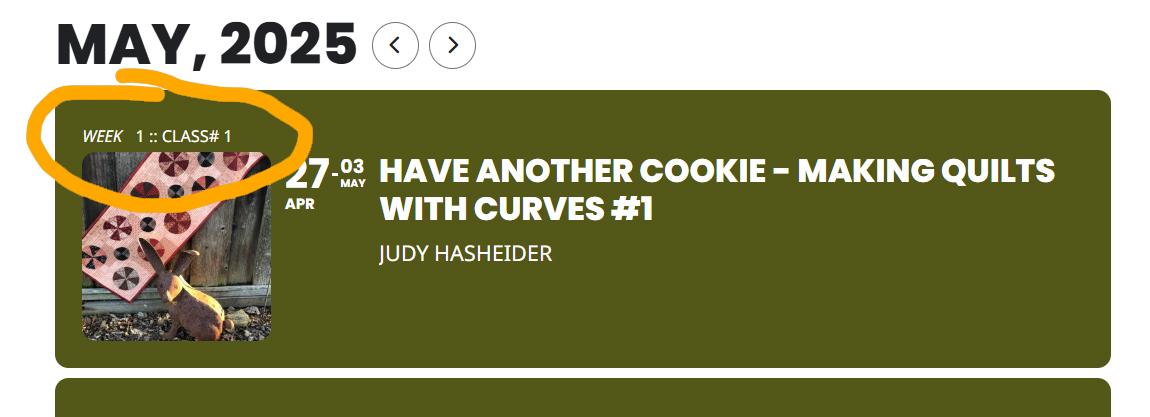
Hi, It’s working because of the temp fix code you suggested above. Is there not a regular setting for changing the custom field text? My initial question for the text circled in the attached pic.
Before the temp code, the text was gray. I was told to change the regular ‘link’ text in settings to white. The text was still gray. However, in the event detail view, that text did change to white. Then I was asked to change: .eventon_full_description .eventon_desc_in a { color: #ef4040; }. Which i did. I think we’re talking about two different elements…unless the element circled is considered a link.
Not sure about the larger pricing font size. I noticed it looks bigger than the rest of the text, but I’m not aware of any alterations I made to change it.