Ashan,
The same on dev2:
https://dev2.myeventon.com/events/test-183/
Replies for tickets on suppota
Ashan,
The same on dev2:
https://dev2.myeventon.com/events/test-183/
Hello,
Thank you for your messages, I am going to assign this ticket to Ashan and he will be able to take it from here and find you a solution. Please allow some time for him to get back to you, we greatly appreciate your patience and thank you for being a eventon customer! Also please disable any IP blocking on your site if there are any.
Ashan,
Please check 1.
The same on dev2:
https://dev2.myeventon.com/test-810/
Hello,
1. Thank you for your messages, I am going to assign this ticket to Ashan and he will be able to take it from here and find you a solution. Please allow some time for him to get back to you, we greatly appreciate your patience and thank you for being a eventon customer! Also please disable any IP blocking on your site if there are any.
2. Please add this CSS code to EventON > Styles (If you don’t see any change, EventON > Scripts & Styling > turn off Write dynamic styles to header > save settings > turn on Write dynamic styles to header):
.eventon_filter_dropdown p.select { font-weight: 600; }
During big updates (4.6, 4.7, 4.8 and so on) there are can be some issues. So please wait to .1 version that fixes some major issues if there are any and only then update.
We are glad your issue is resolved, if you have any further questions or concerns please create a new ticket.
Could you elaborate more about your issue?
Your current Timezone is GMT+1 and it’s showing exactly that: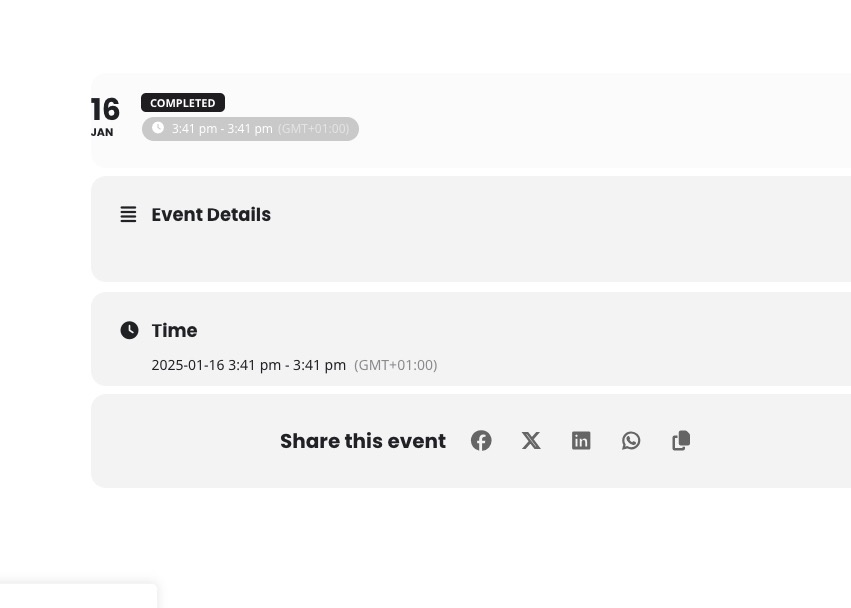
Hi Artem,
Thanks for your message. I’ve always been very grateful about the support received and I understand that the question I have apparently takes some time to fix. Please understand your plugin is being used in a commercial environment, so I have a business customer asking daily about the progress.
Please also have a look at the e-mail question I’ve posted, as this hasn’t been resolved in a couple of months.
Thanks !
Hello,
Primary color isn’t for parts you are referring to.
Please go to EventON > Appearance > Event Card Styles > Primary Button Colors.
If you don’t see any change, EventON > Scripts & Styling > turn off Write dynamic styles to header > save settings > turn on Write dynamic styles to header.
Hello,
Seems to be working on our test server. Please send us wp-admin access to your site as a private message for us to further assist your situation.
Also try manually clearing your browser cache.
Hello,
Please take a look at this add-on:
https://www.myeventon.com/addons/ticket-variations-options/
You can create different types or tickets, but you need to manually check people in and make sure that types are correct.
Try on
https://dev.myeventon.com/wp-admin/